Most developers and product builders run into the same bottleneck: turning a rough idea into a working, deployable product takes far longer than expected. The issue isn’t just writing code, it’s structuring the project, wiring integrations, handling edge cases, and iterating quickly without breaking things.
That’s where tools like Emergent.sh come in. Instead of acting like a simple code generator, it behaves more like a system that translates intent into structured, deployable applications with a surprisingly high level of coherence.
What you gain is not just speed, but momentum. The difference becomes clear after a few iterations.
Real Usage Contexts
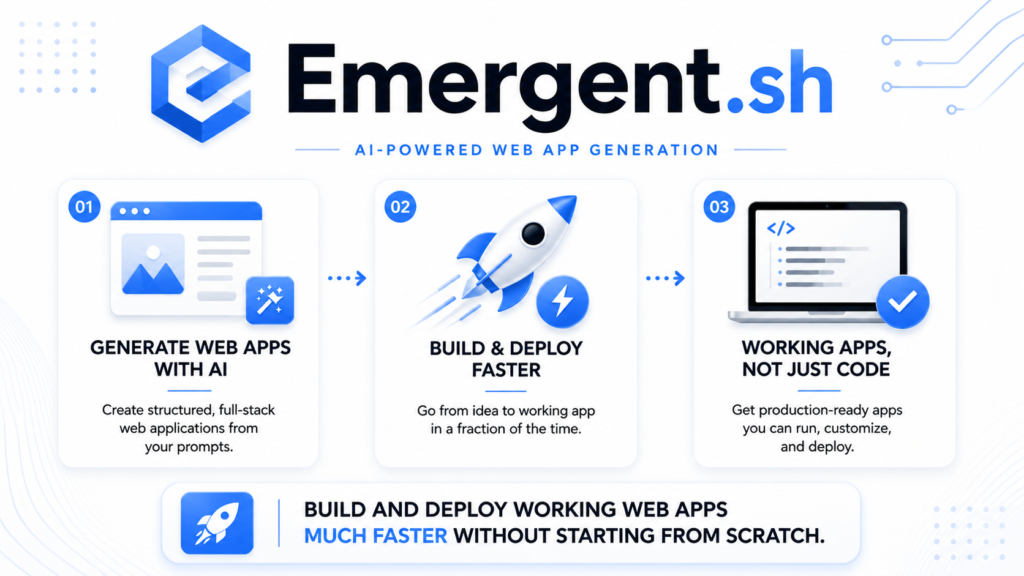
Emergent.sh is designed to generate functional web applications from structured prompts. It doesn’t just output snippets, it builds cohesive systems that include frontend, backend logic, and basic infrastructure assumptions.
In practice, it works best for:
- MVPs and prototypes
- Internal tools
- SaaS scaffolding
- Feature experiments
Where it stands out is consistency. Unlike many AI tools that generate isolated pieces of code, Emergent.sh attempts to maintain structure across files, which reduces the usual “glue work” developers spend hours fixing.
However, expectations need to be realistic. It does not replace architectural thinking. If your prompt is vague, the output will reflect that ambiguity. It also struggles with highly specialized systems (e.g., complex distributed architectures or deeply optimized performance layers).
A common surprise: the first output often looks impressive, but the real value comes from iteration. The tool improves significantly when you refine inputs instead of starting over.
Key Features That Actually Matter
One of the most useful aspects is how it generates full project structures rather than isolated components. This means you can immediately run or deploy something without manually assembling files. In real workflows, this saves hours, but only if the initial structure aligns with your needs.
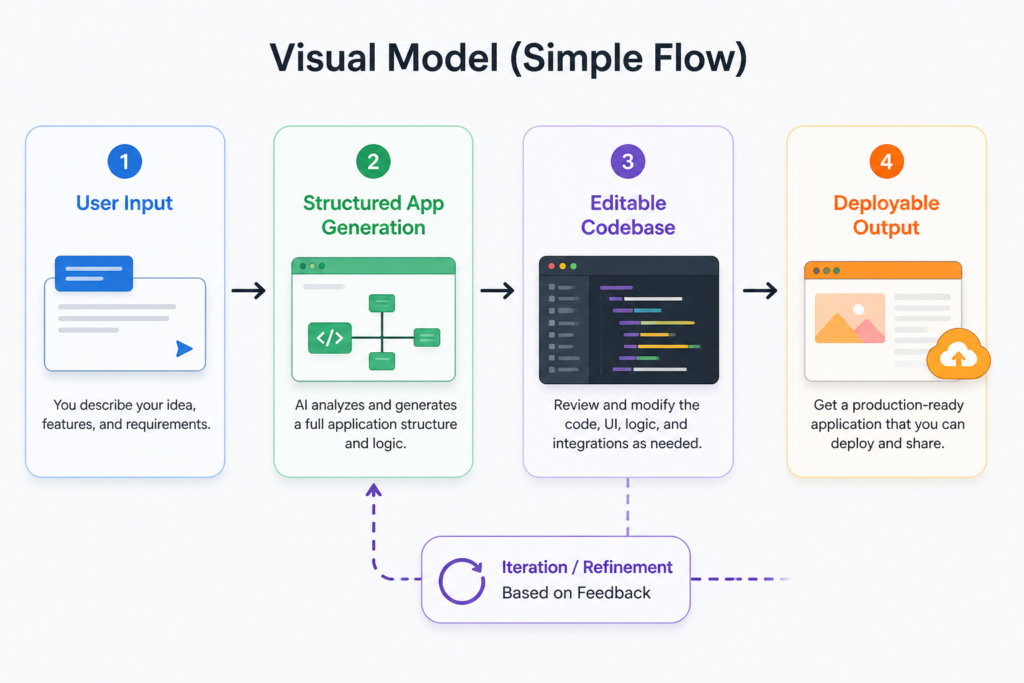
Another practical feature is iterative refinement. You can modify specific parts of the app without regenerating everything. This is critical, because full regeneration often introduces regressions. The limitation here is that context can drift, if you don’t guide it precisely, updates may conflict with earlier logic.
It also handles basic integrations (APIs, authentication flows) reasonably well. But these integrations tend to be generic. If your use case requires strict validation, security hardening, or edge case handling, you’ll need manual intervention.
How to Use It Effectively
Most users make the mistake of treating Emergent.sh like a prompt-and-done tool. That approach produces unstable results.
A more effective workflow looks like this:
Start with a structured prompt that defines:
- the goal of the app
- the core features
- the expected user flow
- the tech stack (if you care about it)
Then generate the initial version.
From there, don’t regenerate. Instead:
- refine specific components
- test behavior early
- adjust logic incrementally
Where things typically break:
- unclear feature boundaries
- missing constraints in prompts
- overloading a single request with too many requirements
A better prompt example:
“Build a task management web app with user authentication, task CRUD operations, and a dashboard view. Use a clean React frontend and a simple REST API backend. Prioritize simplicity over scalability.”
A common beginner mistake:
Asking for “a full SaaS platform” in one go.
Fix:
Break it into layers, authentication first, then core functionality, then enhancements.
Real Life Use Cases
A startup founder validating a SaaS idea can generate a working MVP in hours instead of weeks. The output won’t be production ready, but it’s good enough for early user testing.
A developer building internal tools can skip boilerplate entirely. Instead of setting up routing, state management, and APIs manually, they start from a functional base and refine.
Product teams use it for rapid feature prototyping. Instead of debating feasibility, they generate a working version and test it immediately.
Freelancers can accelerate client work, but only if they understand how to clean and adapt the generated code. Otherwise, they risk delivering brittle systems.
Example Outputs
| Task | Without AI | With Emergent.sh |
|---|---|---|
| Build CRUD app | 6-10 hours setup + coding | 1-2 hours with refinements |
| Add authentication | Manual integration, debugging | Basic auth generated, needs tweaks |
| UI scaffolding | Designed + coded from scratch | Prebuilt, but generic |
| API wiring | Fully manual | Partially generated, may need fixes |
Pricing
Emergent.sh typically follows a usage-based or tiered model.
The key insight: the cost is rarely the subscription, it’s how you use it.
If you constantly regenerate entire projects, you waste both time and usage limits. Efficient users iterate in small steps, which dramatically improves cost efficiency.
It becomes worth paying for when:
- you’re building repeatedly (not one off)
- speed matters more than perfection
- you can refine outputs yourself
Strengths and Limitations
The biggest strength is speed to structure. You go from idea to working system faster than traditional workflows allow. This matters most in early stage development where iteration speed is critical.
Another advantage is coherence. Outputs are more connected than typical AI-generated code, reducing integration friction.
One limitation is depth. The tool handles general cases well but struggles with complex or highly specific requirements. This becomes obvious when you try to scale beyond MVP level.
There’s also a dependency risk. If you rely too heavily on generated structure without understanding it, debugging becomes difficult.
Who Should Use It
Best suited for:
- startup founders building MVPs
- developers who want to skip boilerplate
- product teams testing ideas quickly
Not ideal for:
- beginners with no coding knowledge
- teams building highly complex systems
- projects requiring strict performance optimization
Advanced Tips
Treat prompts like specifications, not requests. The more structured your input, the better the output.
Avoid full regeneration. Modify incrementally to preserve stability.
Use it for scaffolding, not final code. The best results come when you combine generation with manual refinement.
Think in systems. Instead of asking for features, describe workflows and interactions.
Final Verdict
Emergent.sh is most valuable when speed and iteration matter more than perfection. It’s not a replacement for engineering, it’s a force multiplier for early stage development.
It works best for builders who can guide and refine outputs. If you expect flawless production ready code, you’ll be disappointed. If you use it as a structured accelerator, it becomes extremely effective.
FAQ
Is Emergent.sh good for production apps?
Not directly. It’s best for MVPs and prototypes. Production systems require additional refinement.
Do I need to know how to code?
Yes. You need at least a working understanding to fix and adapt outputs.
How accurate are the generated apps?
They’re structurally solid but often need adjustments, especially for edge cases.
Can it replace frameworks or dev tools?
No. It complements them by accelerating setup and early development.
Call to Action
If you’re building something and want to reduce the time between idea and execution, the best way to evaluate it is through real usage. Start using Emergent.sh on a small project and iterate from there.