If you are running paid ads, every percentage point of conversion rate improvement translates directly into more revenue from the same budget. That is exactly the promise Unbounce makes, and it has been making that promise since 2009.
Unbounce is the most established landing page builder on the market, used by thousands of marketers, agencies, and SaaS companies to build, test, and optimize landing pages without touching code. Furthermore, its Smart Traffic AI feature, which automatically routes visitors to the landing page variant where they are most likely to convert, is a genuine differentiator no competitor matches at the same price point.
However, Unbounce is not cheap. The entry Build plan starts at $99/month, and the AI optimization that makes it genuinely powerful requires the higher tiers. Consequently, the question in 2026 is whether it is worth the price for your specific situation.
This honest review gives you the full picture.
What Is Unbounce?
Unbounce is a landing page platform built specifically for marketers and marketing agencies. It combines a no-code drag-and-drop page builder with AI-powered conversion optimization, A/B testing, and integrations with virtually every major marketing tool.
The core idea is simple. Instead of sending paid ad traffic to your homepage or a generic product page, you send it to a dedicated landing page built specifically for that campaign and audience. Landing page visitors convert at significantly higher rates than homepage visitors. Furthermore, Unbounce’s Smart Traffic feature takes this further by automatically matching each visitor to the page variant where they are statistically most likely to convert.
In 2026, Unbounce added MCP (Model Context Protocol) support, meaning you can now build and manage landing pages directly through AI assistants like Claude and ChatGPT. Consequently, it is one of the first landing page platforms to integrate into the AI agent workflow era.
Unbounce Pricing in 2026
Unbounce offers four pricing tiers with a 25% discount on annual billing. Here is the verified breakdown as of July 2026:
Build: $99/month (monthly) or approximately $74/month (annual billing). Includes unlimited landing pages, popups, and sticky bars, up to 20,000 monthly visitors, drag-and-drop builder, dynamic text replacement, 100 plus templates, and all standard integrations. Furthermore, the 14-day free trial is available on all plans with no credit card required.
Experiment: $149/month (monthly) or approximately $112/month (annual billing). Adds A/B testing and Smart Traffic AI optimization, up to 30,000 monthly visitors, and expanded conversion capacity. This is the first tier where Unbounce’s genuine differentiating features become accessible.
Optimize: $249/month (monthly) or approximately $187/month (annual billing). Increases visitor limits to 50,000 per month and expands conversion capacity significantly. The AI engine is fully unlocked at this tier. For teams spending $5,000 or more per month on paid ads, the ROI math typically favors this plan. A 30% conversion lift on $5,000 in ad spend generates far more value than the monthly premium over the Build plan.
Concierge: From $625/month. Custom visitor and conversion limits, dedicated implementation support, and a team of conversion experts working alongside your marketing team. Designed for agencies and high-volume marketing operations.
14-day free trial: Available on all plans. No credit card required.
The honest pricing verdict: Unbounce is not cheap. At $99/month for the entry plan, it is more expensive than most landing page builders. Leadpages starts at $37/month. Landingi starts at $29/month. However, you are paying for the conversion optimization technology, not just a page builder. If you are running meaningful paid ad campaigns, the Smart Traffic feature alone can justify the price difference through improved conversion rates. If you are not running paid ads, cheaper alternatives deliver similar core functionality.
Key Features
Drag-and-Drop Builder
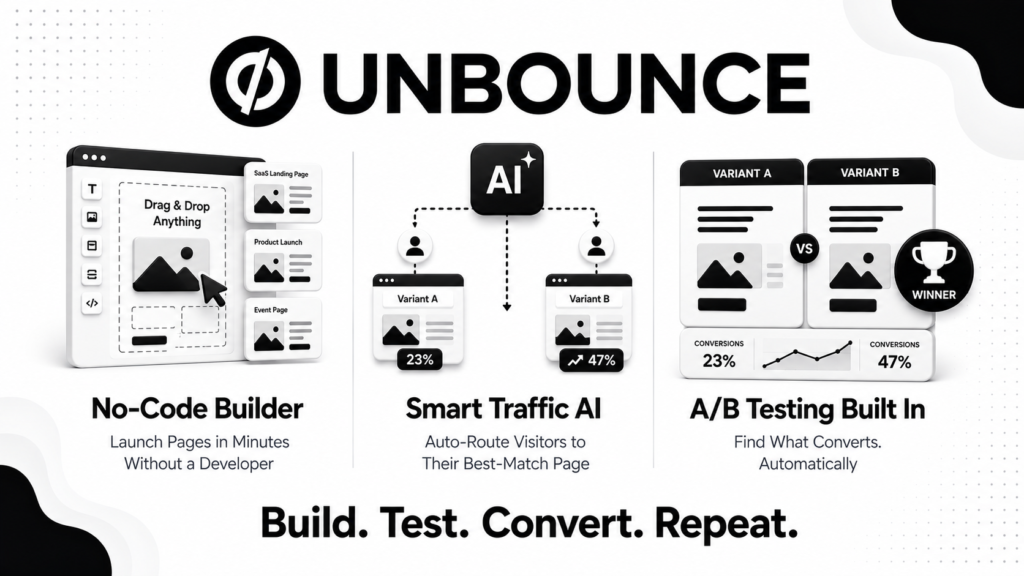
Unbounce’s builder is flexible and beginner-friendly. You can start from one of 100 plus templates optimized for specific industries and use cases, or build from a blank canvas. Furthermore, the builder supports dynamic text replacement, which automatically updates landing page copy to match the keywords visitors searched for. This personalization alone can meaningfully improve conversion rates on paid search campaigns.
Custom code injection is also available for marketers who need pixel-perfect design control or specific functionality. Consequently, Unbounce serves both non-technical marketers who want drag-and-drop simplicity and technical teams that want full customization control.
Smart Traffic AI Optimization
This is Unbounce’s most important differentiator. Smart Traffic uses AI trained on data from over two billion conversions to automatically route each visitor to the landing page variant where they are most likely to convert, based on attributes like device, location, browser, and time of day.
Unlike traditional A/B testing where you manually analyze results and pick a winner, Smart Traffic learns continuously and optimizes automatically. Consequently, you get conversion improvements without needing to monitor tests and make decisions manually. Users who run Smart Traffic consistently report conversion rate improvements in the range of 20% to 30% compared to single-page campaigns.
However, Smart Traffic requires the Experiment plan at $149/month or higher. Therefore, Build plan users are missing Unbounce’s most powerful feature entirely.
A/B Testing
Unbounce’s A/B testing is no-code and straightforward. You create page variants, define the traffic split, set your confidence threshold, and let the test run. Furthermore, results are presented clearly with statistical significance indicators so you know when results are reliable enough to act on.
The testing interface is significantly simpler than what most marketing platforms require. Consequently, solo marketers and small teams can run systematic conversion experiments without needing a data analyst to interpret results.
MCP Integration (New in 2026)
Unbounce’s MCP server is a notable 2026 addition. It allows AI assistants including Claude and ChatGPT to build and manage landing pages, run A/B tests, deploy winning variants, and generate performance reports through natural language commands.
For marketers who already use AI assistants in their workflow, this integration eliminates the need to switch between their AI tool and the Unbounce dashboard. Furthermore, it positions Unbounce well for the growing adoption of AI agent workflows in marketing operations.
Integrations
Unbounce connects natively with over 100 marketing tools including Salesforce, HubSpot, Mailchimp, Zapier, Google Analytics, and Twilio. Furthermore, the Zapier connection extends this to virtually any tool not natively supported. Consequently, landing page conversions can trigger automated workflows in your existing marketing stack without manual data transfer.
Popups and Sticky Bars
Beyond landing pages, Unbounce includes popup and sticky bar builders included on all plans. These tools let you add conversion elements to your existing website without touching your main site code. Consequently, marketers can run lead capture and promotional campaigns across their full web presence from the same Unbounce dashboard.
What Unbounce Does Well
Smart Traffic is a genuine differentiator. No competing landing page builder at a comparable price point offers AI-powered traffic routing that learns from two billion plus conversions. For paid ad campaigns, this feature consistently delivers measurable conversion improvements that justify the price premium.
The builder is genuinely no-code. Building professional, high-converting landing pages requires no developer involvement. Furthermore, dynamic text replacement adds personalization that most builders do not include at any price point.
MCP integration puts it ahead of competitors in AI workflows. Being one of the first landing page builders to offer MCP server support means Unbounce integrates naturally into AI-powered marketing workflows that are becoming standard in 2026.
Template library is optimized for conversion. The 100 plus templates are not generic design templates. They are built around conversion principles and industry-specific best practices. Consequently, starting from a template gives you a head start on performance rather than just aesthetics.
The 14-day free trial requires no credit card. Testing the full platform without payment commitment lowers the barrier to evaluation significantly.
Where Unbounce Falls Short
It is expensive for what you get at the entry level. The Build plan at $99/month does not include Smart Traffic or A/B testing, which are the features that make Unbounce worth its premium pricing. Consequently, marketers who sign up for the entry plan are paying for a good but not exceptional landing page builder that cheaper alternatives can match.
Visitor limits can be restrictive. The Build plan caps at 20,000 monthly visitors. High-traffic campaigns can burn through this quickly. Furthermore, exceeding limits can result in additional charges or reduced page performance. Therefore, always estimate your expected traffic before choosing a plan.
Analytics accuracy has been questioned. Multiple user reviews on Capterra and SoftwareAdvice in 2025 and 2026 note that Unbounce’s conversion reporting is not always accurate, with discrepancies between Unbounce-reported leads and actual leads verified through third-party tools. This is a significant concern given that accurate conversion measurement is the foundation of Unbounce’s value proposition.
The steep price jump between tiers. Going from Build at $99/month to Experiment at $149/month to Optimize at $249/month is a steep progression. Consequently, teams that outgrow one tier face significant cost increases to access the next level of functionality.
Not ideal for simple websites. Unbounce is a campaign and landing page tool, not a website builder. If you need a full website with blog, navigation, and multiple page types, you need a separate solution. Therefore, Unbounce works alongside your existing website rather than replacing it.
Unbounce vs Competitors
Unbounce vs Leadpages: Leadpages starts at $37/month, making it significantly cheaper. It offers basic A/B testing and a solid builder. However, it lacks Smart Traffic AI optimization, has a smaller template library, and fewer conversion-focused features. Therefore, Leadpages wins on budget while Unbounce wins on AI-powered optimization for serious paid ad campaigns.
Unbounce vs Instapage: Instapage is the closest feature competitor, starting at $199/month. It offers stronger team collaboration tools and built-in heatmaps that Unbounce lacks. However, Unbounce’s Smart Traffic beats Instapage’s AI personalization features for most SMB use cases. Instapage’s personalization requires enterprise pricing at $499 plus per month. Consequently, Unbounce wins on mid-market ROI while Instapage wins on enterprise collaboration features.
Unbounce vs Webflow: Webflow is a full website builder with more design flexibility and no visitor limits. However, it requires significantly more technical knowledge and lacks the conversion optimization features that define Unbounce’s value. Therefore, Webflow suits developers and design-focused teams while Unbounce suits marketers who prioritize conversion rate optimization over design flexibility.
Unbounce vs native ad platform landing pages: Google Ads and Meta both offer basic landing page functionality built into their platforms. These are free but lack A/B testing, Smart Traffic, and the conversion-focused template library that Unbounce provides. Consequently, for any meaningful paid ad spend, Unbounce’s tools pay for themselves through improved conversion rates.
Who Should Use Unbounce?
Unbounce is the right choice if you are:
- A marketer running paid ad campaigns on Google, Meta, or LinkedIn who wants to maximize conversion rates from existing ad spend
- A marketing agency managing multiple client campaigns that needs a professional landing page platform with client management features
- A SaaS company running lead generation campaigns that wants AI-optimized traffic routing and systematic A/B testing
- A business spending $3,000 or more per month on paid traffic where conversion rate improvements translate into meaningful revenue gains
- A team that wants to build, test, and optimize landing pages without involving developers
However, Unbounce may not be the right fit if you are:
- A business with limited or no paid ad spend where the Smart Traffic feature cannot deliver its ROI
- A bootstrapped startup or individual creator where $99 to $249 per month is difficult to justify
- A team that needs a full website builder rather than a dedicated landing page tool
- A business that prioritizes reporting accuracy and cannot verify conversion data through third-party analytics
Unbounce Review: Final Verdict
Unbounce remains the strongest dedicated landing page platform for marketers running paid ad campaigns in 2026. Its Smart Traffic AI optimization, trained on over two billion conversions, is a genuine competitive advantage that delivers measurable conversion improvements for campaigns with sufficient traffic volume.
However, the value equation only makes sense when you are spending enough on paid ads that a 20% to 30% conversion improvement generates more revenue than the platform costs. Below approximately $3,000 per month in ad spend, cheaper alternatives like Leadpages deliver comparable core functionality at a fraction of the price.
Furthermore, the analytics accuracy concerns documented in recent user reviews are a legitimate issue that requires cross-referencing with Google Analytics for campaigns where precise conversion measurement matters.
If you are serious about conversion rate optimization and have the ad budget to justify the investment, Unbounce is the right choice in 2026. If you are just starting with landing pages or running modest ad campaigns, start with a cheaper alternative and upgrade when the ROI math supports it.
Overall rating: 4.1 out of 5
Unbounce is excellent for the right use case. The key is making sure your ad spend level justifies the premium before committing.