You’ve probably had this moment: you have a great idea for a tool, app, or automation—but turning it into reality feels overwhelming. Hiring developers is expensive, learning to code takes months, and most no-code tools still feel limiting or confusing. So your ideas stay stuck in your head.
That’s the real problem: the gap between idea and execution is still too big.
This is where Lovable AI changes the game. It allows you to turn plain English instructions into working applications, workflows, and tools—without writing code. In this guide, you’ll learn exactly how it works, how to use it effectively, and how to apply it to real-world scenarios to save time, launch faster, and build smarter.
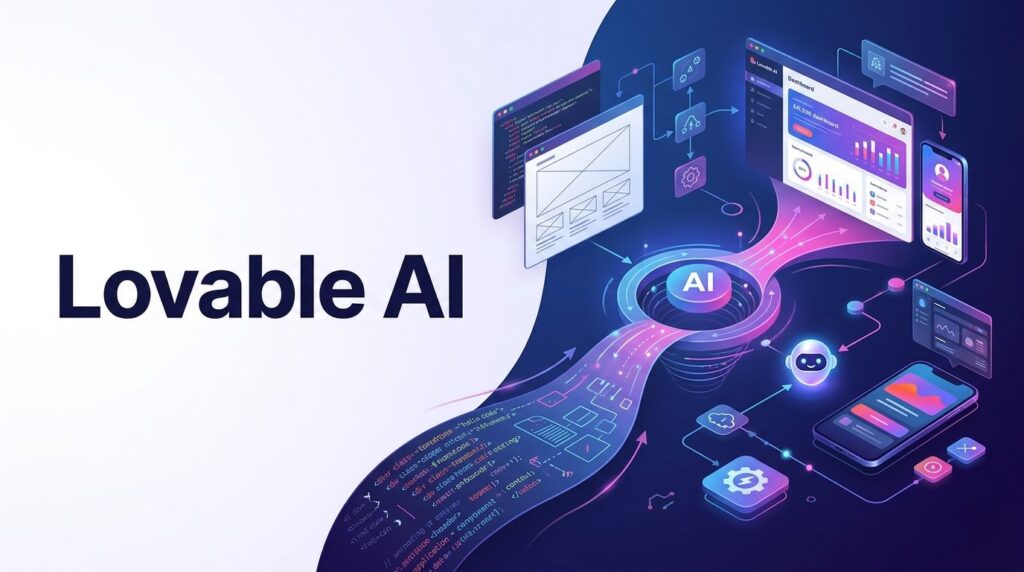
Visual Overview: How Lovable AI Works
[ Your Idea ]
      ↓
[ Describe in Plain English ]
      ↓
[ Lovable AI Generates App / Workflow ]
      ↓
[ Customize + Improve ]
      ↓
[ Deploy or Use Immediately ]VALUE:
✔ Faster execution
✔ No coding required
✔ Real working tools (not just text)
✔ Scalable workflows
What is Lovable AI?
Lovable AI is an AI-powered platform that helps you build applications and automate workflows using natural language.
Instead of writing code, you simply describe what you want:
- “Create a landing page for my product”
- “Build a dashboard to track sales”
- “Generate a tool that summarizes PDFs”
The platform translates your instructions into a working product.
What problem does it solve?
- Removes the need for coding knowledge
- Speeds up development time drastically
- Makes building tools accessible to anyone
How it works (simple explanation)
- You describe your idea
- AI interprets your request
- It generates a working app or workflow
- You refine and improve it
Key Features That Actually Matter
1. Natural Language App Creation
What it does: Turns text prompts into real apps
Why it matters: No coding required
Example: “Build a CRM for tracking leads”
2. Instant Prototyping
What it does: Quickly creates functional prototypes
Why it matters: You can test ideas fast
Example: Launch a product MVP in hours instead of weeks
3. Editable Outputs
What it does: Lets you refine generated apps
Why it matters: You stay in control
Example: Adjust UI, logic, or workflow after generation
4. Workflow Automation
What it does: Automates repetitive tasks
Why it matters: Saves time and reduces manual work
Example: Auto-generate reports from data inputs
5. Integration-Friendly
What it does: Connects with other tools
Why it matters: Fits into your existing workflow
Example: Sync with spreadsheets, APIs, or databases
How to Use Lovable AI (Step-by-Step)
Step 1: Sign Up
Create an account and access the dashboard.
Step 2: Describe Your First Project
Write a clear instruction:
Example prompt:
“Create a simple dashboard that tracks daily sales and shows trends over time.”
Step 3: Review Generated Output
Lovable AI will generate:
- Interface
- Logic
- Basic structure
Step 4: Customize
Refine your app:
- Adjust layout
- Add features
- Improve logic
Step 5: Test and Iterate
Run your app and improve it step by step.
Tips for Better Results
- Be specific in your prompts
- Break complex ideas into smaller steps
- Iterate instead of expecting perfection
Common Beginner Mistakes
- Writing vague prompts (“make something cool”)
- Expecting final results in one try
- Not testing outputs
Real-Life Use Cases
1. Content Creation Tool
Situation: You need blog drafts quickly
How it’s used: Build a tool that generates article outlines
Result: Save hours per article
2. Business Dashboard
Situation: You track sales manually
How it’s used: Create a dashboard that visualizes metrics
Result: Real-time insights and better decisions
3. Freelancer Automation
Situation: Repetitive client tasks
How it’s used: Automate reporting or data formatting
Result: More time for high-value work
4. Student Productivity Tool
Situation: Managing study materials
How it’s used: Build a summarizer or note organizer
Result: Faster learning and better retention
5. Advanced: Internal Tools
Situation: Need custom internal software
How it’s used: Generate tools tailored to your workflow
Result: Replace expensive SaaS tools
Example Outputs / Results
| Task | Without AI | With Lovable AI |
|---|---|---|
| Build a dashboard | Hire developer (weeks) | Generate in minutes |
| Create internal tool | Expensive + complex | Simple prompt-based |
| Automate workflow | Manual work | Fully automated |
| Launch MVP | Months | Hours or days |
Pricing (Simple Breakdown)
(Pricing may evolve, but generally follows this model)
- Free Plan: Limited usage, basic features
- Paid Plans:
- More generation capacity
- Advanced features
- Faster performance
Is it worth it?
If you:
- Build tools regularly
- Run a business
- Need automation
Then yes, it quickly pays for itself in saved time.
Pros and Cons
Pros
- No coding required
- Fast execution
- Great for prototyping
- Highly flexible
Cons
- Not perfect for complex enterprise apps
- Requires good prompting skills
- Outputs may need refinement
Who Should Use Lovable AI?
Best for:
- Beginners → no coding needed
- Creators → build tools for content
- Entrepreneurs → launch ideas fast
- Teams → automate workflows
Not ideal for:
- Deep technical customization
- Large-scale enterprise systems
- Users expecting “one-click perfection”
Advanced Tips & Smart Ways to Use It
1. Use Structured Prompts
Instead of:
“Make a dashboard”
Write:
“Create a dashboard that tracks sales, shows weekly trends, and includes a bar chart.”
2. Combine with Other Tools
- Use with spreadsheets for data
- Connect APIs for dynamic apps
3. Build in Layers
- Start simple
- Add features step by step
4. Create Reusable Workflows
Turn one successful setup into a repeatable system.
5. Time-Saving Hack
Save your best prompts and reuse them.
Final Verdict
Lovable AI is one of the most practical tools for turning ideas into real products—fast.
It’s not magic, but it’s close enough if you use it correctly.
Best for:
- Rapid prototyping
- Building internal tools
- Automating workflows
Final Opinion:
If you want to build without coding and move faster than ever, Lovable AI is absolutely worth trying.
FAQ
Is Lovable AI free?
It usually offers a free tier with limited features.
Is it easy to use?
Yes. If you can describe your idea clearly, you can use it.
Can it replace developers?
No—but it can reduce the need for them in many cases.
Is it safe?
Generally yes, but always review outputs before using them in production.
Call to Action
Don’t let your ideas stay ideas.
Try Lovable AI, build your first tool, and see how quickly you can turn concepts into real, working solutions.
Start small. Experiment. Improve.
That’s where the real power is.