Remote and hybrid teams have fundamentally changed how collaborative work gets done. Whiteboards, sticky notes, and physical workshop spaces no longer serve distributed teams. Consequently, visual collaboration platforms have become essential infrastructure for product teams, design sprints, agile ceremonies, and strategic planning.
Miro is the market leader in this category, with over 100 million users and 250,000 client organizations worldwide in 2026, including over 99% of the Fortune 500. Furthermore, it has evolved significantly beyond its whiteboard origins, repositioning itself as an AI Innovation Workspace that covers the entire project lifecycle from discovery to delivery.
However, Miro’s pricing mechanism is not intuitive, and the add-on costs for AI features and prototyping surprise many teams. This honest review covers the real pricing, the genuine strengths, the limitations, and who Miro actually works best for in 2026.
What Is Miro?
Miro is a visual collaboration platform built around an infinite canvas. It started as an online whiteboard in 2011 under the name RealtimeBoard and experienced explosive growth during the remote work shift of 2020 and 2021.
In 2025 and 2026, Miro repositioned itself more ambitiously. Beyond the infinite whiteboard, it has added Tables, Timelines, and Slides for project management, collaborative AI workflows called Flows and Sidekicks for AI-assisted team sessions, and integrations with coding tools like Cursor and GitHub Copilot that transform visual specifications directly into code.
This repositioning changes the nature of what Miro is. It is no longer just a virtual whiteboard. It is an AI-powered workspace designed to support the full product development cycle from initial ideation to technical delivery.
Miro Pricing in 2026
Miro has four pricing tiers. Here is the verified breakdown as of August 2026:
Free: $0 forever. Includes 3 editable boards, unlimited team members, 10 AI credits per month shared across the team, and access to the template library. Good for individuals and very small teams exploring the platform before committing.
Starter: $8/user/month (annual billing) or $10/user/month (monthly billing). Adds unlimited boards, private boards, version history, and 25 AI credits per user per month. This is the entry point for small teams that need unlimited workspace without the limitations of the free plan.
Business: $20/user/month (annual billing) or $25/user/month (monthly billing). Adds single sign-on (SSO), guest editing, Jira and Asana integration, advanced diagramming, multi-workspace support, and 50 AI credits per user per month. This is where Miro becomes a serious enterprise tool for cross-functional product and design teams.
Enterprise: Custom pricing, minimum 30 members. Adds SCIM user provisioning, audit logs, admin insights, flexible licensing, regional data residency options for the EU, US, and Australia, and 100 AI credits per user per month. Designed for large organizations with compliance and security requirements.
14-day free trial is available on the Business plan to test all features including AI capabilities.
Important pricing mechanics to understand:
Miro’s per-user billing has a mechanism that surprises many teams. The platform distinguishes between full members (editors) and guests (viewers and commenters). On the Starter plan, guests can only view and comment but cannot edit. Guest editing requires the Business plan. Consequently, teams that invite external stakeholders to collaborate on boards need to upgrade sooner than expected.
Furthermore, several features many teams consider essential are sold as paid add-ons on top of plan pricing. Miro Prototypes, which generates AI-powered editable UI prototypes directly on the canvas, costs $20/month as an add-on available on Starter, Business, and Enterprise plans. Therefore, always evaluate which add-ons your team actually needs before calculating total monthly cost.
Key Features
Infinite Canvas and Visual Collaboration
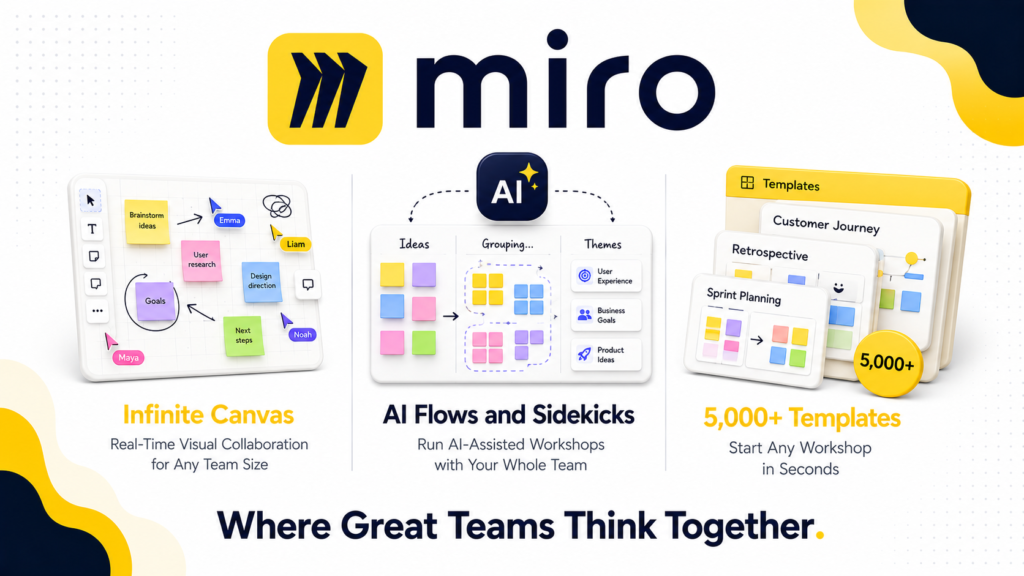
The infinite canvas is Miro’s foundation and remains genuinely excellent. Multiple team members can work simultaneously on the same board, seeing each other’s cursors in real time, adding sticky notes, shapes, images, and connections without any limits on board size or content complexity.
Furthermore, the template library with over 5,000 templates covers virtually every common workshop and planning format, including user story mapping, sprint planning, customer journey mapping, OKR frameworks, retrospectives, and design thinking workshops. Consequently, teams can start structured sessions immediately rather than building frameworks from scratch.
AI Features (Flows and Sidekicks)
Miro’s AI capabilities in 2026 represent its most significant recent investment. AI Flows allow multiple team members to work with AI agents simultaneously on the same board, enabling AI-assisted workshops where the AI participates as an active collaborator rather than a passive tool.
Sidekicks are AI assistants that help with specific tasks within the canvas, including clustering sticky notes by theme, summarizing discussion content, generating diagrams from text descriptions, and suggesting next steps based on board content.
However, AI features are credit-based and limited by plan. The Starter plan includes only 25 AI credits per user per month, while Business includes 50, and Enterprise includes 100. Consequently, teams that use AI features intensively will exhaust their monthly credits faster than expected, particularly in heavy workshop environments.
Diagramming and Flowcharts
Miro includes robust diagramming tools for creating flowcharts, system diagrams, org charts, mind maps, and technical architecture diagrams. Furthermore, the Business plan adds advanced diagramming shapes and libraries that expand beyond the Starter plan’s basic shape sets.
The integration with Cursor and GitHub Copilot on higher plans is a notable 2026 addition. Product and engineering teams can create visual specifications and architecture diagrams in Miro, then use the integration to generate code directly from those visuals. Consequently, Miro is becoming a bridge between visual planning and technical implementation for software teams.
Workshop and Facilitation Tools
Miro’s workshop facilitation features are among its strongest differentiators. Timer tools, voting sessions, presentation mode, breakout frames, and ice-breaker activities all support structured remote workshops without requiring a separate facilitation tool.
Furthermore, real-time collaboration scales reliably to large team sessions. Multiple reviewers note smooth performance with 50 or more simultaneous participants on the same board, which is a meaningful technical achievement that not all competing platforms match.
Integrations
Miro connects with over 160 third-party tools. The most significant integrations include Jira, Asana, Confluence, GitHub, Slack, Microsoft Teams, Google Drive, Figma, Zoom, and Webex. Furthermore, the Jira and Asana integrations on Business plans allow two-way syncing between visual planning boards and task management systems, which eliminates the manual translation between strategic planning and execution tracking.
However, Jira and Asana integration requires the Business plan at $20/user/month. Consequently, teams on the Starter plan that need project management tool integration must upgrade or use Zapier as a workaround.
Miro Prototypes
Miro Prototypes is a 2026 add-on feature that uses AI to generate editable UI prototypes directly on the Miro canvas from text descriptions or wireframe sketches. For product teams that currently move between Miro for ideation and Figma for prototyping, this feature reduces the tool-switching friction significantly.
However, at $20/month as an add-on, it adds meaningful cost for teams that need it. Furthermore, the prototypes are described as AI-generated starting points rather than production-ready designs, meaning they require editing and refinement before use.
What Miro Does Well
The infinite canvas is best-in-class for real-time visual collaboration. No competing platform delivers a smoother, more capable simultaneous multi-user editing experience. For distributed teams running workshops, planning sessions, and design sprints, Miro’s canvas performance is genuinely excellent.
The template library is extraordinary. Over 5,000 templates covering virtually every collaborative workflow means teams rarely need to build frameworks from scratch. Furthermore, the template quality reflects years of iteration based on how real teams actually use visual collaboration tools.
AI Flows are a genuine 2026 innovation. The ability to run AI-assisted collaborative workshops where multiple team members and AI agents work together simultaneously on the same board is not available on any competing platform at Miro’s scale. For forward-thinking product and design teams, this feature represents a meaningful workflow improvement.
Enterprise adoption and ecosystem depth are unmatched. With 99% of Fortune 500 companies using Miro, the platform has a level of enterprise trust and integration depth that competitors cannot match. Consequently, teams joining organizations that already use Miro benefit from established workflows, internal templates, and familiar tooling without the switching cost of adopting something new.
Facilitator tools support large structured sessions. Timer, voting, presentation mode, and breakout frames make Miro suitable for running professional workshops with large distributed teams in a way that general whiteboard tools cannot match.
Where Miro Falls Short
Performance degrades on very large boards. This is the most consistent complaint across Capterra, G2, and Software Advice reviews. When boards accumulate large amounts of content from extended projects, lagging, slow rendering, and cursor sync delays become noticeable. Furthermore, Miro’s own Help Center acknowledges that performance can degrade on very large boards. Consequently, long-running project boards that accumulate content over months often require archiving or splitting.
The free plan is too limited for team use. Three editable boards is insufficient for any real ongoing work. Most teams discover they need the Starter plan almost immediately, which means the free plan functions more as an extended trial than a genuinely useful ongoing tier.
Guest editing requires the Business plan. Teams that regularly collaborate with external clients, contractors, or stakeholders discover that Starter plan guests can only view and comment. Allowing external participants to contribute content to boards requires upgrading to Business at $20/user/month, which doubles the per-user cost from Starter.
AI credits run out quickly for intensive users. 25 credits per user on Starter and 50 on Business disappear rapidly in heavy AI workflow sessions. Teams that want to use AI Flows and Sidekicks as a regular part of their process will likely exhaust their monthly allowance before the month ends.
Navigation and selection tools have a learning curve. Multiple reviews on Capterra and Software Advice describe the cursor switching and selection mechanisms as clunky or unintuitive, particularly for new users. Consequently, onboarding distributed teams requires dedicated training time rather than assuming the interface is self-explanatory.
Per-user pricing at scale gets expensive. A 50-person team on Business costs $1,000/month on annual billing. Add Miro Prototypes at $20/month and the total reaches $1,020/month before enterprise licensing considerations. Therefore, large organizations should evaluate Enterprise pricing carefully to understand if volume discounts make it more cost-effective than per-seat Business pricing.
Miro vs Competitors
Miro vs FigJam: FigJam is Figma’s whiteboard product, deeply integrated with Figma’s design workflow. It is more affordable at $5/user/month for Figma subscribers and offers a cleaner, simpler interface. However, FigJam lacks Miro’s template depth, AI collaboration features, and facilitation tools. Therefore, design-first teams already using Figma often prefer FigJam for whiteboard needs, while product and cross-functional teams need Miro’s broader capability set.
Miro vs Mural: Mural is Miro’s closest direct competitor, designed specifically for facilitated workshops and design thinking. It offers similar infinite canvas functionality with slightly stronger facilitation-specific tools and a simpler permission model. However, Miro’s template library, AI features, and integration depth are significantly stronger. Consequently, Miro wins on overall capability while Mural wins for teams focused exclusively on facilitated workshops.
Miro vs Lucidchart: Lucidchart excels at technical diagramming, flowcharts, and process documentation with more precise control than Miro’s general-purpose canvas. However, Lucidchart is not a real-time collaboration tool in the same sense as Miro and lacks the workshop facilitation features that make Miro valuable for distributed teams. Therefore, technical teams that primarily need process and system diagrams choose Lucidchart, while product and design teams that need a full visual collaboration workspace choose Miro.
Miro vs Microsoft Whiteboard: Microsoft Whiteboard is included free with Microsoft 365 subscriptions. It covers basic whiteboard needs for Microsoft-centric organizations. However, it lacks the template library, AI features, facilitation tools, and cross-platform integrations that Miro provides. Therefore, Microsoft Whiteboard suits occasional ad-hoc whiteboarding while Miro suits teams that use visual collaboration as a core part of their workflow.
Who Should Use Miro?
Miro is the right choice if you are:
- A distributed or hybrid product team that runs regular design sprints, sprint planning, retrospectives, or strategic workshops
- A design or UX team that needs visual collaboration tools integrated with their development workflow
- An organization that needs enterprise-grade security, compliance, and user management for collaborative workspaces
- A consultant or facilitator who runs structured workshops with multiple clients and needs a professional facilitation platform
- A cross-functional team that needs to connect visual planning with Jira, Asana, or GitHub for execution tracking
However, Miro may not be the right fit if you are:
- A small team on a tight budget where FigJam or Microsoft Whiteboard cover your basic whiteboard needs at lower or zero cost
- A team that primarily needs technical diagramming and process documentation where Lucidchart offers more precision
- A team with external stakeholders who need editing access, where the Business plan upgrade may not be justified
- An individual contributor or solo operator where the free plan’s three-board limit and the Starter plan’s cost feel disproportionate to your needs
Miro Review: Final Verdict
Miro remains the strongest visual collaboration platform available in 2026. Its infinite canvas performance, 5,000 plus template library, AI collaboration features, and enterprise integration depth are genuinely difficult to match at any price point.
However, the gap between the free plan and what most teams actually need, the Business plan requirement for guest editing, and the AI credit limits on lower tiers mean the real cost for productive team use is higher than the Starter plan headline price suggests.
If your team runs regular collaborative sessions, design sprints, or planning workshops and needs a professional visual workspace with enterprise security and deep integrations, Miro is the right choice. However, if your needs are simpler or your budget is tight, FigJam or Microsoft Whiteboard cover the basics at significantly lower cost.
Overall rating: 4.4 out of 5
Miro is the category leader for a reason. For the right team at the right scale, there is no better visual collaboration platform available in 2026.