QuickBooks is the default small business accounting software in the United States. Over 7 million businesses use it, and for decades it was the undisputed answer to the question of which accounting tool to use.
However, 2026 has been a difficult year for QuickBooks users. Intuit raised prices in July 2025, then again in May 2026, and most recently in August 2026. The Essentials plan that cost $40/month in 2021 now costs $75/month. The Advanced plan went from $150/month to $275/month in the same period. Furthermore, add-on costs for payroll, payment processing, and live bookkeeping push the real monthly bill significantly higher than the headline plan price.
So is QuickBooks still worth it in 2026? This honest review covers the real pricing, the genuine strengths, the consistent frustrations, and who should be using it versus who should be looking elsewhere.
What Is QuickBooks?
QuickBooks is a cloud-based accounting platform developed by Intuit that helps small and mid-sized businesses manage their finances. It handles income and expense tracking, invoicing, bill payment, bank reconciliation, payroll, tax preparation, inventory management, and financial reporting.
QuickBooks Online is the cloud-based version available on subscription. QuickBooks Desktop and QuickBooks Enterprise are separate products for businesses that need more advanced features or prefer desktop-based software.
In 2026, QuickBooks Online has expanded its AI capabilities through Intuit’s Assist feature, which provides natural language financial insights, automated categorization, and predictive cash flow analysis. Furthermore, the August 2026 update bundled Workforce Elite payroll and Bill Pay Elite into the Advanced plan, changing the cost math for businesses that were previously paying for those separately.
QuickBooks Online Pricing in 2026
QuickBooks Online has five tiers as of August 2026. Note that Intuit raised prices effective August 1, 2026, so older reviews citing lower prices are outdated. Here is the current verified breakdown:
Solopreneur: $20/month. Designed for one-person businesses filing a Schedule C. Includes income and expense tracking, basic invoicing, and tax estimates. However, it does not include a balance sheet, accounts payable, or more than one user. Therefore, any business with employees or vendors quickly outgrows this tier.
Simple Start: $38/month. Full double-entry accounting for one user. Includes invoicing, expense tracking, bank reconciliation, basic reporting, and sales tax tracking. Good for freelancers and very small businesses with simple bookkeeping needs.
Essentials: $75/month. Adds accounts payable for paying bills, up to three users, and time tracking. For any business that pays vendors or has multiple team members who need accounting access, Essentials is the minimum viable tier.
Plus: $115/month. Adds inventory tracking, project profitability tracking, and supports up to five users. This is the plan most growing small businesses with physical products need. Furthermore, Plus is where QuickBooks becomes genuinely comprehensive for businesses managing multiple revenue streams or product lines.
Advanced: $275/month. Adds custom user roles and permissions, batch invoicing, revenue recognition, workflow automation, priority customer support, and as of August 2026, bundled Workforce Elite payroll and Bill Pay Elite. Supports up to 25 users. For businesses that were previously paying for these add-ons separately, the bundling changes the value calculation significantly.
30-day free trial is available. Alternatively, new subscribers can get 50% off for the first three months, but not both offers simultaneously.
The real cost warning, add-ons change everything:
The plan prices above are just the starting point. Payroll is a separate add-on that rose approximately 20% with the May 2026 increase. QuickBooks Payroll Core starts at approximately $50/month plus $6 per employee per month.
Payment processing fees add further cost. QuickBooks Payments charges 2.9% plus $0.25 per invoice payment, 1% for ACH transfers, and 2.5% for in-person card transactions. A business processing $50,000 per month in credit card payments pays approximately $1,495 per month in processing fees alone.
Furthermore, user reviews across Trustpilot, Capterra, and Software Advice document consistent annual price increases of 10 to 15%. A Plus subscription at $115/month today could reach $140 to $160 by 2028 based on historical patterns. Therefore, always budget for year two and three costs when evaluating QuickBooks.
Key Features
Accounting and Bookkeeping
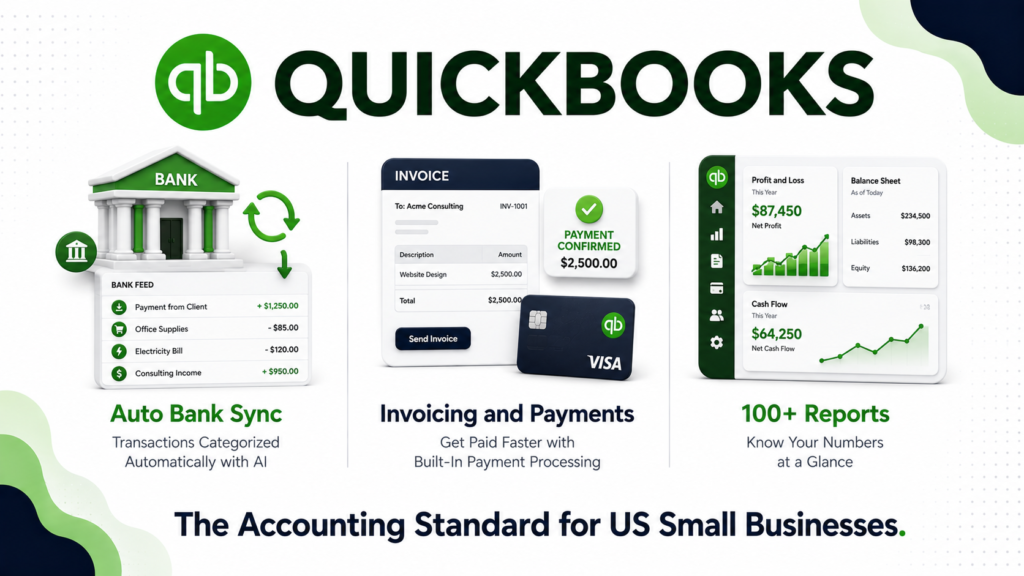
QuickBooks Online’s double-entry bookkeeping engine is its strongest feature and the reason it remains the default choice for US accountants and bookkeepers. Bank and credit card connections sync transactions automatically, and QuickBooks learns your categorization preferences over time through AI-assisted sorting.
The chart of accounts, journal entries, reconciliation tools, and financial statements, including profit and loss, balance sheet, and cash flow statements, meet professional accounting standards. Furthermore, QuickBooks is deeply integrated with tax preparation workflows. Most US accountants and tax professionals use QuickBooks as their standard client accounting platform, which makes collaboration seamless.
Invoicing
QuickBooks invoicing is functional and professional. You can create branded invoices, set up automated payment reminders, accept online payments directly through the invoice, and track which invoices are paid, unpaid, or overdue. Furthermore, recurring invoice automation handles subscription clients without manual re-creation each billing period.
However, the invoice design editor is somewhat dated compared to dedicated invoicing tools like FreshBooks. Consequently, businesses that prioritize invoice aesthetics sometimes supplement QuickBooks with a dedicated invoicing tool despite the additional cost.
Payroll
QuickBooks Payroll integrates directly with QuickBooks Online accounting, which eliminates the manual journal entries most businesses need when using separate payroll tools. Tax filing, direct deposits, and payroll reports all connect to your financial records automatically.
However, payroll is a significant add-on cost. At $50/month plus $6 per employee per month, a 10-person business pays $110/month for payroll on top of their plan cost. Therefore, a Plus plan user with 10 employees is paying $225/month before payment processing fees.
AI and Intuit Assist
In 2026, QuickBooks expanded its AI capabilities significantly through Intuit Assist. The feature provides natural language financial queries, automated transaction categorization, anomaly detection, and predictive cash flow analysis. Furthermore, it generates plain-language summaries of your financial position rather than requiring you to interpret raw reports.
For small business owners without accounting backgrounds, this AI layer makes QuickBooks substantially more accessible and useful than it was even two years ago. However, these AI features are available across plans rather than gated behind higher tiers, which is a genuine point in QuickBooks’ favor.
Inventory Management
Inventory tracking is available on the Plus plan and above. QuickBooks tracks quantities on hand, cost of goods sold, and low-stock alerts. Furthermore, purchase orders connect directly to inventory receiving, which keeps records accurate without manual entry.
However, for businesses with complex inventory needs, multiple warehouses, or advanced manufacturing requirements, QuickBooks inventory falls short of what dedicated tools like Cin7 or Fishbowl provide. Therefore, product-heavy businesses sometimes use QuickBooks for accounting while running a separate inventory management system.
Reporting
QuickBooks Online includes over 100 pre-built reports covering every aspect of financial performance. The Plus and Advanced plans add project profitability tracking and custom report creation. Furthermore, the Management Reports feature on higher plans packages financial statements into presentation-ready formats for investors and lenders.
Advanced plan users also get custom user roles that restrict what each team member can see and do within the system, which is essential for businesses with multiple staff accessing financial data.
What QuickBooks Does Well
The accounting foundation is professionally sound. QuickBooks uses proper double-entry bookkeeping principles that meet US GAAP standards. Consequently, it is accepted by virtually every US accountant, bookkeeper, CPA, and tax preparer without requiring data conversion or interpretation.
Ecosystem integration is unmatched. QuickBooks connects with over 750 third-party apps including Shopify, PayPal, Square, Salesforce, HubSpot, and virtually every major business software platform. Furthermore, its position as the de facto standard means most business software companies have built native QuickBooks integrations, while competitors often have fewer options.
Bank integration and auto-categorization save significant time. Automatic bank feeds combined with AI-powered transaction categorization handle the majority of routine bookkeeping without manual entry. For small business owners who previously spent hours on data entry, this automation alone justifies the subscription cost.
Accountant collaboration is frictionless. Because most US accountants use QuickBooks as their standard platform, sharing access and collaborating on your books is seamless. Accountants can review, categorize, and reconcile directly without data export or conversion. Consequently, year-end tax preparation and audit support are significantly simpler on QuickBooks than on alternatives that require data migration.
The mobile app covers everyday needs. The iOS and Android apps handle invoicing, expense capture, and financial review on the go. Furthermore, receipt capture with automatic data extraction eliminates manual expense entry for most common business expenses.
Where QuickBooks Falls Short
The price increases are relentless. Multiple rounds of increases since 2021 have more than doubled the cost of some plans. The Essentials plan at $75/month and Advanced at $275/month are difficult to justify for businesses with modest bookkeeping needs. Furthermore, user reviews consistently document annual increases of 10 to 15%, making long-term cost planning difficult.
Feature gating forces expensive upgrades. QuickBooks gates key features by plan rather than offering them as individual add-ons. Need to pay vendor bills? Upgrade to Essentials. Need inventory? Upgrade to Plus. Need custom user permissions? Upgrade to Advanced at $275/month. Consequently, businesses often find themselves forced onto higher tiers to access a single feature they need.
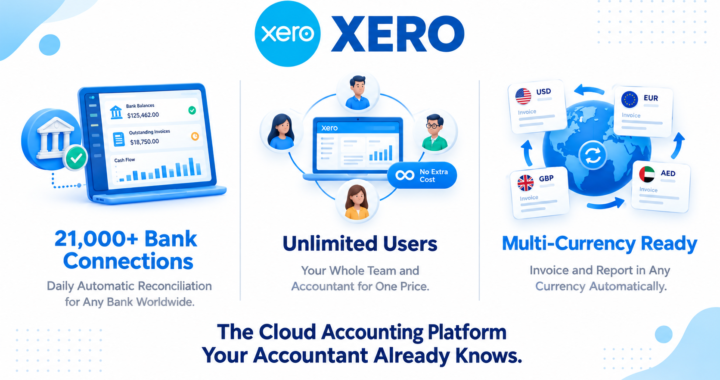
User limits are frustrating. Simple Start allows only one user. Essentials caps at three. Plus caps at five. Advanced caps at 25. For growing teams, these limits create forced upgrades that significantly increase costs. Furthermore, Xero, a major competitor, offers unlimited users on all plans, which makes the comparison uncomfortable at comparable price points.
Add-on costs compound significantly. Payroll, payment processing, live bookkeeping, and enhanced support are all paid separately on top of plan pricing. A Plus plan user with 10 employees using QuickBooks Payroll and processing $25,000 in monthly card payments easily exceeds $500/month in total QuickBooks costs.
Customer support quality has declined. Multiple user reviews on Trustpilot and Capterra in 2025 and 2026 document frustrating support experiences, including long wait times, inconsistent advice, and escalation processes that do not resolve issues promptly. Consequently, small business owners who rely on phone support for accounting questions often feel underserved.
Mobile app reliability concerns. App Store and Google Play reviews document crashes during invoicing, sync failures between mobile and desktop, and occasional data entry losses. For businesses that rely heavily on mobile accounting, these reliability issues are a meaningful concern.
QuickBooks vs Competitors
QuickBooks vs Xero: Xero is QuickBooks’ most direct competitor in 2026. Xero’s Early plan starts at $25/month, Growing at $55/month, and Established at $90/month, all with unlimited users. On equivalent feature tiers, Xero runs approximately $10 to $20/month cheaper than QuickBooks after the May 2026 increases. Furthermore, Xero’s unlimited user model eliminates the forced upgrade cost that affects QuickBooks users with growing teams. However, QuickBooks has deeper US tax integration, stronger payroll options, and broader acceptance among US accountants. Therefore, QuickBooks wins for US-based businesses with accountants in their workflow, while Xero wins for international businesses and teams that need unlimited users at lower cost.
QuickBooks vs FreshBooks: FreshBooks is designed for service-based freelancers and small teams rather than product-based businesses. It excels at invoicing, time tracking, and client project management but lacks inventory management and the depth of accounting features QuickBooks provides. FreshBooks starts at $19/month for one client-facing user, making it significantly cheaper for solo operators. Therefore, freelancers and service businesses choose FreshBooks for simplicity while product-based businesses need QuickBooks for inventory and COGS tracking.
QuickBooks vs Wave: Wave offers free accounting, invoicing, and receipt scanning for small businesses, with revenue coming only from payment processing and payroll add-ons. For very small businesses with simple bookkeeping needs, Wave is a legitimate alternative at zero monthly cost. However, Wave lacks the depth, integrations, and accountant acceptance that QuickBooks provides. Consequently, Wave suits solopreneurs and micro-businesses while QuickBooks suits businesses that need professional-grade accounting or work with accountants regularly.
QuickBooks vs Zoho Books: Zoho Books offers a free plan for businesses under $50,000 in annual revenue and paid plans starting at $15/month. It is significantly cheaper than QuickBooks and includes unlimited users on most plans. Furthermore, Zoho Books integrates deeply with the broader Zoho ecosystem including Zoho CRM and Zoho Projects. However, accountant adoption in the US is far lower than QuickBooks, which means collaboration with US-based tax professionals requires more manual data handling. Therefore, Zoho Books suits budget-conscious businesses comfortable with their own bookkeeping while QuickBooks suits businesses working with professional accountants.
Who Should Use QuickBooks?
QuickBooks is the right choice if you are:
- A US-based small to mid-sized business that works with an accountant or bookkeeper who uses QuickBooks as their standard platform
- A product-based business that needs inventory tracking alongside full accounting functionality
- A growing business with multiple employees and vendors that needs proper accounts payable, payroll, and multi-user accounting access
- A business that values deep integration with the US tax and accounting ecosystem
- A company processing significant transaction volume where QuickBooks’ AI categorization and bank reconciliation automation deliver real time savings
However, QuickBooks may not be the right fit if you are:
- A very small business or freelancer where the cost is difficult to justify relative to free or low-cost alternatives like Wave or Zoho Books
- A business outside the US where alternatives like Xero offer better local accounting compliance and currency support
- A service-based business without inventory needs where FreshBooks provides a simpler, more affordable workflow
- A team of more than five people on a tight budget where Xero’s unlimited user model is significantly more cost-effective
QuickBooks Review: Final Verdict
QuickBooks Online remains the most capable and most widely accepted small business accounting platform in the US in 2026. Its accounting foundation, ecosystem integrations, AI-powered categorization, and seamless accountant collaboration are genuinely difficult to match at any price point.
However, the relentless price increases since 2021 have made it the most expensive mainstream option in its category. The Essentials plan at $75/month and Plus at $115/month are hard to justify for businesses with simple bookkeeping needs, particularly when Xero and Zoho Books offer comparable core functionality at lower cost.
The honest recommendation is straightforward. If you work with a US accountant or bookkeeper, need inventory management, or run a complex multi-user operation, QuickBooks remains the standard choice. If you have simpler needs, consider Wave for free, Zoho Books for low cost, or Xero for unlimited users at a lower monthly rate.
Overall rating: 4.0 out of 5
QuickBooks is excellent at what it does. The question is whether what it does is worth the price for your specific situation.