Over 100 million users. 62% of Fortune 100 companies. Half of Y Combinator startups. Notion has become the default answer whenever someone asks which tool to use for notes, documentation, project management, or knowledge bases.
However, 2026 has been a complicated year for Notion. The launch of Notion 3.0 in September 2025 introduced AI Agents, Custom Agents, and Enterprise Search that excited power users, but the pricing changes that came with them have frustrated many others. Full AI access now requires the Business plan at $20 per user per month rather than a cheaper add-on. Furthermore, Custom Agents run on a separate credit system that can generate unexpected costs at scale.
Is Notion still worth it in 2026? This honest review covers the real pricing, the genuine strengths, the frustrations real users are documenting, and exactly who should and should not be using it.
What Is Notion?
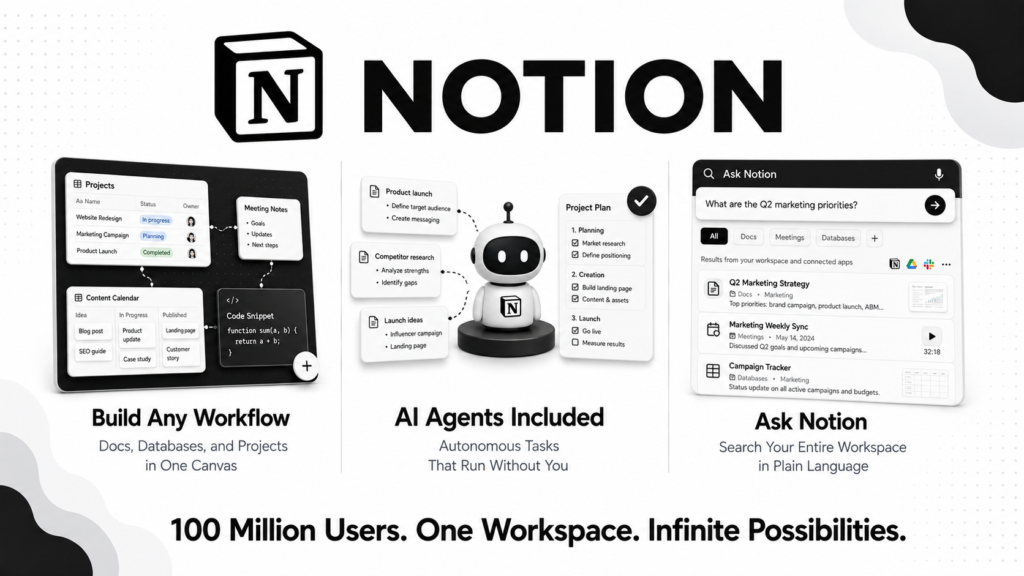
Notion is a block-based workspace that combines note-taking, documentation, databases, wikis, project management, and AI assistance in one platform. Unlike traditional software that separates these functions into distinct tools, Notion lets you build your own structure using a small set of building blocks including text, tables, toggles, kanban boards, calendars, and now AI agents.
Founded in 2013, Notion has grown into one of the most widely used productivity platforms in the world. In 2026, it positions itself not just as a documentation tool but as an AI-powered work hub following the Notion 3.0 release that introduced autonomous AI agents capable of running multi-step tasks without supervision.
The core appeal is flexibility. There are no rigid templates you must follow. You design your own system, your own databases, your own views, and your own workflows. Consequently, Notion can become whatever you need it to be, from a simple note-taking app to a comprehensive company operating system. However, that same flexibility is also the source of most criticism. The blank canvas approach means you must invest significant time building the structure before Notion delivers value.
Notion Pricing in 2026
Notion has four pricing tiers as of August 2026. All paid plans are billed annually.
Free: $0 forever. Includes unlimited pages and blocks for individual use, basic page analytics, 7-day page history, limited file uploads (up to 5MB per file), and a limited trial of Notion AI features. The free plan is genuinely generous for individual use. Furthermore, students and educators with a .edu email address get the Plus plan completely free.
Plus: $10/user/month (annual billing). Adds unlimited file uploads, 30-day page history, unlimited guest access (up to 100 guests), and a limited Notion AI trial. However, full Notion AI features are not included on Plus. You need to either pay the AI add-on or upgrade to Business. This is the most significant pricing change of 2025.
Business: $20/user/month (annual billing). Includes the full AI suite: Ask Notion Q&A, standard AI Agents, AI Connectors for external apps, model selection across GPT-5.2, Claude Opus 4.5, and Gemini 3, and AI Meeting Notes with transcription in 16 languages. Furthermore, standard AI Agents introduced in Notion 3.0 are included at no extra cost on Business. This is the tier where Notion’s 2026 value proposition lives.
Enterprise: Custom pricing. Adds SCIM provisioning, audit logs, custom data retention policies, advanced security controls, and dedicated support. Designed for large organizations with compliance requirements.
AI Add-On: $8 to $10 per user per month for Free and Plus plan users who want AI writing assistance without upgrading to Business. However, this add-on does not include AI Agents, Ask Notion, or AI Meeting Notes. Consequently, many users find the add-on insufficient and end up upgrading to Business anyway.
Custom Agents (The Hidden Cost): Custom Agents became generally available on May 4, 2026, and run on a separate credit system at $10 per 1,000 credits. Credits pool across the workspace, reset monthly, and do not roll over. Each agent run costs between 1 and 30 credits depending on complexity. One documented case shows a team consuming 150,000 credits in a single month, generating $1,500 in unexpected charges. Therefore, any team using Custom Agents intensively needs to monitor credit consumption carefully and set budget alerts.
Key Features
Block-Based Workspace
Everything in Notion is a block. A paragraph of text is a block. A table is a block. An image is a block. A to-do item is a block. You drag, drop, nest, and rearrange blocks to create any structure you need. Furthermore, databases link to each other, meaning a project database can reference a client database, a task database can pull from a team member database, and everything stays connected without manual updates.
This relational database capability is what makes Notion genuinely powerful for organizations that need structured information rather than just free-form notes. Consequently, you can build a CRM, a project tracker, a content calendar, a company wiki, and a client portal all within one Notion workspace with shared data flowing between them.
Notion AI and Ask Notion
Ask Notion is the most useful AI feature for most teams. You type a question in plain language and Notion searches your entire workspace, connected apps, and meeting notes to find the answer. Furthermore, it cites the specific pages and databases it drew from, so you can verify and explore further.
For teams that accumulate significant documentation over time, the ability to query your entire knowledge base through natural language rather than manually searching is a genuine productivity improvement. Consequently, onboarding new team members and answering recurring questions becomes significantly faster.
The AI writing assistant helps draft content, summarize pages, translate text, and improve clarity directly within any Notion page. Furthermore, model selection on Business plans lets you choose between GPT-5.2, Claude Opus 4.5, and Gemini 3 depending on the task, which is a notable differentiator over tools locked into a single AI provider.
AI Agents (Standard and Custom)
Notion 3.0’s AI Agents are autonomous assistants that can run multi-step tasks for up to 20 minutes without supervision. Standard Agents handle common operations including building project plans from scattered notes, compiling user feedback from multiple databases, drafting status reports, and updating hundreds of database entries at once. These are included with the Business plan at no extra cost.
Custom Agents, available since May 2026, add trigger-based automation. An agent can automatically run when a new database entry is created, when a form is submitted, or on a scheduled interval. This is where Notion starts to compete with dedicated automation tools like Zapier for workflow automation within the Notion ecosystem.
However, the credit system governing Custom Agents introduces the cost risk described in the pricing section. Therefore, teams should test Custom Agents thoroughly on small datasets before deploying them on large databases.
AI Meeting Notes
Notion Calendar integrates with Zoom, Google Meet, and Microsoft Teams to automatically join, transcribe, and summarize meetings in 16 languages. Action items are automatically extracted with assignees identified from the transcript. Furthermore, meeting notes connect directly to relevant Notion pages and projects.
Teams that run frequent meetings report saving 20 to 30 minutes of post-meeting work per session using this feature. However, summary quality is inconsistent. The transcription is generally accurate, but the AI sometimes misses context or prioritizes the wrong details. Consequently, reviewing and editing meeting notes before sharing remains necessary.
AI Connectors
Business plan users can connect Notion AI to external apps including Slack, Google Drive, GitHub, and Jira. Ask Notion can then search across these connected tools alongside your Notion content, giving you a unified search layer across your entire work context.
This cross-app search capability is what makes Notion’s Business plan valuable for teams using multiple tools. Instead of searching Slack, then Google Drive, then Notion separately, you search once and get results from everywhere.
Templates and Community
Notion’s template gallery and third-party template marketplace are among the most extensive in the productivity software space. Thousands of community-created templates cover virtually every use case from personal habit tracking to complex business operating systems. Furthermore, paid template creators generate significant income selling Notion templates on Gumroad and Etsy, which reflects genuine community engagement with the platform.
What Notion Does Well
The free plan is genuinely the best in its category. Unlimited pages and blocks for individual use is extraordinary generosity. Consequently, individuals can run their entire personal and professional organization system in Notion at zero cost indefinitely. Furthermore, students and educators get Plus for free, which extends this generosity significantly.
Flexibility is unmatched. No other productivity platform lets you build the exact structure you need without imposing its own rigid framework. Consequently, teams with unique workflows that do not fit standard project management tools consistently find Notion more adaptable than alternatives.
The relational database system is genuinely powerful. Linking databases, filtering views, and rolling up data across connected tables gives Notion capabilities that specialized project management tools charge significantly more to provide.
Ask Notion changes how teams use documentation. The ability to query your entire workspace through natural language rather than searching manually makes documentation useful rather than just comprehensive. Teams that previously struggled with knowledge base discoverability find Ask Notion transforms how they find information.
G2 sentiment is strongly positive. A 4.6 out of 5 rating across over 10,000 verified G2 reviews reflects broad satisfaction among professional users. Furthermore, the review volume reflects genuine adoption rather than a small, self-selected user base.
Where Notion Falls Short
The blank canvas is intimidating for beginners. Notion’s flexibility is also its steepest barrier. New users face a completely blank workspace with no guidance on how to structure it. Consequently, onboarding new team members and achieving consistent adoption across organizations requires significant setup investment that more prescriptive tools avoid.
Full AI requires Business at $20 per user per month. The pricing restructuring that moved AI Agents and Ask Notion exclusively to the Business tier frustrated many users who were using AI features on cheaper plans. For small teams, $20 per user per month is a meaningful commitment relative to alternatives.
Custom Agent credit costs can spike unexpectedly. The documented case of a team generating $1,500 in credits in a single month reflects a real risk. There are no hard spending limits, and credit consumption is not always intuitive. Therefore, teams need active monitoring rather than trusting the system to stay within budget automatically.
Performance degrades on large workspaces. This is the most consistent complaint in 2026 Reddit discussions. Teams with very large databases, many linked views, or complex nested structures report slow loading times, lag during editing, and occasional sync failures. Consequently, organizations that have used Notion for several years with significant data accumulation sometimes experience meaningfully worse performance than when they started.
Reddit sentiment in 2026 skews negative on pricing. While G2 reviews from professional users are strongly positive, Reddit discussions in r/Notion show consistent frustration with the pricing restructuring, the pace of performance improvements, and the credit-based Custom Agents model. This gap between professional reviewer sentiment and community sentiment suggests experienced heavy users have more mixed feelings than casual users.
Offline functionality is limited. Notion requires an internet connection for most operations. Offline editing of recently accessed content is possible but limited. Consequently, teams that work in environments with unreliable internet connectivity face meaningful workflow disruption.
Notion vs Competitors
Notion vs Obsidian: Obsidian is a local-first markdown editor with a plugin ecosystem that rivals Notion’s flexibility. It stores files locally rather than in the cloud, which appeals to users with privacy concerns or offline needs. However, Obsidian lacks Notion’s collaborative features, database functionality, and AI integration. Therefore, Obsidian wins for individual knowledge workers who prioritize privacy and offline access, while Notion wins for teams that need collaboration and structured databases.
Notion vs Confluence: Confluence is Atlassian’s documentation platform, deeply integrated with Jira for software teams. It is more structured and less flexible than Notion, which makes it easier to adopt consistently across large organizations. However, Notion’s database functionality, template ecosystem, and AI features are significantly more advanced. Furthermore, Notion’s pricing is more accessible for smaller teams. Therefore, large engineering organizations already on the Atlassian stack often prefer Confluence, while other teams typically find Notion more capable.
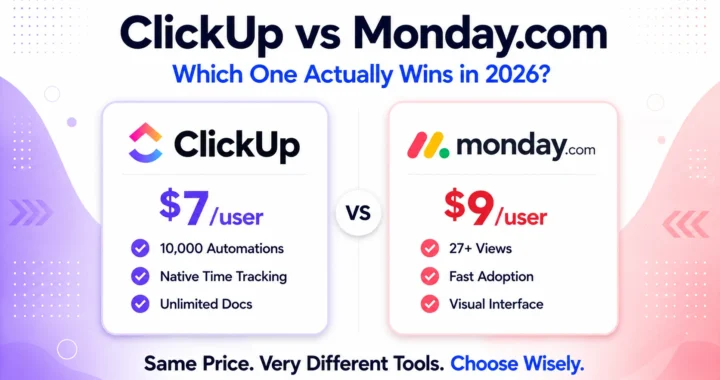
Notion vs ClickUp: ClickUp is a task management platform with documentation features, while Notion is a documentation platform with task management features. ClickUp’s native task management, time tracking, and project reporting are stronger than Notion’s. However, Notion’s database flexibility, knowledge management, and AI writing tools are stronger than ClickUp’s. Therefore, project management-first teams prefer ClickUp while documentation and knowledge management-first teams prefer Notion.
Notion vs Linear: Linear is a purpose-built software project management tool with superior issue tracking, sprint planning, and engineering workflow features. However, it lacks Notion’s documentation and knowledge management capabilities entirely. Consequently, most engineering teams use both, Linear for issue tracking and Notion for documentation, rather than choosing between them. Read our article on best AI tools for content creators to see how Notion fits into a complete creator workflow.
Notion vs Microsoft Loop: Microsoft Loop is Microsoft’s answer to Notion, built around collaborative components that work across Microsoft 365 apps. For organizations standardized on Microsoft, Loop’s deep integration with Teams, Outlook, and SharePoint is compelling. However, Notion’s template ecosystem, database functionality, and AI features are more mature. Therefore, Microsoft-centric organizations evaluate Loop while others default to Notion.
Who Should Use Notion?
Notion is the right choice if you are:
- An individual or student who wants a free, flexible system for notes, goals, projects, and personal organization
- A small to medium team (5 to 20 people) that wants a shared knowledge base, lightweight project tracking, and internal wiki in one place
- A startup or growing company that needs a flexible operations system that can evolve as the business changes
- A content creator, freelancer, or consultant who wants to manage clients, projects, and content in one organized workspace
- An AI-forward organization that wants autonomous agents handling documentation and knowledge management tasks on Business plan
However, Notion may not be the right fit if you are:
- A large team that needs rigid, enforced structure to maintain consistency across many contributors
- A project management-heavy team that needs advanced task dependencies, time tracking, and resource management natively
- A team with frequent offline work requirements where Notion’s limited offline functionality is a constraint
- A budget-conscious team where $20 per user per month for full AI access is difficult to justify relative to simpler alternatives
Notion Review: Final Verdict
Notion remains the most flexible and capable all-in-one workspace available in 2026. The relational database system, the template ecosystem, Ask Notion’s cross-workspace search, and the AI Agents introduced in Notion 3.0 represent genuine innovation that competitors have not matched.
However, the pricing restructuring of 2025 changed the value equation for teams that relied on cheaper AI access. Full Notion AI now requires Business at $20 per user per month, and Custom Agents add credit-based costs that require careful monitoring. For teams that fully utilize these AI features, the Business plan delivers strong value. For teams that primarily need documentation and basic project tracking, Plus at $10 per user per month covers the essentials without the AI premium.
The honest recommendation: individuals should use the free plan indefinitely. Small teams should start on Plus and upgrade to Business specifically when they need Ask Notion and AI Agents. Larger organizations should evaluate the full Business tier cost including Custom Agent credit consumption before committing.
Overall rating: 4.4 out of 5
Notion is excellent for the right team at the right tier. The blank canvas requires investment to set up correctly, but the flexibility it provides once configured is genuinely unmatched.