A faceless YouTube channel with AI lets you publish videos without ever appearing on camera. This approach removes the biggest barrier for new creators: fear of being filmed. However, it still requires a clear process. This guide breaks down the exact AI tools and workflow you need to launch a channel in 2026.
What Is a Faceless YouTube Channel?
A faceless channel uses voiceovers, stock footage, animations, or AI-generated visuals instead of an on-camera host. Many top niches, including finance, true crime, motivation, and tech news, already run on this format. As a result, faceless channels have become one of the fastest ways to enter YouTube without expensive equipment.
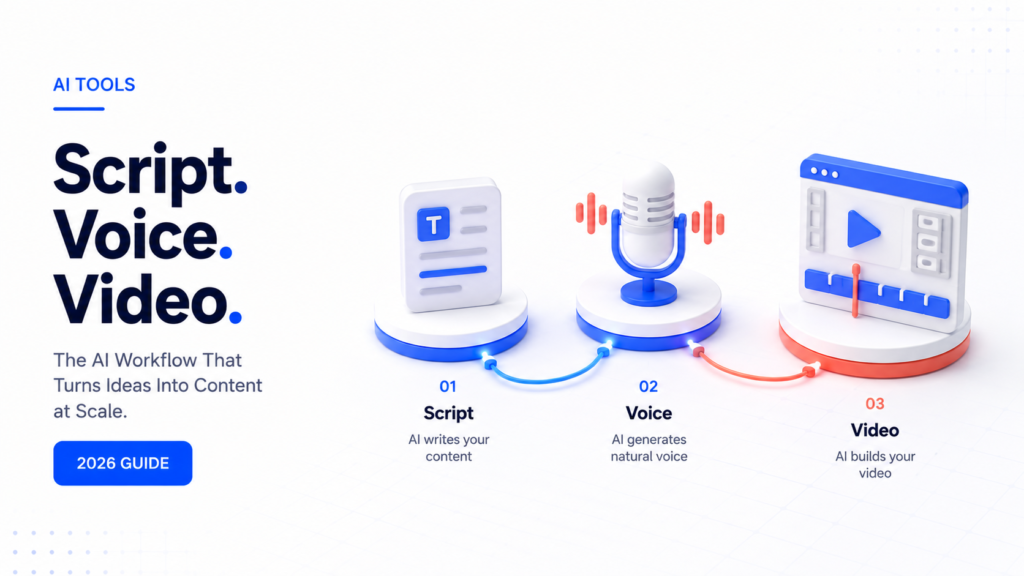
Furthermore, AI tools now handle most of the heavy lifting. You no longer need a scriptwriter, voice actor, or video editor on payroll. Instead, three tools can cover the entire production pipeline.
Step 1: Write Scripts with ChatGPT
Every faceless video starts with a strong script. ChatGPT is the fastest way to generate one. Consequently, it has become the default scriptwriting tool for faceless creators.
To get a usable script, give ChatGPT specific instructions. For example, ask for a hook within the first five seconds, a clear structure, and a call to action at the end. In addition, specify your target video length so the pacing matches your niche.
Short, punchy sentences work best for narration. Therefore, ask ChatGPT to avoid long, complex sentences and write in a conversational tone. This keeps viewers engaged and makes the voiceover sound natural.
A simple prompt structure looks like this:
- Topic and niche
- Target audience
- Desired video length
- Tone (educational, dramatic, motivational)
- Required hook and call to action
Once you have a script you like, save it as a template. As a result, future scripts take minutes instead of hours.
Step 2: Generate Voiceovers with ElevenLabs
After the script is ready, the next step is voiceover. ElevenLabs produces realistic AI voices that sound far more natural than older text-to-speech tools. Many faceless channels now rely on it as their primary narration tool.
ElevenLabs offers a range of voice styles, from calm and authoritative to energetic and casual. Choose a voice that matches your niche. For instance, finance channels often use a calm, trustworthy tone, while entertainment channels lean toward energetic delivery.
Pacing matters here too. Therefore, break your script into shorter paragraphs before uploading it. This gives the AI voice more natural pauses and prevents a rushed, robotic feel.
Once you generate the voiceover, listen back carefully. Small edits to punctuation or sentence breaks can significantly improve the final delivery.
Step 3: Edit and Assemble with CapCut
With a script and voiceover ready, the final step is video editing. CapCut has become a favorite among faceless creators because it combines a simple interface with powerful automation features.
CapCut allows you to add stock footage, captions, transitions, and background music quickly. Moreover, its auto-caption feature saves significant editing time, since accurate captions are essential for watch time and accessibility.
A typical faceless video editing workflow includes:
- Importing the voiceover track
- Adding matching stock footage or AI-generated visuals
- Auto-generating captions
- Adding background music at a low volume
- Inserting simple transitions between scenes
Keep edits clean and avoid overusing effects. Consequently, viewers stay focused on the content rather than distracted by unnecessary visual noise.
Step 4: Optimize for YouTube Search
A great video still needs visibility. Therefore, treat your title, description, and thumbnail with the same care as your script.
Use your target keyword naturally in the title. In addition, write a description that summarizes the video and includes relevant keywords within the first two lines, since YouTube prioritizes this section for search ranking.
Thumbnails matter just as much as titles. As a result, many faceless creators design simple, bold thumbnails with high-contrast text and minimal clutter, since this style consistently performs well in click-through rate tests.
Step 5: Build a Consistent Publishing Schedule
Consistency is one of the strongest signals for channel growth. However, quality should never be sacrificed for speed.
A realistic starting schedule looks like this:
- 2 to 3 videos per week for the first month
- Review analytics after 30 days
- Double down on the best-performing topics
Furthermore, batch production helps maintain consistency. For example, write five scripts in one sitting, then record all voiceovers together, and finally edit all videos in a single editing session.
Common Mistakes to Avoid
Many new faceless creators make the same early mistakes. However, these are easy to fix once identified.
- Scripts that are too long or unfocused
- Voiceovers with no pacing or emotion
- Overloaded editing with too many effects
- Inconsistent upload schedules
- Ignoring thumbnail and title optimization
Avoiding these mistakes early saves significant time later. Therefore, review each video against this checklist before publishing.
Final Thoughts
Building a faceless YouTube channel with AI is more accessible than ever in 2026. ChatGPT handles scripting, ElevenLabs handles voiceover, and CapCut handles editing. Together, these three tools form a complete, beginner-friendly production pipeline.
Consequently, anyone willing to commit to a consistent schedule can launch a channel without ever appearing on camera. Start with one script, one voiceover, and one edit. Then, build momentum from there.