Video is the most powerful content format on the internet right now. Businesses are spending billions on it. Creators are building entire careers with it. And the brands that show up consistently with great video content are winning, in sales, in followers, and in trust.
The problem? Video has always been expensive, slow, and complicated to produce. Until now.
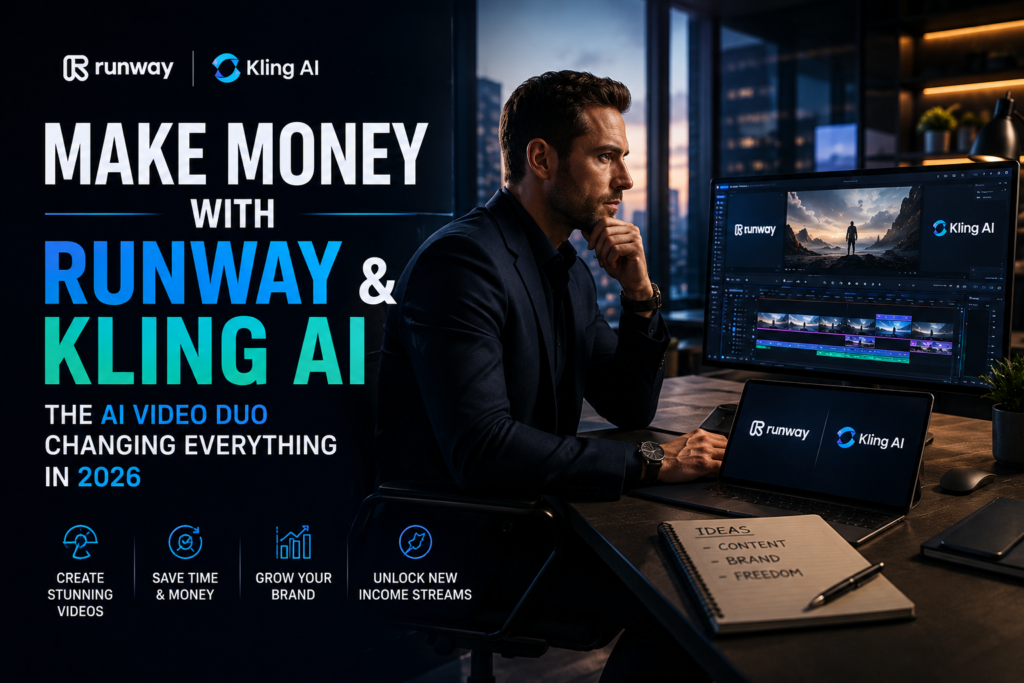
Runway and Kling AI are two of the most powerful AI video generation tools available in 2026. Together, they give any individual, freelancer, or small business owner the ability to produce stunning, professional quality video content in minutes, not weeks, and at a fraction of traditional production costs.
In this article, you will discover exactly how to use these two tools to build real income streams, with concrete project ideas you can start this week.
What Is Runway?
Runway is a cloud-based AI video generation and editing platform built for professional creators. Founded by AI researchers, it has evolved into one of the most advanced creative tools on the market, used by filmmakers, marketers, agencies, and content creators worldwide.
What makes Runway stand out is its combination of powerful video generation and post-production editing tools, all in one platform. You are not just generating clips, you are editing, refining, and delivering polished final videos.
Key features:
- Gen-4.5 model for cinematic text-to-video and image-to-video generation
- Aleph editing tool for frame level video control
- Act-Two motion capture for character animation
- Multi-aspect ratio support for YouTube, TikTok, Instagram, and more
- Brand consistency tools for agencies managing multiple clients
- Workflow automation for high volume content production
Pricing:
- Free: 125 one-time credits (good for testing only)
- Standard: $12/month (annual) or $15/month, includes 625 credits, no watermark
- Pro: $28/month, 2,250 credits, ideal for regular creators and freelancers
- Unlimited: $76/month for high-volume teams
The Standard plan at $12/month is the sweet spot to start earning. It removes the watermark and gives you enough credits for regular client work.
What Is Kling AI?
Kling AI is a text-to-video and image-to-video generator developed by Kuaishou, one of China’s leading technology companies. In 2026, it has become the number one ranked AI video generator in independent benchmarks, and for good reason.
With the release of Kling 3.0, the platform introduced physics-accurate motion, multi-shot storytelling, native audio generation with lip sync, and 4K output, all at a price point that makes it one of the most accessible professional video tools available.
After OpenAI discontinued Sora in April 2026, Kling AI stepped in as the clear leader for realistic AI video generation.
Key features:
- Kling 3.0 with physics accurate motion and realistic character movement
- Multi-shot storytelling (up to 6 connected shots in one generation)
- Native audio generation with lip sync
- 4K output at up to 60fps
- Motion Brush for precise directorial control over specific elements
- Image-to-video with 3D face and body reconstruction
- Free tier with 66 credits per day (no credit card required)
Pricing:
- Free: 66 credits per day, watermark, no commercial rights
- Standard: $6.99/month (intro price), $8.80 renewal, 660 credits, watermark free, commercial use
- Pro: $25.99/month (intro price), $32.56 renewal, 3,000 credits, Private Mode
- Premier: $64.99/month for agencies and high-volume teams
Kling AI is currently the most affordable entry point for professional AI video creation, with the Standard plan at under $7/month for first time subscribers.
How Runway and Kling AI Work Together
These two tools are not competitors, they are partners in your workflow.
Think of it this way: Kling AI is your idea generator and Runway is your production studio.
You use Kling to quickly generate raw video clips, test visual concepts, and produce realistic motion sequences. Then you bring the best clips into Runway for editing, refinement, color grading, and final delivery. The result is a professional workflow that would have cost thousands of dollars and multiple team members just two years ago.
Real Project Ideas to Make Money with Runway and Kling AI
Project 1: AI Video Ad Service for Local Businesses
Every local business, restaurant, gym, salon, real estate agent, needs video ads for social media. Traditional video production costs $500 to $5,000 per video. You can deliver the same quality for a fraction of that using Kling and Runway.
How it works: You write a script for the client, generate the video clips using Kling AI, edit and polish everything in Runway, and deliver a ready to publish 30 to 60 second video ad. Charge $150 to $400 per video. One client per week means $600 to $1,600 per month with just a few hours of work.
Where to find clients: Walk into local businesses, post on LinkedIn, or list your service on Fiverr and Upwork.
Project 2: Faceless YouTube Channel
A faceless YouTube channel is a channel that earns ad revenue and affiliate commissions without you ever appearing on camera. AI video tools make this easier than ever in 2026.
How it works: Pick a niche with high advertiser value, personal finance, productivity, tech reviews, or travel. Write scripts using ChatGPT. Generate visuals using Kling AI and assemble the full video in Runway. Publish consistently, 2 to 3 videos per week. Once your channel hits 1,000 subscribers and 4,000 watch hours, you qualify for YouTube monetization.
Channels in the finance and tech niches can earn $10 to $40 per 1,000 views in ad revenue, plus additional income from affiliate links in the description. A channel with 100,000 monthly views can bring in $1,000 to $4,000 per month passively.
Project 3: Product Video Service for E-commerce Stores
Online stores need product videos to increase conversion rates, but most small e-commerce businesses cannot afford professional production. This is a massive, underserved market.
How it works: A client sends you photos of their product. You use Kling AI’s image-to-video feature to animate those product photos into cinematic motion clips. You edit and brand the final video in Runway and deliver it ready for Shopify, Amazon, or social media. Charge $100 to $300 per product video. A shop with 20 products is a $2,000 to $6,000 project.
Where to find clients: Search Etsy or Shopify stores in your niche and reach out directly. Post examples of your work on Instagram and TikTok.
Project 4: Social Media Video Package for Brands
Brands need a constant flow of short form video for TikTok, Instagram Reels, and YouTube Shorts. Most cannot produce this volume in house. You offer a monthly package that delivers 15 to 20 short videos every month.
How it works: Use Kling AI to generate the raw clips, Runway to edit and add branding, captions, and music, then deliver a monthly batch ready to schedule and publish. Charge $400 to $900 per month per client. With 5 clients, that is $2,000 to $4,500 in recurring monthly income. Each batch of 20 videos takes 10 to 15 hours to produce once you have a workflow in place.
Project 5: AI Film and Trailer Production for Indie Creators
Independent filmmakers, game developers, and musicians need trailers and promotional videos but rarely have the budget for traditional production. You offer an AI-powered trailer production service using Runway’s cinematic tools and Kling’s motion accuracy.
How it works: The client provides a brief, reference images, or existing footage. You use Kling’s image-to-video and motion brush to produce cinematic sequences, edit them together in Runway, add sound design, and deliver a 60 to 90 second trailer. Charge $300 to $800 per trailer. This niche has less competition and clients are willing to pay well for quality that matches the Hollywood aesthetic these tools can now produce.
Where to find clients: Indie game communities on Discord, music artists on Instagram, and self publishing author groups on Facebook.
Project 6: Sell Stock Video Footage
Generate a large library of high quality AI video clips and sell them on stock footage platforms. This is a genuinely passive income model once the clips are uploaded.
How it works: Use Kling AI to generate clips in categories with consistent demand, aerial drone views, nature footage, urban scenes, abstract backgrounds, people in motion, and business environments. Upload them to platforms like Pond5, Shutterstock, or Adobe Stock. You earn every time a creator or business licenses your footage. A library of 200 clips can generate $300 to $1,000 per month passively over time.
Important: Always check each platform’s policy on AI generated content before uploading. Most major platforms now accept it with proper disclosure.
What You Need to Get Started
You do not need expensive equipment, a studio, or years of video editing experience. Here is the minimal setup to start earning this week:
- A Runway Standard plan at $12/month
- A Kling AI Standard plan at $6.99/month (first-time price)
- A free Fiverr or Upwork account to find your first clients
- A free Gumroad or Etsy shop if you plan to sell digital products or stock footage
Total startup cost: under $25/month for both tools combined.
The Realistic Timeline
Week 1 to 2: Learn both tools. Use Kling’s free tier and Runway’s free credits to experiment. Generate 10 to 20 sample videos in different styles.
Week 3 to 4: Build a small portfolio of 5 to 6 sample videos across different use cases (ads, trailers, social content). These become your proof of work.
Month 2: Start reaching out to potential clients or listing your service on Fiverr. Land your first 1 to 3 paying clients.
Month 3 to 6: Refine your workflow, raise your rates, and build toward recurring monthly retainers. This is where the real income starts to compound.
The Bottom Line
The barrier to professional video production has never been lower. What used to require a camera crew, an editing suite, and a budget of thousands of dollars can now be done by one person with a laptop and two AI subscriptions costing less than a dinner out.
Runway and Kling AI are not toys. They are professional tools already being used by agencies, filmmakers, and content creators to build real businesses. The creators who learn them now, while most people are still on the sideline, are the ones who will own this space in 12 months.
Pick one project from this list. Start with the free tiers. Build your first sample video this week. The market is waiting.