Being a student in 2026 is harder than it looks from the outside. Lectures, assignments, research papers, exams, group projects, and deadlines all competing for the same limited hours. The students who are thriving are not always the most talented ones. They are the ones who figured out how to work smarter.
AI tools have become the single biggest equalizer in education in 2026. A student in Casablanca now has access to the same research tools, writing assistants, and study resources as a student at Harvard. At zero cost.
But not all AI tools are created equal, and using the wrong one wastes your time. This guide covers the best AI tools for students in 2026, what each one is genuinely good for, and how to use them without crossing the line into academic dishonesty.
One important note before we start: AI should sharpen your thinking, not replace it. The best students use these tools to understand material more deeply, organize their work more efficiently, and develop skills that will serve them for life. Use them as a study partner, not a ghostwriter.
1. Google NotebookLM, The Best Tool for Understanding Your Course Material
Best for: Summarizing lecture notes, studying from textbooks, and researching from your own sources.
Free: Yes, completely free with a Google account.
NotebookLM is the most underrated student tool of 2026. Here is what makes it special: unlike ChatGPT or Claude, which draw from general training data, NotebookLM only answers from the documents you upload. This means no hallucinated facts, no made-up references, and no misleading information. Every answer it gives comes directly from your own sources.
You upload your lecture slides, textbook chapters, research papers, and class notes. Then you ask it questions: “Summarize Chapter 4,” “What are the key differences between X and Y,” “Create 10 practice exam questions from this material.” It delivers clear, cited answers drawn only from what you gave it.
The Audio Overview feature is particularly impressive. It converts your uploaded documents into a podcast-style conversation between two AI hosts who discuss your material. Commuting to campus? Put on your lecture notes as a podcast and review on the go.
How students use it:
- Upload the entire semester’s lecture notes and use it as a personal tutor before exams
- Generate study guides and flashcards from textbook chapters automatically
- Research essays by uploading source PDFs and asking questions across all of them at once
Free plan limits: Up to 100 notebooks, 50 sources per notebook, 500,000 words per notebook. Generous enough for an entire academic year.
2. Perplexity AI, The Research Engine That Cites Everything
Best for: Research papers, fact-checking, and finding current, accurate information quickly.
Free: Yes, with a generous free tier.
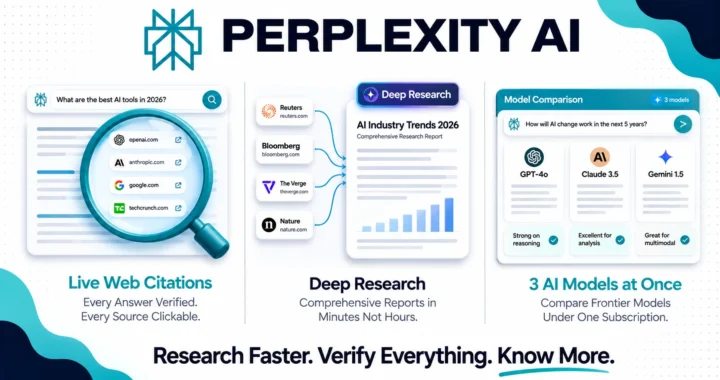
Perplexity is what Google Search should be. You ask a research question and it searches the live web in real time, reads the most relevant pages, and gives you a clear synthesized answer with every source cited and clickable. No more opening 20 browser tabs and reading through paragraphs to find the one statistic you need.
For research papers, Perplexity is invaluable. Instead of spending an hour searching for sources, you can use it to find recent studies, expert opinions, and current statistics on any topic in minutes. Then you verify and cite the original sources directly.
How students use it:
- Find current statistics and academic sources for essays in minutes
- Fact-check information before including it in a paper
- Get a quick overview of a complex topic before diving deeper into primary sources
- Research current events and recent developments that textbooks have not covered yet
Free plan limits: Unlimited basic searches with citations. A limited number of Pro searches (which use more powerful models and Deep Research) per day.
3. Claude, The Best AI for Writing Help and Understanding Complex Topics
Best for: Essay writing assistance, explaining difficult concepts, analyzing texts, and getting nuanced feedback on your work.
Free: Yes, with generous daily usage.
Claude is consistently rated as the most helpful AI for students who need to understand complex material and improve their writing. What sets it apart from other AI assistants is the quality and care of its explanations. It does not just give you an answer, it walks you through the reasoning step by step, like a patient tutor who actually wants you to understand.
For writing assistance, Claude is exceptional at giving detailed, constructive feedback on your essays. Paste in a draft and ask it to identify weak arguments, suggest clearer phrasing, or point out where your reasoning could be stronger. This kind of feedback would cost money from a human tutor and is available free at any time of night.
How students use it:
- Paste a difficult paragraph from a textbook and ask Claude to explain it in simpler terms
- Get detailed feedback on essay drafts: structure, argument strength, clarity, and grammar
- Ask it to explain a concept three different ways until one clicks
- Use it to brainstorm essay angles and thesis statements before you start writing
- Upload a research paper and ask it to summarize the key findings
Important: Use Claude to improve your own work and deepen your understanding. Do not use it to write essays you submit as your own. Beyond the academic integrity issue, you will miss the learning that the writing process is designed to create.
Free plan limits: Access to Claude Sonnet with rolling daily limits. Resets each day, more than enough for regular student use.
4. ChatGPT, The Most Versatile Study Assistant
Best for: Brainstorming, explaining concepts, coding help, math problem solving, and creative projects.
Free: Yes, with daily limits.
ChatGPT remains the most widely used AI tool among students globally in 2026, and for good reason. It is the most versatile tool on this list. Whether you need help understanding a calculus problem, brainstorming ideas for a creative writing assignment, debugging code for a computer science class, or practicing a foreign language conversation, ChatGPT handles it well.
The free tier now includes access to GPT-4o, image generation through DALL-E for visual projects, and basic document analysis, making it a genuinely powerful free tool for everyday academic needs.
How students use it:
- Break down complex math or science problems step by step
- Practice language skills through conversation in any of 50+ languages
- Get help with coding assignments by explaining errors and suggesting fixes
- Brainstorm ideas for essays, projects, and presentations
- Generate practice questions and quiz yourself before exams
Free plan limits: GPT-4o access with rolling daily limits. Heavy users may hit the cap during intensive study sessions, especially near exam time.
5. Grammarly, Your Always-On Writing Editor
Best for: Improving the grammar, clarity, and professionalism of everything you write.
Free: Yes, the free plan covers most student needs.
Every assignment, every email to a professor, every cover letter for an internship, Grammarly checks it automatically in the background. It works in your browser, Google Docs, Microsoft Word, and every text field you type in. For students who are not native English speakers, it is an essential tool that levels the playing field completely.
The free plan catches grammar, spelling, and basic clarity issues. The paid Pro plan adds AI rewriting suggestions and tone adjustment, but the free version alone is valuable enough to install immediately.
How students use it:
- Catch grammar and spelling errors before submitting assignments
- Improve sentence clarity in essays and research papers
- Check the tone of emails to professors (formal, not too casual)
- Get suggestions for clearer phrasing in real time as you write
Free plan limits: Grammar, spelling, and basic clarity checks. Advanced AI rewriting requires Pro at $12/month, but the free tier is genuinely useful for most student needs.
6. Notion, Your All-in-One Student Workspace
Best for: Organizing notes, tracking assignments, managing projects, and building a personal knowledge base.
Free: Yes, the free plan is very generous for individual students.
Notion is where thousands of students organize their entire academic life: lecture notes, assignment deadlines, research notes, reading lists, study schedules, and project trackers, all in one place. The free plan gives you unlimited pages and blocks, which is more than enough for an entire degree.
The basic Notion AI features give you a taste of writing assistance and summarization inside your workspace. But even without AI, Notion as an organizational tool alone is worth using every day.
How students use it:
- Create a semester dashboard with all courses, deadlines, and reading lists in one view
- Take and organize lecture notes with linked databases
- Build a research notes system that connects ideas across multiple subjects
- Track group project tasks and responsibilities with shared pages
Free plan limits: Unlimited pages and blocks, limited Notion AI trial. Full AI features require the Business plan at $20/month, but the free workspace is exceptional on its own.
7. Quizlet AI, The Smartest Flashcard and Study Tool
Best for: Memorization, exam preparation, and active recall practice.
Free: Yes, with a generous free tier.
Quizlet has been a student favorite for years, and the AI features added in 2025 and 2026 have made it dramatically more powerful. You can now upload your notes or paste in text and Quizlet AI automatically generates a full flashcard set, practice tests, and study games from your material. No more spending hours manually creating flashcards before an exam.
The spaced repetition algorithm shows you cards at the optimal moment for memory retention, meaning you study smarter and remember more with less time spent reviewing.
How students use it:
- Generate flashcard sets from lecture notes automatically
- Practice for exams with AI-generated multiple choice and written answer tests
- Use the spaced repetition feature to retain information long-term, not just for the exam
- Study vocabulary for foreign language courses
Free plan limits: Basic flashcard creation and study modes. Some AI generation features require the paid plan.
8. Gamma, The Best Tool for Presentations
Best for: Creating professional presentations and visual summaries quickly.
Free: Yes, 400 free credits on sign up.
Most students dread making presentations. Gamma removes that pain entirely. You describe what you want in plain text and it generates a complete, well-designed presentation in seconds. The output is significantly better than generic AI templates and actually looks polished enough to present without embarrassment.
Beyond slides, Gamma also creates visual documents and single-page summaries that are great for study guides and project proposals.
How students use it:
- Generate presentation slides from notes or an essay outline in minutes
- Create visual study summaries of complex topics
- Build project proposals with professional design without any design skills
Free plan limits: 400 credits on sign up (roughly 10 presentations). Exports include a “Made with Gamma” watermark. The Plus plan at $10/month removes the watermark and refreshes credits monthly.
9. Wolfram Alpha, The Ultimate STEM Tool
Best for: Mathematics, physics, chemistry, statistics, and any quantitative subject.
Free: Yes, for most basic calculations and queries.
Wolfram Alpha is not a chatbot. It is a computational knowledge engine that solves mathematical problems, shows step-by-step working, plots graphs, and answers scientific and statistical queries with precision. For STEM students, it is irreplaceable.
Unlike AI chatbots that sometimes make mathematical errors, Wolfram Alpha computes with machine precision. If you need to solve a differential equation, analyze a statistical dataset, balance a chemical equation, or visualize a mathematical function, Wolfram Alpha does it accurately and shows you every step.
How students use it:
- Solve math problems with full step-by-step working shown
- Plot functions and visualize mathematical concepts
- Check answers to physics and chemistry problems
- Analyze statistical data sets
Free plan limits: Basic computational queries are free. Step-by-step solutions require the Pro plan at $7.99/month for students, but many universities provide free access so check with your institution first.
The Recommended Student AI Stack
You do not need all nine tools at once. Here is the most practical combination for different student types:
For all students (free, start here):
- NotebookLM for studying your own course material
- Perplexity AI for research
- Grammarly for writing improvement
- Claude or ChatGPT for explanations and writing feedback
Add for presentations and organization:
Add for STEM students:
- Wolfram Alpha for math and science
Add for exam preparation:
- Quizlet AI for flashcards and active recall
Total cost for the full stack: $0 per month if you stay on free plans.
How to Use AI Without Crossing the Line
This matters. Academic integrity policies at universities are evolving fast in 2026, and the consequences of misusing AI can be severe.
Here is a simple framework that keeps you on the right side:
AI that helps you learn: always acceptable
- Using AI to explain a concept you do not understand
- Getting feedback on your writing to improve it
- Using AI to find and verify sources
- Generating practice questions to test yourself
AI that replaces your thinking: risky and counterproductive
- Submitting AI-generated essays as your own work
- Using AI to answer exam questions
- Paraphrasing AI output without understanding the content
The students who use AI to enhance their learning will graduate with stronger skills. The ones who use it to avoid learning will graduate with a degree and none of the knowledge it was supposed to represent.
Use these tools wisely and they will be among the most valuable resources of your academic career.