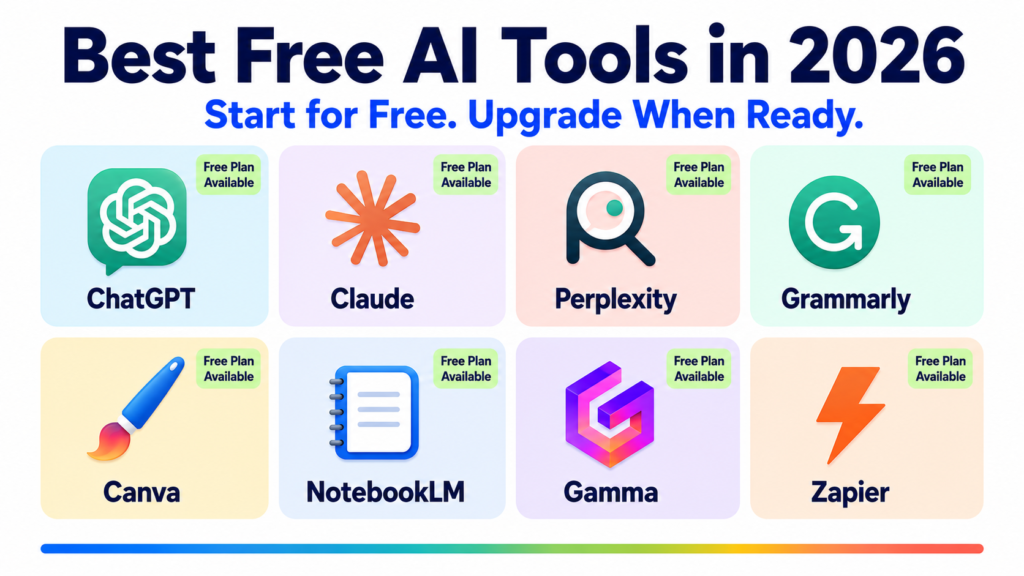
You do not need to spend a single dollar to start using powerful AI in 2026.
The common myth is that the best AI tools are locked behind expensive subscriptions. The reality is very different. In 2026, free AI tools have matured to the point where a complete beginner can write better, design faster, research smarter, create videos, and automate their work, all without paying anything.
This guide covers the best free AI tools available right now, organized by category, with the exact limits of each free plan so you know exactly what you are getting before you sign up.
All tools on this list have permanent free tiers. No credit card traps. No 3-day trials disguised as free plans. Just tools you can use today at no cost.
AI Chatbots and Assistants
ChatGPT Free Tier
ChatGPT’s free plan gives you access to GPT-4o, one of the most capable AI models available, with daily usage limits that are generous enough for most casual and moderate users. You can write, research, brainstorm, analyze documents, generate images with DALL-E, and get coding help without paying anything.
Free plan includes: GPT-4o access with rolling daily limits, basic image generation, document uploads, and web browsing.
Limitation to know: Heavy users will hit the daily cap and get bumped to a slower model. If you use ChatGPT for professional work every day, the free tier will not be enough.
Best for: Beginners, students, and anyone who wants to explore AI without commitment.
Claude Free Tier
Claude’s free plan gives you access to Claude Sonnet, a highly capable model for writing, analysis, and reasoning. It is consistently rated as one of the best free AI tools for long-form writing and careful, nuanced responses.
Free plan includes: Access to Claude Sonnet on web, iOS, Android, and desktop. Rolling daily usage limits. File uploads and document analysis. Web search.
Limitation to know: The free plan does not include Claude Opus, the flagship model, or the Projects feature for organizing client work. Usage limits reset daily but can feel restrictive for heavy professional use.
Best for: Writers, researchers, and anyone who needs high-quality, nuanced AI responses without paying.
Gemini Free Tier
Google’s Gemini free tier is one of the most feature-rich free AI plans available, especially for users already in the Google ecosystem. It is built directly into Gmail, Google Docs, and Google Drive on paid Workspace plans, but the standalone Gemini app is free to use with no subscription.
Free plan includes: Access to Gemini Flash, real-time Google Search integration, image understanding, and basic document analysis. Works across web and mobile.
Limitation to know: The most powerful Gemini 3.1 Pro model requires the paid Google AI Pro plan at $19.99/month. The free tier runs on a lighter model.
Best for: Google Workspace users and anyone who wants an AI with real-time Google Search built in.
Perplexity AI Free Tier
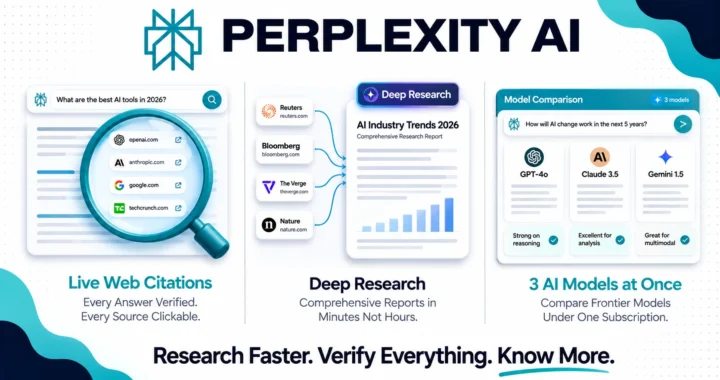
Perplexity is the best free AI research tool available in 2026. Every answer it gives comes with cited, clickable sources from the live web. It is significantly more useful than a traditional search engine for any question that requires synthesis and analysis rather than just a list of links.
Free plan includes: Unlimited basic AI searches with source citations, real-time web access, and file uploads. A limited number of Pro searches (which use more powerful models) per day.
Limitation to know: Deep Research mode and unlimited Pro searches require the paid plan at $20/month.
Best for: Students, researchers, writers, and anyone who needs current, cited information quickly.
Writing and Editing
Grammarly Free Tier
Grammarly’s free plan works everywhere you write: your browser, Google Docs, Microsoft Word, email, and social media. It catches grammar, spelling, and punctuation errors automatically and suggests clearer phrasing in real time.
Free plan includes: Grammar and spelling corrections, basic clarity suggestions, tone detection, and browser extension for all websites.
Limitation to know: Advanced AI rewriting, full clarity improvements, plagiarism checker, and tone adjustment tools require the Pro plan at $12/month.
Best for: Every writer. This is the most universally useful free writing tool available regardless of your skill level or profession.
Notion Free Tier
Notion’s free plan is genuinely generous. You get unlimited pages, unlimited blocks, and a powerful workspace for notes, documents, databases, and project management. The free AI features are limited, but Notion itself as an organizational tool is exceptional at no cost.
Free plan includes: Unlimited pages and blocks, basic databases, templates, and a limited AI trial to test the writing features.
Limitation to know: Full Notion AI, including Ask Notion, Notion Agent, and AI Autofill, requires the Business plan at $20/month. The free trial gives you a taste but not the full experience.
Best for: Freelancers, students, and anyone who wants a powerful free workspace to organize their work and life.
Design and Image Generation
Canva Free Tier
Canva’s free plan is one of the most powerful free design tools ever created. You get access to thousands of templates, a drag-and-drop editor, basic AI image generation, and the ability to create professional graphics for social media, presentations, and documents without any design experience.
Free plan includes: Thousands of templates, basic AI Magic Studio features, background remover (limited), photo editor, and 5GB of cloud storage.
Limitation to know: Full Magic Studio AI tools, brand kit, premium templates, and unlimited background removal require the Pro plan at $15/month.
Best for: Anyone who needs to create visual content for social media, presentations, or marketing without hiring a designer.
Adobe Firefly Free Tier
Adobe Firefly is Adobe’s AI image generator, and its free tier is one of the most capable free image generation tools available. It produces high-quality, commercially safe images (trained only on licensed content) and integrates with Adobe’s creative tools.
Free plan includes: 25 generative credits per month for image generation, text effects, and generative fill. No credit card required.
Limitation to know: 25 credits per month goes quickly if you generate images regularly. The free plan is better for occasional use than daily professional work.
Best for: Designers, marketers, and content creators who need commercially safe AI images without copyright concerns.
Microsoft Designer Free Tier
Microsoft Designer is a free AI-powered design tool that creates social media posts, invitations, digital postcards, and graphics from text prompts. It is powered by DALL-E and deeply integrated with Microsoft 365 tools.
Free plan includes: AI image generation, social media graphic creation, photo editing, and background removal. Generous daily limits.
Limitation to know: The tool is best for simple social media graphics and not as versatile as Canva for complex design projects.
Best for: Microsoft 365 users who want free AI-powered design without switching platforms.
Video and Audio
Kling AI Free Tier
Kling AI’s free tier is the most generous free plan in AI video generation in 2026. You get 66 credits per day with no credit card required, enough to generate several short video clips daily.
Free plan includes: 66 credits per day, text-to-video and image-to-video generation, watermarked output.
Limitation to know: The free plan adds a watermark to all videos and does not include commercial rights. For professional or client work, the Standard plan at $6.99/month is required.
Best for: Anyone who wants to experiment with AI video generation before committing to a paid plan.
Runway Free Tier
Runway gives new users 125 one-time credits to try their Gen-4.5 video generation model, plus access to video editing tools including background removal, inpainting, and motion tracking.
Free plan includes: 125 one-time credits for video generation, access to editing tools, and exports with watermark.
Limitation to know: 125 credits is a one-time allocation, not a monthly refresh. Each 4-second video clip costs approximately 25 credits, giving you about 5 short clips total on the free tier.
Best for: Testing Runway’s capabilities before subscribing. The editing tools alone make the free tier worthwhile even after the generation credits run out.
ElevenLabs Free Tier
ElevenLabs gives free users 10,000 characters of text-to-speech per month, which works out to roughly 10 minutes of high-quality AI voice narration. The voice quality on the free tier is the same as paid plans.
Free plan includes: 10,000 characters per month, access to pre-built voices in 70+ languages, and basic text-to-speech generation.
Limitation to know: The free plan does not include commercial rights, voice cloning, or professional voice quality downloads. The Starter plan at $5/month unlocks commercial use.
Best for: Testing voice generation and producing occasional personal audio content without commercial intent.
Research and Productivity
Google NotebookLM Free Tier
NotebookLM is one of the most impressive free AI tools of 2026. You upload your own documents, PDFs, websites, and YouTube transcripts, and it creates a private AI expert on exactly that content. Every answer it gives is grounded in your sources, with no hallucinated facts.
Free plan includes: Up to 100 notebooks, 50 sources per notebook, 500,000 words per notebook, Audio Overview (podcast-style summaries of your documents), and fully cited responses.
Limitation to know: NotebookLM only works with content you upload. It does not search the live web like Perplexity.
Best for: Students, researchers, and professionals who need to analyze and extract insights from large amounts of their own documents.
Gamma Free Tier
Gamma creates beautiful presentations, documents, and single-page websites from a simple text prompt. The output is significantly better than generic AI presentation tools and actually looks like something you would want to show people.
Free plan includes: 400 AI credits (enough for about 10 full presentations), AI generation for slides and documents, and a “Made with Gamma” watermark on exports.
Limitation to know: Exporting without the watermark requires the Plus plan at $10/month. The free credits do not refresh after use.
Best for: Anyone who needs to create professional presentations quickly without design skills.
Zapier Free Tier
Zapier’s free plan lets you automate up to 100 tasks per month across your favorite apps. For a solo freelancer or small business, this is often enough to automate the most repetitive parts of your workflow: new form submissions, email notifications, database updates, and more.
Free plan includes: 100 tasks per month, basic single-step automations between 7,000+ apps, and 5 active automations.
Limitation to know: Multi-step automations and higher task volumes require the Professional plan at $19.99/month.
Best for: Anyone who wants to eliminate repetitive manual tasks between their apps without writing code.
The Best Free AI Stack for Beginners
If you are just starting with AI and want the most powerful free setup possible, here is the combination that covers every major use case:
- Claude or ChatGPT for writing, thinking, and general assistance
- Perplexity AI for research and real-time information
- Grammarly for editing everything you write
- Canva for visual content and design
- Google NotebookLM for analyzing your own documents
- Kling AI for video generation experiments
- Zapier for basic workflow automation
Total cost: $0 per month.
This stack covers writing, research, editing, design, video, document analysis, and automation. You can run a blog, a freelance service, a small business, or a personal project entirely on these free tools before spending a single dollar.
When to Upgrade to a Paid Plan
The free tiers are powerful, but they have limits. Here are the signs that it is time to pay:
- You are hitting daily usage limits regularly and losing productive time waiting for resets
- You need commercial rights to use AI-generated content in client work
- You need advanced features like voice cloning, Projects, Deep Research, or watermark-free video exports
- Your income from AI-assisted work exceeds the cost of the subscription
At that point, upgrading makes sense. Most paid plans start at $5 to $20 per month and pay for themselves within the first week of professional use.
The Bottom Line
The barrier to using powerful AI in 2026 is zero. The tools in this list are not watered-down demos. They are genuine, capable platforms that millions of professionals use every day to write better, research faster, design smarter, and automate the repetitive parts of their work.
Start with the free stack above. Pick one tool, use it daily for two weeks, and you will see exactly where you need more and where free is already enough.
The best time to start was a year ago. The second best time is today.