Framer is growing at 180% in search interest in August 2026, and it is not hard to understand why. It sits in a genuinely unique position in the website builder market: the design freedom of a professional tool like Figma combined with one-click publishing, built-in hosting, a CMS, and SEO, all without writing a single line of code.
For designers who have spent years translating their Figma mockups into developer handoffs, then waiting weeks for implementation, Framer offers something radically different. You design on the canvas. You click publish. The site is live. That is it.
However, Framer 3.0, released in 2026 with AI Agents, Branching, and a Community marketplace, has also introduced complexity that newer users find overwhelming. Furthermore, the per-site pricing model adds up quickly for agencies managing multiple client websites. This honest review covers the real pricing, the genuine strengths, the documented limitations, and exactly who Framer works best for in 2026.
What Is Framer?
Framer is a no-code website builder built around a freeform visual canvas. Unlike template-driven builders like Squarespace or Wix where you work within fixed layouts, Framer gives you pixel-level design control over every element. You position, size, and style everything directly on the canvas, and Framer handles responsive behavior, performance optimization, and hosting automatically.
Founded in Amsterdam, Framer has built a particularly strong following among product designers, startup founders, and marketing teams who want websites that look genuinely custom without the cost and timeline of a traditional development project. Its Figma integration is one of the tightest in the market, allowing designers to import their Figma designs directly into Framer and turn them into live, interactive websites.
In 2026, Framer 3.0 is a significant update. It adds AI Agents that can generate and modify website content through natural language commands, Branching for managing multiple website variants and experiments, and a Community marketplace where designers share and sell templates, components, and design systems. Consequently, Framer has moved from being a pure design-to-publish tool to a more comprehensive website platform with AI-powered capabilities.
Framer Pricing in 2026
Framer prices per site rather than per user, which is an important distinction from most SaaS tools. Here is the verified breakdown as of August 2026:
Free: Designing is free with no time limit. Includes the full design editor, 10 CMS collections, 1,000 CMS pages, 5MB file uploads, up to 3 editors, and 1 free locale. However, published free sites display a Framer banner, cannot connect a custom domain, and do not include AI-powered design tools. Consequently, the free plan works for testing and personal projects but not for client work or professional websites.
Basic: $10 per month per site (annual billing) or $15 per month (monthly billing). Adds a custom domain, 2 CMS collections, 50GB of bandwidth, built-in SEO tools, and removes Framer branding. This is the minimum viable plan for a simple personal website or portfolio with basic content management needs.
Pro: $30 per month per site (annual) or $40 per month (monthly). Adds 10 CMS collections, 100GB bandwidth, password protection, and full AI features. This is the plan most freelancers and small businesses need for a content-rich professional website. Furthermore, the AI tools on Pro significantly accelerate content creation and site management workflows.
Scale: $60 per month per site (annual) or $80 per month (monthly). Adds up to 10,000 CMS pages, 200GB bandwidth, multiple locales for multilingual sites, and priority support. Designed for larger websites with extensive content libraries or international audiences.
Enterprise: $100 per month per site (annual) or more. Adds custom contracts, SLA guarantees, and enterprise support for organizations with specific compliance or support requirements.
The per-site pricing reality: The pricing above is per site. An agency managing 10 client websites on the Pro plan pays $300 per month minimum for site licenses alone, before considering team editor seats. G2 reviewers frequently cite this as a significant pain point, with several noting that a bundled studio plan covering multiple sites at a lower per-site cost would make Framer significantly more competitive for agencies. Therefore, always calculate your total cost across all sites before committing to Framer for agency work.
14-day free trial is available on all paid plans. No credit card required.
Key Features
Freeform Design Canvas
Framer’s visual canvas is its defining characteristic. Unlike Webflow’s class-based CSS approach or Squarespace’s section-based templates, Framer gives you a genuinely freeform environment where you place and style elements with the same freedom as a design tool.
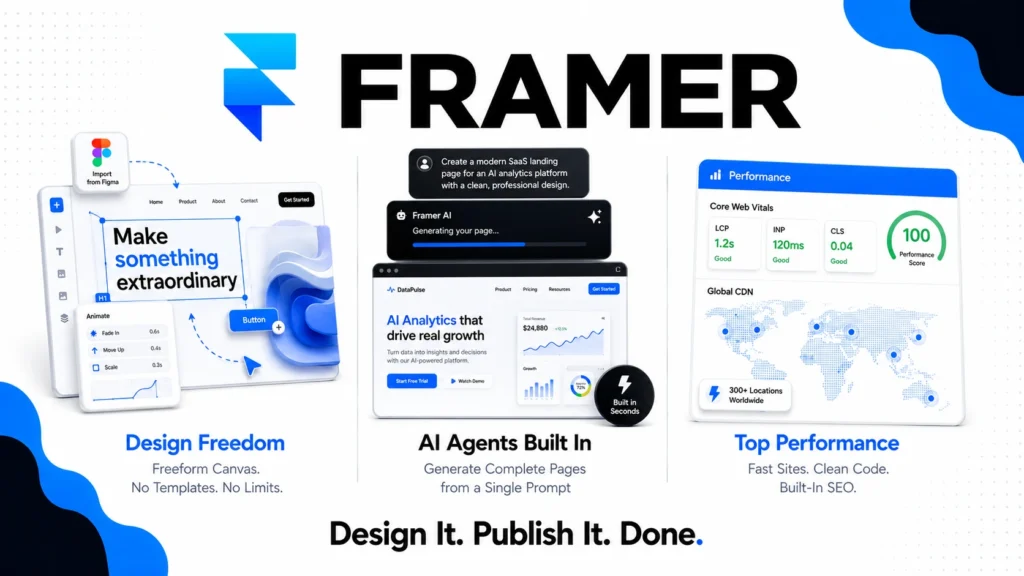
The canvas feels closer to Figma than to traditional website builders. You can position elements with absolute precision, apply complex animations and interactions without code, and create custom page layouts that would require significant custom CSS in other builders. Consequently, designers who find template-based builders frustrating because they cannot achieve their exact visual vision find Framer liberating.
Furthermore, responsive design is handled automatically. Framer generates clean responsive breakpoints from your desktop design without requiring you to manually rebuild layouts for each screen size. For teams that have previously managed separate mobile and desktop designs, this automation saves significant design and maintenance time.
Figma Integration
Framer’s Figma plugin lets you import your Figma frames directly into Framer and convert them into live, interactive websites. This is the tightest Figma-to-web workflow available in 2026, and it is the primary reason many Figma-first design teams choose Framer over alternatives.
However, the import is a starting point rather than a perfect translation. Complex Figma components, auto-layout structures, and interactive prototypes require refinement after import rather than working out of the box. Consequently, teams should expect to spend time adjusting imported designs before they are publish-ready, particularly on complex sites. Design Pages, Framer’s own native Figma-style design environment introduced in 2026, offers an alternative for teams willing to design directly in Framer from the start rather than importing from Figma.
CMS and Content Management
Framer’s CMS lets you create structured content collections for blog posts, case studies, team members, products, and any other repeating content type. You design the template once, and the CMS populates it with your data. Furthermore, CMS items can be filtered, sorted, and paginated directly on the canvas without code.
The CMS depth is meaningful but limited by plan tier. The Basic plan’s 2 CMS collections is genuinely restrictive for content-rich sites. The Pro plan’s 10 collections covers most website use cases. The Scale plan’s 10,000 CMS pages supports large content libraries. Consequently, content-heavy websites need to evaluate Scale plan pricing rather than assuming Pro is sufficient.
AI Agents (Framer 3.0)
Framer 3.0’s AI Agents are one of its most significant new capabilities. You describe what you want in natural language and the AI agent builds or modifies website sections, generates copy, creates image placeholders, and adjusts layouts automatically. Furthermore, you can iterate through Branching, which creates parallel versions of your site for experimentation without overwriting your main design.
In practice, AI Agents accelerate the initial site-building phase significantly. Users report that generating a complete landing page from a brief description takes minutes rather than hours. However, the AI output typically requires design refinement before it matches the quality level that Framer’s top templates achieve. Consequently, AI Agents are best understood as a rapid starting point rather than a final deliverable generator.
Performance and SEO
Framer-published websites consistently score well on Core Web Vitals and Google’s performance metrics. The platform automatically optimizes images, delivers assets through a global CDN, generates clean semantic HTML, and produces automatic sitemaps. Furthermore, per-page SEO controls let you customize titles, descriptions, and social preview images for every page.
For marketing teams and SEO-conscious builders, this out-of-the-box performance is a genuine differentiator over builders that require performance optimization plugins and manual SEO configuration. If you want to understand how to maximize your blog’s SEO performance alongside your Framer site, our guide on how to start a blog with AI covers the content and technical SEO fundamentals that complement Framer’s built-in capabilities.
Animation and Interactions
Framer’s animation capabilities are among the strongest available in any no-code tool. Scroll-triggered animations, hover effects, page transitions, and complex interaction sequences can all be configured through a visual timeline editor without writing JavaScript. Consequently, Framer sites frequently feel more polished and dynamic than what competing builders can produce without custom code.
This animation depth is a primary reason Framer has become popular for startup landing pages, portfolio sites, and marketing pages where visual impression significantly affects conversion rates. Designers who previously needed a developer to implement their animation concepts can now do it themselves in Framer.
What Framer Does Well
Design freedom is genuinely best-in-class for a no-code tool. No competing website builder gives you the same combination of freeform layout control, animation capability, and design-tool-like interface. For designers who find template-based builders creatively restrictive, Framer removes constraints that competitors cannot.
Published site performance is excellent. Framer sites consistently outperform sites built on WordPress with performance plugins, Webflow, and Wix on Core Web Vitals metrics. The automatic CDN delivery, image optimization, and clean code generation produce fast-loading sites without manual optimization.
The Figma to web workflow is the tightest available. For teams that design in Figma and want to publish websites that match their designs precisely, Framer’s import workflow dramatically reduces the gap between design and live site compared to any alternative.
AI Agents in Framer 3.0 genuinely accelerate early site building. Generating a complete landing page from a brief description in minutes rather than hours is a real productivity improvement for solo founders, freelancers, and marketing teams working on multiple projects simultaneously.
G2 satisfaction rating of 88% reflects genuine user enthusiasm. Users consistently cite ease of use, design quality of published sites, and animation capabilities as primary reasons for recommending Framer. Furthermore, the product iteration pace has been praised, with Framer 3.0 addressing several pain points from previous versions.
Where Framer Falls Short
Per-site pricing adds up quickly for agencies. Managing 10 client sites on Pro costs $300 per month in site licenses alone. Furthermore, there is no bundled multi-site plan that reduces per-site cost at volume. Consequently, agencies that built businesses on Webflow’s more agency-friendly pricing model often find Framer’s pricing structure more expensive at scale despite lower per-site entry points.
Performance degrades on large, animation-heavy sites in the editor. Multiple G2 reviewers note that the editing experience slows noticeably on pages with heavy animations or many CMS items. While published sites perform well, the editing experience can become frustrating on complex projects. Consequently, teams building large sites should test editor performance on representative pages before committing to Framer for production projects.
The learning curve surprises non-designers. Framer’s design-tool approach is a feature for designers but a barrier for non-designers. Business owners and marketers accustomed to template-driven builders like Squarespace or WordPress find Framer’s canvas intimidating. Furthermore, concepts like responsive breakpoints, component instances, and CMS bindings require understanding that template builders abstract away entirely.
CMS depth is limited compared to WordPress. For content-heavy websites with complex taxonomy, custom post types, user-generated content, or membership functionality, Framer’s CMS falls short of what WordPress and its plugin ecosystem provide. Consequently, sites requiring advanced content management often need WordPress despite Framer’s design superiority.
Vendor lock-in is significant. Framer sites are hosted on Framer’s infrastructure and the design files are not portable to other platforms. If you decide to leave Framer, rebuilding the site on another platform is essentially starting from scratch. Therefore, teams should evaluate long-term platform commitment carefully before migrating existing sites to Framer.
Framer vs Competitors
Framer vs Webflow: Webflow is Framer’s closest direct competitor for design-focused no-code websites. Webflow uses a CSS class-based system that produces cleaner, more maintainable code for complex sites and offers a more mature CMS with better enterprise features. However, Framer’s canvas is more intuitive for designers, its animation capabilities are stronger for marketing pages, and its Figma integration is tighter. Furthermore, Webflow’s pricing is more agency-friendly with site-count bundling. Therefore, complex enterprise sites and agencies with large client portfolios often choose Webflow, while design-led solo projects and startup landing pages often prefer Framer.
Framer vs Squarespace: Squarespace offers a simpler, more template-driven experience suited to small businesses and individuals who want a professional website without design expertise. It is more affordable for simple sites and easier for non-designers to use confidently. However, Framer’s design quality ceiling is significantly higher, and AI Agents make initial site generation faster. Therefore, non-designers with simple website needs choose Squarespace while design-focused teams choose Framer.
Framer vs Lovable and Cursor: Lovable and Cursor focus on building full-stack web applications with databases, authentication, and backend logic. Framer focuses on marketing websites, portfolios, and landing pages. These tools serve different primary use cases rather than competing directly. Read our Make Money with Cursor and Lovable article to understand how app-building tools differ from website builders.
Framer vs WordPress: WordPress powers over 43% of the internet and offers unmatched flexibility, plugin depth, and content management capabilities. However, it requires hosting setup, plugin management, and ongoing maintenance that Framer eliminates entirely. Furthermore, achieving Framer’s design quality on WordPress requires significant custom development or premium themes. Therefore, content-heavy websites and those needing advanced functionality choose WordPress, while design-forward marketing sites and portfolios increasingly choose Framer.
Who Should Use Framer?
Framer is the right choice if you are:
- A product designer or UI/UX designer who wants to publish your own portfolio or client work without a developer
- A startup founder building a polished marketing site quickly without design or development resources
- A marketing team that needs frequent landing page creation with custom animations and design quality that template builders cannot match
- A freelance designer building individual client sites where Framer’s per-site pricing is manageable at your volume
- A team already working in Figma that wants the tightest possible design-to-web workflow
However, Framer may not be the right fit if you are:
- An agency managing 10 or more client websites where per-site pricing becomes expensive without volume discounts
- A non-designer or small business owner who wants a simple, template-driven website without design tool complexity
- A content-heavy publication or e-commerce business where WordPress or Shopify’s content and commerce capabilities are necessary
- A developer building web applications with backend logic, databases, or user authentication where Lovable or Cursor are more appropriate
Framer Review: Final Verdict
Framer 3.0 is the most design-forward website builder available in 2026. Its freeform canvas, animation capabilities, Figma integration, and AI Agents create a genuinely unique position in the market that no competing builder occupies. For designers who want to publish their own vision without compromise, Framer removes barriers that other tools cannot.
However, the per-site pricing model creates real cost challenges for agencies at scale, the editor performance on complex sites needs improvement, and the learning curve for non-designers remains steep. Furthermore, CMS and content management depth falls short of what WordPress provides for content-heavy websites.
The honest recommendation: if you are a designer, solo founder, or marketing team building individual high-quality websites and landing pages, Framer is excellent. If you are an agency managing many client sites or a business with complex content needs, evaluate Webflow or WordPress alongside Framer before committing.
Overall rating: 4.4 out of 5
Framer earns its 180% growth trend. For the right user at the right scale, there is no better website builder available in 2026.