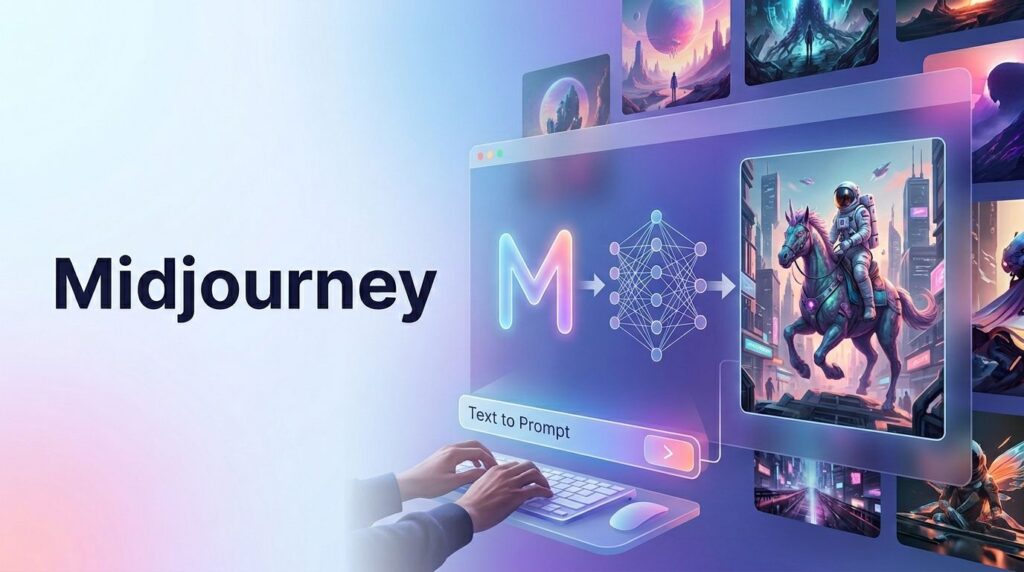
Create high quality images from text using Midjourney, faster than traditional design tools.
But speed alone doesn’t guarantee usable results.
In practice, most outputs fall short where it matters. The lighting may look cinematic, but the subject lacks clarity. Faces appear realistic, yet slightly unnatural. Composition feels unstructured. And when you try to maintain consistency across multiple images, the results quickly break down.
This is where most users get stuck. Midjourney produces impressive visuals, but turning those visuals into reliable, repeatable assets requires a different approach.
What the Tool Actually Does
Midjourney translates text into images, but more accurately, it translates patterns into visuals.
It doesn’t “understand” your idea. It predicts what images usually look like when people describe things the way you did.
Who it’s for
- People who need visuals fast but can tolerate iteration
- Creators who value exploration over precision
- Teams that can combine AI output with editing tools
What problem it solves
It eliminates the blank canvas and accelerates early-stage creativity.
When it works best
- Early ideation
- Stylized visuals
- Non-critical design assets
When it breaks down
This is where most guides stay vague, so here’s what actually happens in practice:
- Consistency across images is fragile
Try generating a “brand mascot” across 5 prompts—you’ll get 5 different characters. - Fine control is limited
You can’t reliably say “move the object 10% left.” You have to regenerate. - Small prompt changes = big visual shifts
Adding one word can completely change composition. - Faces degrade under complexity
The more elements you add, the more faces become distorted.
Real insight
At first, I thought I just needed better prompts. In practice, I needed fewer variables per image.
The biggest improvement came from simplifying prompts, not making them longer.
Key Features (with Real Value)
| Feature | What It Does | Why It Matters | Real Use | Hidden Limitation |
|---|---|---|---|---|
| Prompt generation | Creates images from text | Core functionality | Concept art, thumbnails | Over-descriptive prompts reduce clarity |
| Variations | Generates similar versions | Refines direction | Improving composition | Can “drift” unpredictably |
| Upscaling | Adds detail | Makes images usable | Final assets | Sometimes invents details that weren’t there |
| Style control | Applies visual style | Branding & consistency | “cinematic”, “realistic” | Style stacking creates noise |
| Aspect ratio | Controls layout | Platform optimization | YouTube, Instagram | Doesn’t guarantee good framing |
Deeper insight
One thing I noticed: Midjourney optimizes for aesthetics, not usefulness.
That’s why images look amazing, but often fail practical needs like:
- Clear focal points
- Empty space for text
- Clean composition
You have to explicitly ask for these.
How to Use It (Real Workflow)
Goal:
Create a YouTube thumbnail that is actually clickable, not just pretty.
Step 1: Naive Prompt
AI tools futuristic scene glowing interface
Result:
- Visually rich
- No hierarchy
- Useless as thumbnail
Step 2: Add Intent
person using AI tools, glowing interface, dramatic lighting, high contrast
Improvement:
- Better subject clarity
Problem:
- Still cluttered
- No space for text
Step 3: Practical Prompt
close-up of focused person using AI tools, clean background, strong lighting, high contrast, clear subject, minimal composition, YouTube thumbnail, 16:9
Result:
- Usable
- Clear focal point
- Editable
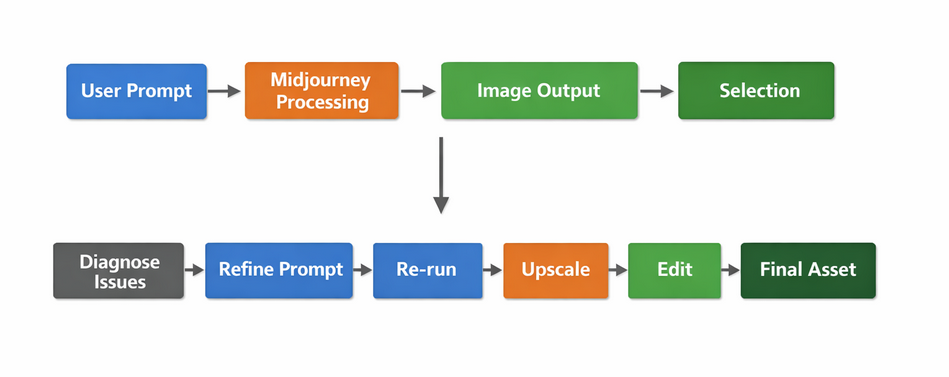
Step 4: Iteration (Critical Step Most Skip)
Instead of rewriting prompts, I used variations and selected:
- Best face
- Best lighting
- Best framing
Then refined only that direction.
Common Beginner Mistake
Mistake: Trying to describe everything in one prompt
Result: Chaotic images
Fix:
Break it into stages:
- Get subject right
- Fix composition
- Improve style
Better Prompt Framework
Subject + Focus + Environment + Constraints + Output Use
Example:
entrepreneur working on laptop, centered subject, clean office, minimal background, high contrast, YouTube thumbnail, 16:9
Real-Life Use Cases
1. High-Volume Content Creation
Situation: Needed 20+ visuals weekly
Use: Batch prompts + variation filtering
Result: 3–5 usable images per 20 generations
Insight: Expect a low hit rate—optimize for selection, not perfection
2. Brand Visual Identity (Where It Fails)
Situation: Tried creating consistent brand images
Result: Inconsistent style, faces, colors
Insight: Midjourney is not reliable for brand systems without heavy post-editing
3. Ad Creatives Testing
Situation: Needed multiple ad variations
Use: Generated different styles quickly
Result: Faster A/B testing
Insight: Works well when variation is the goal
4. Product Visualization
Situation: Concept product images
Use: Generated realistic mockups
Result: Good for validation
Failure point: Exact product details were inconsistent
5. Blog Visuals
Situation: Needed unique images
Use: Generated illustrations
Result: More engaging content
Insight: Style consistency across articles is hard
Example Outputs
| Task | Without AI | With Midjourney |
|---|---|---|
| Thumbnail | Manual design (1–2h) | 15–30 min + filtering |
| Ad creative | Designer required | Rapid variations |
| Blog image | Stock photos | Custom visuals |
| Product mockup | Expensive renders | Fast concepts (imperfect) |
Pricing (with Strategy)
Reality check
Midjourney is cheap compared to design labor—but expensive if you iterate poorly.
Strategy
- Start low-tier
- Batch your prompts
- Generate in sessions (not randomly)
Cost mistake I made
I used it casually throughout the day. This led to:
- Wasted generations
- No structured output
A better approach is:
- Define goal first
- Run focused batches
Pros and Cons
Pros
- Exceptional visual quality
- Fast iteration
- Great for exploration
- Inspires new ideas
Cons (real ones)
- No precision control
- Weak consistency
- Faces break under complexity
- Requires external tools
- Output quality is inconsistent
Who Should Use It
Best for
- Content creators
- Solo entrepreneurs
- Marketers running experiments
- Designers for ideation
Avoid if you need
- Brand consistency
- Exact layouts
- UI/UX precision
- Predictable outputs
Advanced Tips (Non-Obvious)
1. Generate in “batches with intent”
Don’t generate randomly.
Instead:
- Write 3–4 structured prompts
- Generate 4 variations each
- Compare results side-by-side
This dramatically improves output quality.
2. Reduce variables
This was the biggest unlock for me.
Bad:
person, city, neon lights, rain, reflections, cyberpunk, dramatic lighting, crowd, vehicles
Better:
person, neon city background, clean composition, cinematic lighting
Less chaos = better results.
3. Use “composition language”
Words that improve usability:
- “centered subject”
- “clean background”
- “minimal”
- “clear focus”
These matter more than style keywords.
4. Accept imperfection early
Don’t chase perfect outputs inside Midjourney.
Instead:
- Get 70% quality
- Fix the rest in editing tools
5. Don’t upscale too early
Upscaling locks you into a direction.
Better workflow:
- Explore
- Select best
- Then upscale
6. Watch for “AI over-stylization”
If everything looks:
- Too glossy
- Too dramatic
- Too perfect
It will perform worse in real content.
More natural prompts often perform better.
Final Verdict
Midjourney is incredibly powerful, but only if you respect its limitations.
It is not:
- A precision design tool
- A one-click solution
- A replacement for creative thinking
It is:
- A rapid idea generator
- A visual exploration engine
- A tool for speed, not control
Best use case
Generating multiple visual directions quickly, then refining externally.
Recommendation
Use Midjourney if you:
- Create content regularly
- Can iterate
- Don’t need pixel-perfect control
Avoid it if you expect consistent, production-ready outputs without editing.
FAQ
1. Why do my results feel random?
Because your prompt lacks constraints or has too many variables.
2. How many generations does it take to get a good image?
In practice: 10–30 attempts for one strong result.
3. Can I create consistent characters?
Not reliably without heavy iteration and external tools.
4. Is it good for business use?
Yes—for speed and testing. Not for final brand assets without editing.
5. What’s the fastest way to improve?
Stop writing longer prompts. Start writing clearer ones.
Call to Action
Open Midjourney and run a small experiment.
Write one prompt. Generate 4 images. Then refine only the best one.
Repeat that loop three times.
That’s where Midjourney stops being random, and starts becoming useful.