The Problem Most AI Video Tools Still Haven’t Solved
If you’ve used AI video tools seriously, not just for demos, you’ve likely run into this:
- Videos look amazing… until you try to use them in a real project
- Scenes don’t match each other
- Motion breaks under scrutiny
- You waste credits chasing one usable clip
I ran Kling AI through actual workflows: ads, short form content, and storyboard experiments.
Here’s the reality:
Kling AI is powerful, but it’s not a “generate → done” tool. It behaves more like a semi controllable simulation engine than a video editor.
In this guide, you’ll learn:
- What Kling AI actually does under the hood
- Where it breaks in real production
- Prompt structures that consistently work
- Advanced techniques that most users miss
Key insight:
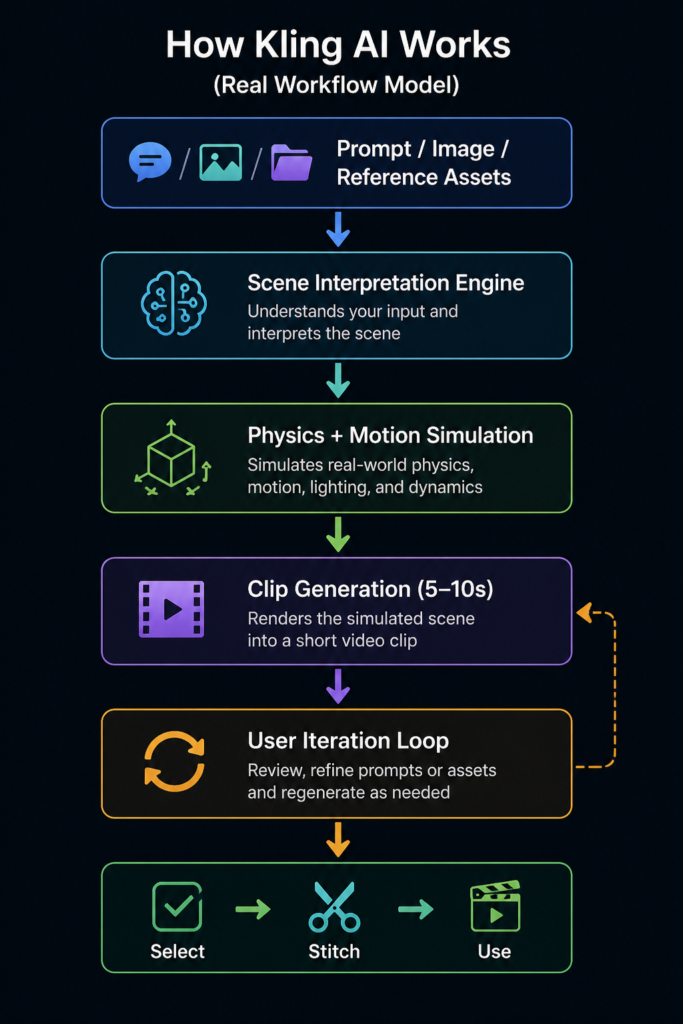
Kling doesn’t generate “videos”, it generates probabilistic scene simulations. That’s why results feel inconsistent.
What Kling AI Actually Does (With Real Insight)
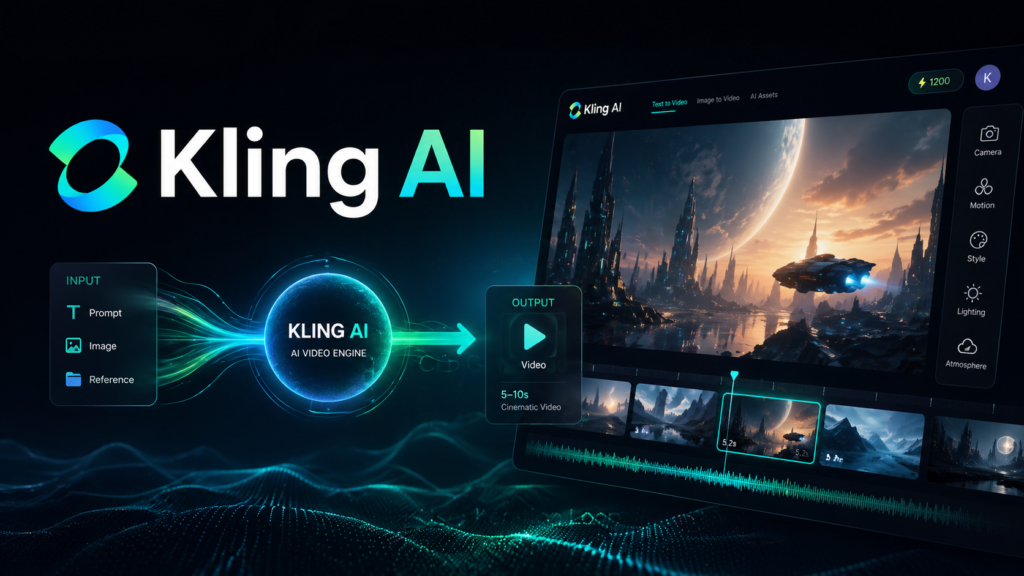
Kling AI is best understood as an AI cinematography engine, not a video generator.
- It interprets prompts as scenes
- It simulates motion, lighting, and camera behavior
- It outputs short clips (typically 5-10 seconds)
What surprised me
At first, I thought:
“Better prompts = perfect control”
In practice:
- Better prompts = higher probability of a good result
- Not guaranteed outcomes
This distinction matters.
Where it works well
- Cinematic B-roll (arguably best-in-class right now)
- Atmosphere-heavy scenes (rain, fog, lighting)
- Product-style shots (controlled environments)
Where it breaks down
- Fast human motion (running, jumping, dancing)
- Hand details and faces (still inconsistent)
- Multi-character interactions
This matches broader AI video limitations, complex motion and physics are still unreliable
Key Features (With Real World Behavior)
1. Text-to-Video (High Variance Engine)
What it does: Generates scenes from prompts
Reality:
- Two identical prompts can produce very different outputs
- You’re sampling from possibilities, not executing instructions
Non-obvious tip:
Run the same prompt 3–5 times instead of over-optimizing it
2. Image-to-Video (Most Underrated Feature)
What it does: Animates a static image
What I noticed:
- Much more stable than text prompts
- Better for client work
Why:
You’re constraining the model with a fixed visual anchor
3. Motion Intensity Control
What it does: Controls how dynamic the scene is
Insight:
- High motion = more errors
- Low motion = more realism
This aligns with how motion intensity affects output stability
Rule I now follow:
Start low → increase gradually
4. Credit Based Generation (Hidden Cost Trap)
Reality:
- Credits disappear fast during iteration
- Free tier is not production-ready
Mistake I made:
Trying to “perfect” a single clip
Better approach:
Generate multiple variations → pick the best
5. Scene Understanding (Director Like Behavior)
Kling behaves like an AI director:
- It interprets intent, not instructions
Implication:
You don’t control everything, you guide it
How to Use Kling AI (Real Workflow That Works)
Step 1: Start With a Controlled Scene
Bad prompt:
“A cool futuristic city”
Result: Generic, inconsistent
Step 2: Use Structured Prompting
Better prompt:
“Wide-angle cinematic shot of a futuristic city at sunset, neon reflections, light fog, slow drone movement, realistic lighting, no people”
Why this works:
- Limits variables
- Removes complexity
- Focuses on environment
Step 3: Generate Multiple Variations
Instead of:
- Editing prompt endlessly
Do:
- Generate 4–6 outputs
- Choose best base
Step 4: Refine ONE Variable
Example:
- Version A: change lighting
- Version B: change camera angle
This is critical.
Changing multiple variables = unpredictable results
Step 5: Assemble Outside Kling
Kling is not a video editor.
Real workflow:
- Generate clips
- Export
- Assemble in another tool
Non-Obvious Beginner Mistake
Mistake: Adding too many elements
Example:
“A man running, cars passing, explosion, rain, crowd”
Result: Broken physics, visual artifacts
Fix:
One subject + one action + one environment
Real Life Use Cases (With Honest Outcomes)
1. Short Form Content (Best Use Case)
- Result: High engagement visuals
- Insight: Works best under 10 seconds
2. Product Ads
- Result: Clean, cinematic shots
- Limitation: Not precise enough for brand-critical visuals
3. Storyboarding
- Result: Fast idea validation
- Insight: Great for pitching, not final production
4. YouTube B-Roll
- Result: Strong filler footage
- Issue: Matching real footage is harder than expected
5. Experimental Visuals
- Result: Unique, unpredictable clips
- Insight: Creativity > control here
Example Outputs
| Task | Without AI | With Kling AI |
|---|---|---|
| Product teaser | Filming setup required | Generated in ~2-5 mins |
| Cinematic shot | Requires drone/gear | Simulated instantly |
| Storyboard | Static sketches | Moving scenes |
| Social content | Manual editing | Fast iteration |
Pricing (What Actually Matters)
Reality Check
- Free plan: testing only (low resolution, short clips)
- Paid: required for serious work
Hidden cost behavior
- Iteration eats credits quickly
- “Fixing” clips is more expensive than regenerating
Pros and Cons
Pros
- Best-in-class cinematic motion
- Strong atmosphere and lighting
- Fast idea generation
- High creative potential
Cons
- Inconsistent outputs
- Limited clip length (~5-10s typical)
- Credit-heavy workflow
- Weak control over details
- Struggles with complex motion and anatomy
Who Should Use It
Best fit
- Content creators
- Marketers
- Creative directors
- Indie filmmakers
Not a good fit
- Precision production teams
- Long-form storytelling
- Beginners expecting predictable outputs
Advanced Tips (These Make a Huge Difference)
1. Use “Constraint Prompting”
Add:
- “no people”
- “no text”
- “minimal movement”
This reduces failure rate significantly
2. Think in Shots, Not Stories
Don’t prompt:
“A full scene with beginning and end”
Instead:
One shot at a time
3. Use Reference Images Whenever Possible
This is the closest thing to “control” in Kling
4. Accept Imperfection Early
Don’t chase perfect output
Pick:
- 80% good → usable
5. Build a Prompt Library
Your best prompts become reusable assets
Final Verdict
Kling AI is one of the most powerful AI video tools in 2026, but only if you use it correctly.
It’s not:
- A replacement for video production
- A one-click solution
It is:
- A creative acceleration tool
- A visual experimentation engine
Best use case:
Short, cinematic clips with controlled complexity
Final recommendation:
Use Kling for generation, not production
FAQ
Is Kling AI consistent?
No. It’s probabilistic, results vary each run.
How long are videos?
Typically 5-10 seconds depending on plan
Can it replace editors?
No. You still need editing tools.
What’s the biggest limitation?
Control. You guide it, you don’t command it.
Call to Action
Don’t just try Kling AI, test it properly.
Run the same prompt multiple times.
Limit complexity.
Build your own prompt system.
That’s when it stops feeling random, and starts becoming useful.