
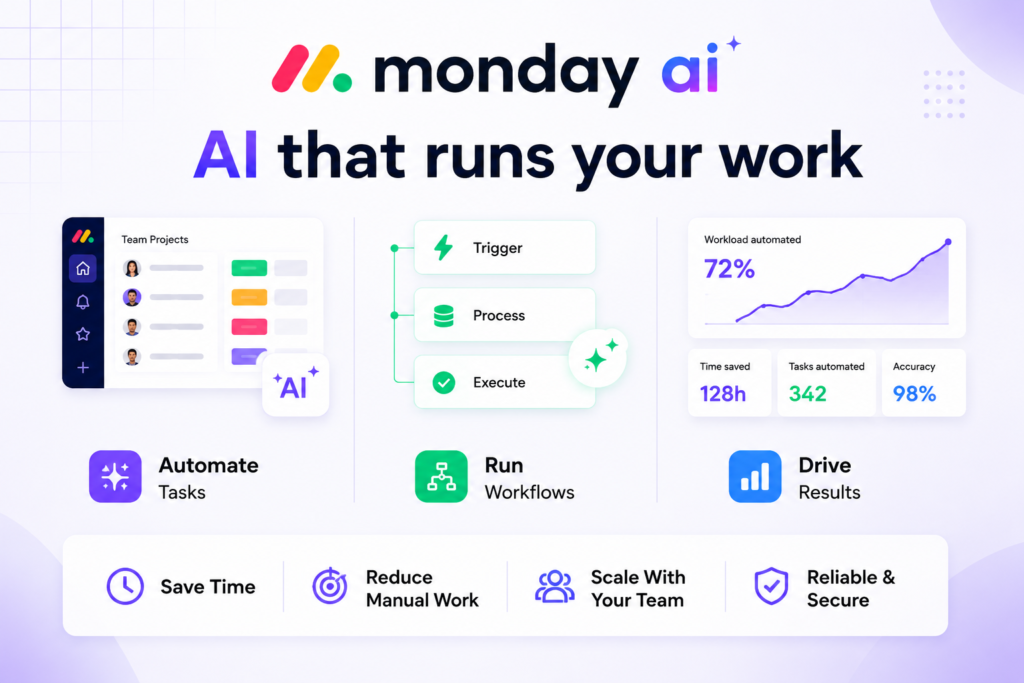
Project managers have spent years manually updating boards, chasing status messages, and rewriting the same update summaries week after week.
The board exists. The data exists. But turning that data into a useful signal, flagging which project is quietly going off the rails, surfacing the task nobody owns, still required a human sitting down and reading through everything. That is the specific gap monday.com has been engineering toward since it repositioned itself as an AI work platform in May 2026.
The shift is not cosmetic. monday.com rebuilt its product architecture around the idea that humans and AI agents work in the same platform, on the same live data, under the same permission structure. Whether that promise holds in practice depends heavily on which plan you are on, how much AI usage your team triggers, and whether you are willing to think about credit consumption the way you once thought about automation limits.
What the platform actually does now
Monday.com started as a visual task board. Teams built color coded grids, set up status columns, and used it primarily as a shared spreadsheet that looked better than Excel. The core mechanic, boards made of items, each item with configurable columns, has not changed. What changed is what can act on that data.
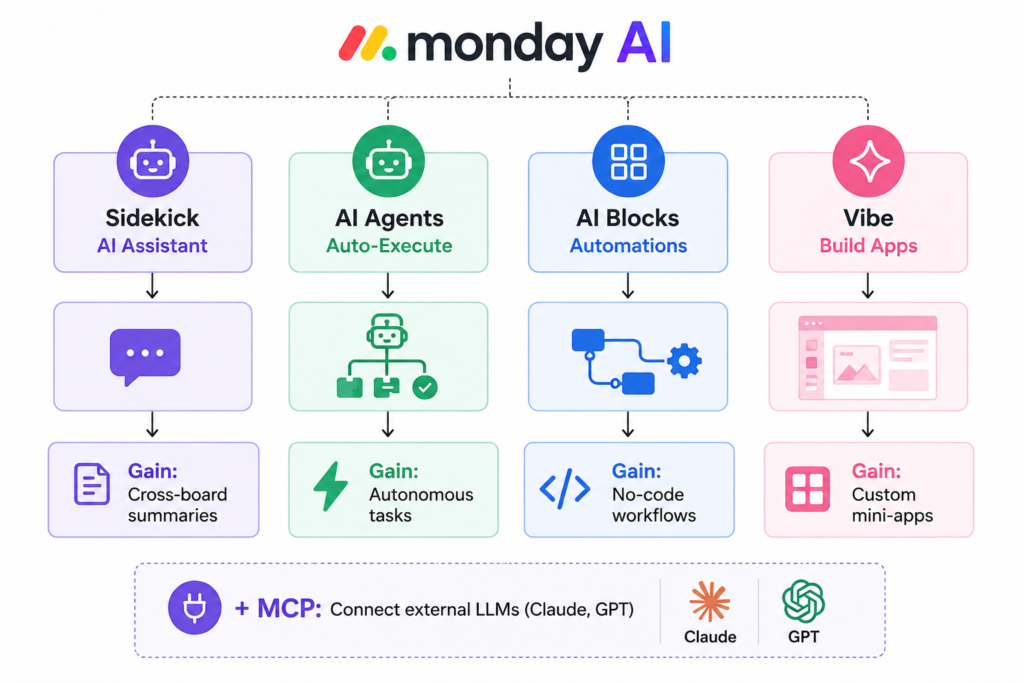
The AI layer now sits at four levels. Sidekick is the conversational assistant that operates across boards, documents, and people data. AI Blocks are automations that use a language model to categorize, extract, summarize, or translate content when triggered by a workflow. AI Agents are purpose-built workers, a Lead Qualification Agent, an HR Onboarding Agent, a Support Ticket Agent, that execute multi step tasks autonomously on live board data. Vibe is the newest addition: a natural-language app builder that turns a prompt into a functional dashboard or mini-application without code.
The behavior most users discover too late is that many AI features that appear free are actually drawing from a shared credit pool that runs dry faster than expected. When credits run out, existing AI automations continue running but put the account into a negative balance. New AI configurations are blocked until credits are purchased. This is a workflow disruption most teams encounter mid-project, not during onboarding.
How work moves through the system
Understanding the actual flow helps set realistic expectations before investing time in setup:
Input: A trigger occurs: a new item is added, a status changes, a user submits a form, or a Sidekick prompt is sent.
Tool Process: An AI Block, Agent, or Sidekick interprets the context and executes: classify the item, extract a field value from a PDF, write a summary, create subtasks, or send a notification.
Output: The result lands back in the board as updated column values, a new document, a drafted email, or a completed checklist.
Real World Result: A project manager reviews the board and sees structured, actionable data instead of raw input.
Where it breaks: When the input quality is inconsistent (free text columns with no standardization), AI outputs drift. The model does not know that your team uses “WIP” and “in progress” interchangeably. Garbage-in, garbage out still applies, even with good AI underneath.
The features that actually change how teams work
Sidekick 3.0 (released April 2026): The assistant now operates across boards and departments simultaneously, not just within a single board. A project manager can ask “what’s at risk across all active projects this week?” and get a synthesized answer drawn from multiple boards. The limitation is that Sidekick works on structured board data, it does not read email threads, Slack messages, or external documents unless they have been explicitly connected via integrations. Teams that store context outside monday.com get a partial picture.
AI Blocks in automations: These are the backbone of monday’s AI automation layer. You build a rule, “when an item is created, run this AI block”, and the block does the work: categorize support tickets by urgency, extract contract dates from uploaded PDFs, detect sentiment in customer feedback columns. Each block execution costs 8 credits per item within a 24 hour window. That throttling is smart, if three blocks fire on the same item in one day, you are charged once, not three times. But teams running high-volume automations on hundreds of items will burn through credits quickly.
AI Agents: The Lead Qualification Agent and HR Onboarding Agent launched in early 2026 and work inside the CRM and HR product lines respectively. The agents follow configurable logic trees, not open ended reasoning, so they behave predictably at scale. Non technical users can configure them through a guided interface. The real non-obvious insight: agent configurations are tied to specific board structures. If you restructure the board, the agent may stop working as expected without a reconfiguration step that most users skip.
Monday Vibe: Describe a dashboard in plain language, “show me open tasks by owner with a risk heat map and a burndown chart”, and Vibe generates it as a publishable view or mini-app. Building and testing are free; publishing to users is billed through a separate tier plan that is not part of the standard AI credit system. For operations teams who have been waiting months for a developer to build a custom view, this is genuinely useful. For teams that need pixel perfect outputs or complex conditional logic, the generated apps often require additional manual editing.
MCP Integration: Monday’s Model Context Protocol server lets external LLMs like Claude or ChatGPT access your monday.com data as a live context layer. This turns monday.com into an API accessible data substrate, not just a UI. The integration is free. For teams that already use Claude or GPT via API for other workflows, this is the most underutilized feature on the platform.
Credit-free AI features: Formula Builder, Docs Assistant, Board Summary, and Deal Insights do not consume credits. Many teams run on these alone for weeks before they need to buy anything. Starting here is not just cost-efficient, it also reveals which workflows actually benefit from AI before you commit budget.
One complete workflow from zero to result
Scenario: An operations team receives 50-100 vendor quotes per month via email. They need to extract key fields (vendor name, price, delivery date, payment terms) and route each quote to the relevant department board.
Setup most users skip: Before building any AI block, standardize your column structure. Create a dedicated “Quote Inbox” board with columns for each extracted field. If you skip this and let the AI write to a freeform text column, you will get unstructured output that defeats the purpose.
Step 1: Connect an email inbox to the board via the Email Integration so incoming quotes automatically create new items.
Step 2: Build an AI Block triggered “when item is created” that extracts vendor name, price, delivery date, and payment terms from the email body column and writes each to its respective structured column.
Step 3: Add a second AI Block that classifies the quote by department (Operations / Marketing / IT) based on keywords in the subject line and email body, writing the result to a “Department” column.
Step 4: Build a standard automation, no AI required, that moves the item to the correct department board based on the “Department” column value.
Improved input prompt for the extraction block: Instead of “extract key fields from this email,” write: “Extract these four fields from the email text: vendor name (company name only, no contact name), total price (numeric value only, no currency symbol), delivery date (format as YYYY-MM-DD), and payment terms (net 30, net 60, or other, if unclear, write ‘unclear’). Return nothing else.”
Common beginner mistake: Users build this workflow and then also ask Sidekick to summarize the board weekly. Both consume credits. Without monitoring, a 10 person operations team can exhaust their monthly credit bucket in two weeks. Fix: use the AI Governance dashboard in Admin to set per-user credit limits and get notified at 80% consumption before workflows break.
Realistic use cases where this tool holds up
Marketing campaign management: A 15 person marketing team uses monday.com as their campaign calendar. AI Blocks automatically classify incoming brief submissions by campaign type and priority level. Sidekick generates weekly status summaries that a coordinator previously spent two hours compiling manually. Result: two hours recovered per week and a consistent summary format that stakeholders actually read. Insight: the time savings is real, but only after a two-week calibration period where the AI misclassifies briefs until column definitions are tightened.
IT service desk: An IT team routes support tickets through monday service. AI Blocks categorize each ticket by issue type, urgency, and affected system, then assign it to the appropriate technician group. A customer-facing support agent who previously spent 30 minutes per day triaging tickets now reviews a pre-sorted queue. Insight: the AI classification accuracy drops when ticket descriptions are vague. Teams that add a structured intake form (even a simple one) see significantly better results than those relying on free-text submissions.
Sales lead qualification: The SDR Agent, live since early 2026, qualifies inbound leads continuously, enriches them with available data, and flags high priority prospects without manual review. A sales manager with 30+ weekly leads found the agent worth activating; teams receiving fewer than 20 leads per week report that manual qualification is faster. The agent’s value scales with volume.
HR onboarding: An HR team configured the Onboarding Agent to create a structured onboarding board for each new hire, assign tasks to department heads, send reminder notifications, and close out completed checklist items. The agent reduced onboarding setup from 45 minutes per hire to under 5. Insight: the agent works on a fixed template, it does not adapt to non-standard onboarding paths, so edge cases still require manual handling.
What it does not do well: Complex project budget tracking, invoicing, and time to billing workflows. There is no native client invoicing or billable hours reporting. Teams that need these alongside project management either use integrations or run a second tool.
Time and effort comparison
| Task | Without AI | With monday AI | Notes |
|---|---|---|---|
| Weekly project status summary | 90-120 min manual review | Sidekick generates in under 2 min | Requires clean, structured board data |
| Ticket classification (50 tickets/day) | 30-45 min daily triage | AI Blocks classify on creation | Accuracy improves with defined column values |
| Formula creation in boards | Manual lookup / trial and error | AI Formula Builder writes it from plain text | Free feature, no credits consumed |
| New hire onboarding board setup | 45 min per hire | Onboarding Agent: under 5 min | Fixed template; edge cases need manual work |
| Lead qualification (30+ leads/week) | Daily manual review and scoring | SDR Agent runs 24/7 continuously | Below 20 leads/week, manual is faster |
What the pricing model actually costs you
monday.com’s base plans start at $9 per seat per month on Basic (billed annually), $12 on Standard, and $19 on Pro. There is a hard minimum of 3 seats on all paid plans, so the effective floor is $27/month. For a 10 person team on Standard, that is $120/month before any AI credits.
For customers who signed up after May 6, 2026, AI credits are bundled into the purchase flow from the start. The minimum monthly credit allocation depends on tier: 1,000 credits on Basic, 2,000 on Standard, 3,000 on Pro. Each credit costs $0.01, and most AI actions consume 8 credits per item. That means Standard’s minimum allocation covers roughly 250 AI actions per month, enough for light use, not enough for teams automating at scale.
The credit-free features, Formula Builder, Docs Assistant, Board Summary, Deal Insights, have no usage cost and are the right starting point. Many teams use only these for weeks before they need to buy into the credit system.
The most common cost mistake is enabling AI Blocks on high-volume boards without calculating expected credit consumption first. A board that creates 200 items per day with two AI Blocks firing on each item will consume 1,600 credits per day, about $16. Annualized, that is nearly $6,000 in AI credits alone, on top of subscription costs. Monthly billing for credit packages costs approximately 25% more than annual plans.
The real cost is often in how the tool is used, not the subscription itself.
Where it performs and where it does not
Monday AI’s visual interface remains its clearest advantage. Boards are intuitive, the drag-and-drop experience holds up across devices, and the learning curve for new users is shorter than Jira or even ClickUp. For teams adopting AI for the first time, the guided agent configuration, no technical expertise required, genuinely lowers the barrier in a way that most enterprise AI tools do not.
The depth of analytical insight is a real limitation. Compared to tools like ClickUp or Asana Intelligence, monday’s AI focuses on workflow automation and surface level summarization rather than predictive analytics. It will tell you what is happening on your boards. It will not model what is likely to happen to your project timeline based on historical velocity data the way more specialized tools can.
Customization has a ceiling. Users migrating from ClickUp frequently note that workflow logic in monday is less granular. Formula capabilities are functional but fall short of Smartsheet or Airtable for teams with complex calculation needs. The flexible board model can also produce inconsistent project structures across departments if there is no governance about how boards are set up, a problem that grows with team size.
Billing practices have generated consistent user complaints. Multiple reviews on Trustpilot and the BBB cite unexpected charges, auto-renewal issues, and friction in the cancellation process. For enterprise teams this matters less, you have a dedicated account team, but small business owners should review the billing settings carefully before the annual renewal date.
Who gets the most from this, and who should look elsewhere
Monday AI works best for cross functional teams, marketing, operations, HR, sales, who need AI to automate repetitive data processing and status reporting across a visual workflow. If your team is already inside monday.com and the frustration is specifically the manual work of updating boards, classifying items, and summarizing status, the AI layer addresses those problems directly and at a reasonable cost if usage is managed thoughtfully.
Sales teams with 20 or more weekly inbound leads, IT teams running moderate volume service desks, and HR departments with frequent hiring cycles are the profiles that report the clearest return on investment.
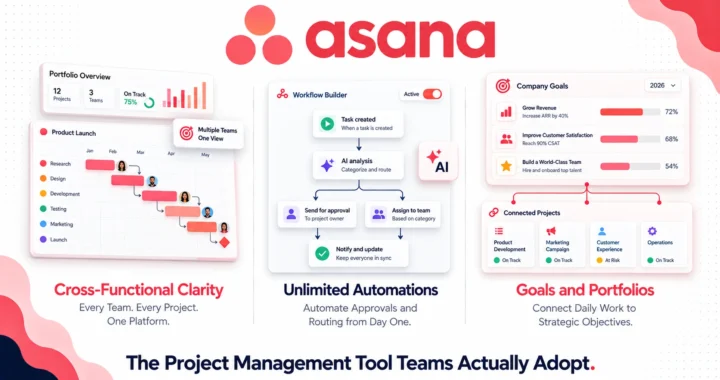
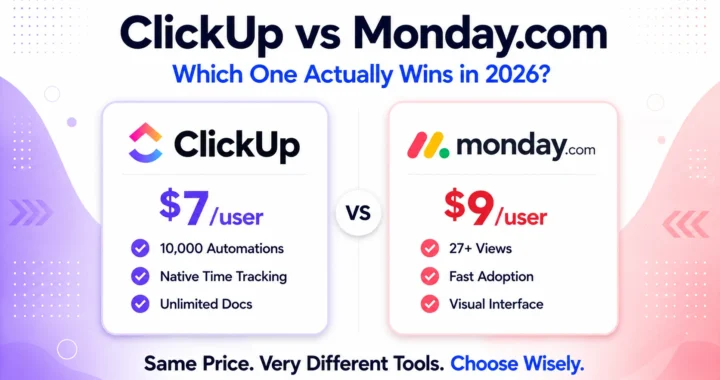
Solo users and teams of two should look at ClickUp instead, the 3 seat minimum makes monday.com expensive at small scale and ClickUp offers more generous features at lower cost for that group. Teams that need deep project budgeting, billable hours tracking, or client invoicing should evaluate Productive or a dedicated tool alongside whatever project management platform they choose. And teams that prioritize sophisticated AI analytics over automation should look at Asana Intelligence, which offers stronger portfolio-level predictive tools.
Advanced tips most users skip
Use the per item 24 hour credit throttle strategically. Credits are charged once per item per day, regardless of how many AI Blocks fire on that item. If you have five AI steps that need to run when a quote is created, chain them in a single workflow triggered at creation. You pay 8 credits once, not 40. Most users build separate automations for each step and multiply their credit consumption unnecessarily.
Start the MCP integration before you think you need it. Connecting your preferred LLM to monday’s MCP server is free and takes minutes. Once connected, you can issue natural-language commands to your monday data from outside the platform, useful for weekly reporting workflows where you want to pull monday data into a larger AI-generated report without manually exporting anything.
Standardize column values before activating any AI. AI Blocks that categorize or classify data produce significantly better results when the possible values are constrained. Use “Status” columns with a fixed set of labels rather than free-text columns. Define those labels in your AI Block prompt explicitly: “Classify as one of: Urgent, Standard, Low Priority. If unclear, use Standard.” This single step improves classification accuracy more than any other prompt adjustment.
Use the AI Governance dashboard as a planning tool, not just a cost monitor. The breakdown by feature and user tells you which AI capabilities your team actually uses versus which ones were enabled once and forgotten. Disable unused AI Blocks on low-activity boards to prevent background credit consumption from automations that no longer serve an active workflow.
Build with Vibe before requesting developer time. Operations and marketing team members who need a custom dashboard view now have a practical path to build it themselves. A prompt like “create a dashboard showing open items by owner with RAG status indicators and a timeline for the next 30 days” takes about 5 minutes and produces a publishable view. It will not replace bespoke development for complex tools, but it handles 80% of the requests that would otherwise go into a developer’s backlog.
The bottom line
Monday AI is the right AI work platform for mid-size cross-functional teams that are already inside the monday.com ecosystem and want AI to automate repetitive data work, classification, extraction, summarization, and routine task execution, without hiring a developer or adopting a separate AI tool. Its strongest use cases are operations, HR, IT service management, and sales pipeline management where volume justifies automation.
Its key limitation is depth: the AI capabilities are broad but not deep, particularly for teams that need predictive analytics, complex formula logic, or AI that reasons about historical patterns rather than just processing current board data.
Frequently asked questions
Do AI credits expire if unused?
Credits purchased on annual plans are valid for the billing year. Credits included in the minimum monthly allocation do not roll over. If your team uses fewer credits than the minimum in a given month, the unused portion does not carry forward. This makes the minimum credit tiers somewhat inefficient for teams with irregular AI usage patterns, it is worth tracking actual consumption for two to three months before committing to an annual credit plan.
Can Sidekick access data from connected integrations, like Salesforce or HubSpot?
Sidekick works on data that exists inside monday.com boards and documents. If your Salesforce or HubSpot data is synced into a monday board via integration, Sidekick can reference it. If the data lives only in the external system and is not reflected in a monday board, Sidekick cannot access it. This is a structural limitation, not a bug, it is why data architecture decisions made during monday setup matter so much for AI usefulness later.
What happens when AI credits run out mid-cycle?
Existing AI automations continue running but drive the account into a negative credit balance. New AI Block configurations and agent setups are blocked until the account is brought back within limits. The admin receives email notifications at 80% and 100% of credit consumption. Upgrading to a higher credit bucket mid-cycle is available via the support team, it does not require changing the underlying seat plan or billing cycle.
Is monday Vibe included in standard pricing?
Building and testing Vibe apps is free and does not consume credits. Publishing a Vibe app for team-wide use is billed separately through Vibe’s own tier pricing, which is distinct from the AI credit system. For teams evaluating Vibe, this means the experimentation cost is zero, you only pay if you decide to deploy what you build.
How does monday AI compare to ClickUp Brain for workflow automation?
ClickUp Brain operates more deeply within the task hierarchy, it can create subtasks, assign them based on skills, and schedule work automatically based on project context. Monday AI is stronger at data processing within structured boards: extraction, classification, and summarization of column data. For teams whose primary AI need is workflow logic and intelligent task routing, ClickUp Brain has more depth. For teams whose primary need is processing incoming data (forms, emails, uploads) and maintaining clean board structure, monday AI fits better.
Try it on your own workflow first
The most useful thing you can do before evaluating monday AI on budget alone is run it against one real workflow your team handles manually today. Take the credit free features, Formula Builder, Board Summary, Docs Assistant, and use them on an existing board for one week. If the time savings are visible within that period, the paid AI features will compound them further. If the free tier does not change how your team works, the paid tier probably will not either. Start monday.com with a free plan and build one real workflow before committing to a credit package.

My relatives every time say that I am killing my
time here at net, however I know I am getting experience all the time by reading such pleasant
articles or reviews.
Wow, marvelous weblog format! How long have you ever been running a blog for?
you make blogging glance easy. The total look of your site is fantastic, as
well as the content!
Hi there, just became aware of your blog through Google, and found that it’s
truly informative. I am gonna watch out for brussels. I’ll appreciate if you continue this in future.
Many people will be benefited from your writing.
Cheers!
I love your blog.. very nice colors & theme.
Did you create this website yourself or did you hire someone to do it for
you? Plz respond as I’m looking to construct my own blog and would like to know where u got this
from. thanks a lot
Attractive component to content. I simply stumbled upon your site and in accession capital to say
that I acquire in fact loved account your blog posts.
Anyway I will be subscribing to your feeds and even I success you get entry to constantly quickly.
Thank you so much! 😊 Yes, I created the website myself. I’m using the Blog Over theme/model. I’m glad you like the colors and design.
Good luck with your own blog.
It is remarkable, rather valuable piece
Do you have any video of that? I’d like to find out more
details.
No, We don’t do videos for now, but maybe in the future.