As your business grows, your phone system quietly becomes a bottleneck. At first, it’s manageable, shared numbers, basic call routing, maybe a CRM integration. But as volume increases, visibility drops. Calls get missed, context disappears, and performance becomes hard to measure.
Traditional VoIP systems don’t solve this. They often add complexity without improving how teams actually handle conversations.
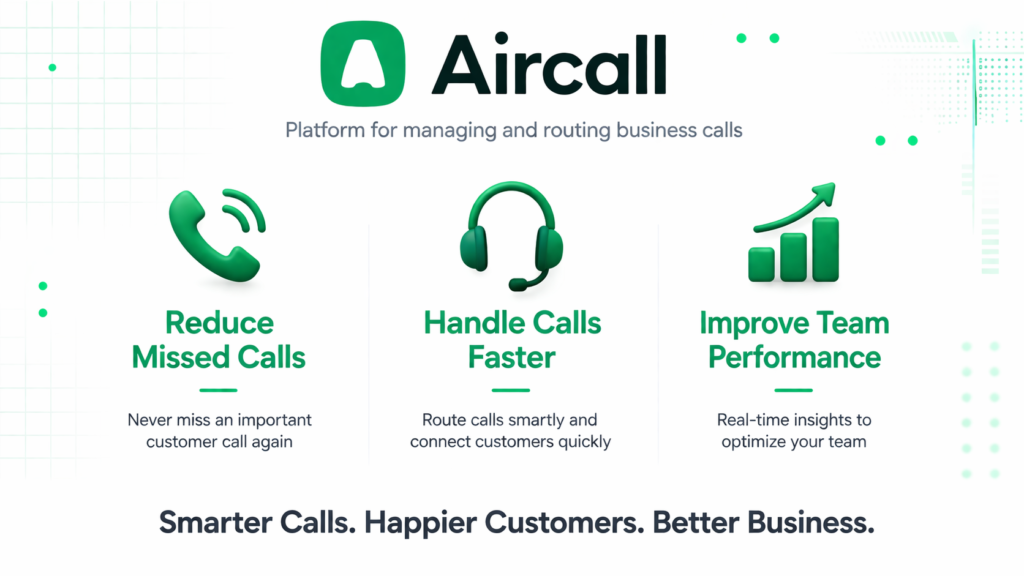
This is where tools like Aircall change the equation. Instead of acting as just another phone system, it functions as a communication layer built for sales and support workflows. When used correctly, it doesn’t just handle calls, it improves how teams operate around them.
What you gain is not just call handling, but structure, tracking, and measurable performance.
Aircall is a cloud based phone system designed for teams that rely heavily on inbound and outbound calls, primarily sales and customer support.
At its core, it replaces traditional phone infrastructure with a browser-based or app based interface. But that’s not the interesting part.
What matters is how it integrates calls into your existing workflows.
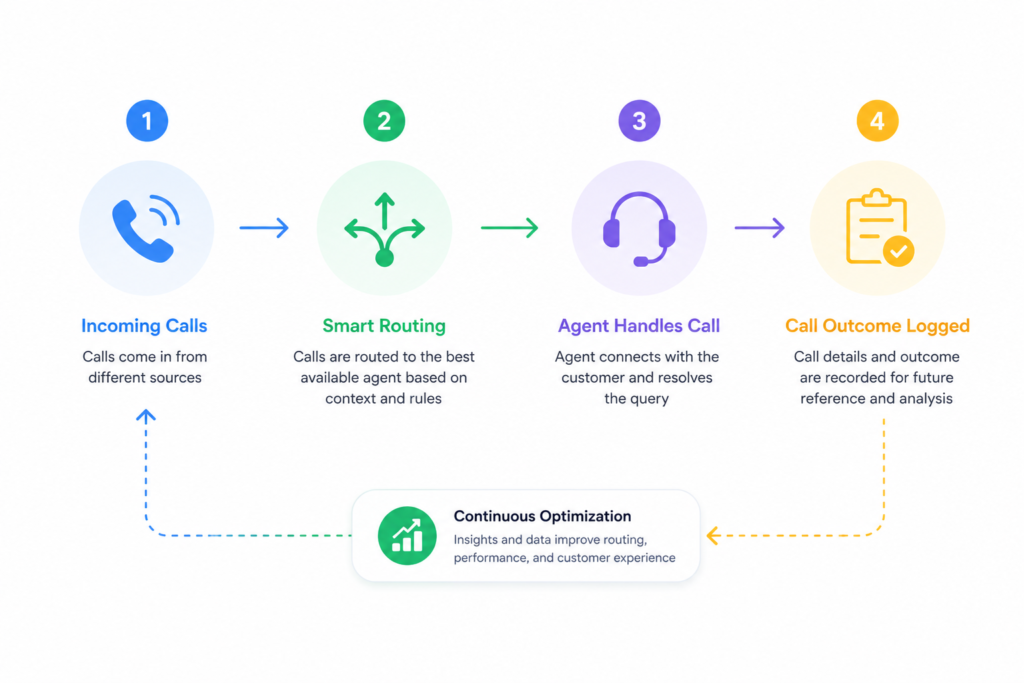
Calls are not isolated events. They’re tied to CRM records, tagged, recorded, analyzed, and routed based on rules you define.
Where it performs well:
- Teams handling moderate to high call volume
- Distributed or remote teams
- Organizations already using CRMs like Salesforce or HubSpot
Where it struggles:
- Very small teams with low call volume (overkill)
- Businesses needing ultra custom telecom setups
- Environments with unstable internet connections
One important observation: Aircall is not “plug and play” in a meaningful way. It works best when configured intentionally. Without that, it behaves like an expensive softphone.
Key Features That Actually Matter
The value of Aircall comes from how features interact with workflows, not from the features themselves.
Call routing, for example, is often underestimated. You can create intelligent routing rules based on time, agent availability, or call type. In practice, this reduces missed opportunities, but only if routing logic reflects real team behavior.
A common mistake is overcomplicating routing trees. Simpler flows often perform better.
Call tagging and logging are where Aircall becomes operationally useful. After each call, agents can tag outcomes. This seems minor, but over time it creates a dataset that reveals patterns, missed deals, recurring issues, agent performance gaps.
Limitation: tagging requires discipline. Without team adoption, the data becomes unreliable.
The CRM integration is one of the strongest aspects. Calls automatically sync with customer profiles, including recordings and notes. This eliminates context switching, but only if CRM data is clean.
Poor CRM hygiene directly reduces Aircall’s effectiveness.
Analytics provide visibility into team performance, call duration, response time, missed calls. The insight here is not in the metrics themselves, but in how quickly managers act on them.
How to Use It Effectively
Most users underestimate the setup phase.
Before making the first call, define:
- Call routing logic
- Tagging structure
- CRM mapping
Skipping this leads to fragmented data and inconsistent performance.
Once set up, daily usage is straightforward. Calls come in, are routed to available agents, and automatically logged. Agents add notes and tags after each interaction.
Where things start to break:
- Agents skip tagging
- Routing rules don’t match real workloads
- CRM records are incomplete
A better approach is to treat Aircall as part of your operational system, not just a tool.
Example of improved usage:
Instead of tagging calls as “Completed”, use specific outcomes like:
- “Qualified lead”
- “Pricing objection”
- “Support escalation”
This creates actionable data.
Common beginner mistake:
Setting up too many tags without clear definitions.
Fix:
Limit tags to decision driving categories. If a tag doesn’t influence action, remove it.
Real Life Use Cases
Sales teams use Aircall to track outbound performance. Calls are logged automatically, and managers can review recordings to identify conversion blockers. The result is more consistent messaging, but only when feedback loops are active.
Customer support teams rely on routing and tagging to manage volume. Calls are directed to the right department, reducing resolution time. However, if routing logic is poorly designed, it creates bottlenecks instead.
Remote teams benefit from shared visibility. Managers can monitor activity without being physically present. This improves accountability but can feel intrusive if not communicated properly.
Recruitment teams use it for candidate screening calls. Each interaction is logged, making follow ups easier. The limitation here is that tagging must align with hiring stages.
Example Outputs (Realistic Table)
| Task | Without AI | With Aircall |
|---|---|---|
| Call tracking | Manual notes, inconsistent | Automatically logged with recordings |
| Lead qualification | Subjective, hard to compare | Tagged and measurable across team |
| Missed calls | Often unnoticed | Tracked and visible in dashboard |
| Performance review | Based on memory | Data-backed with call history |
Pricing
Aircall uses a subscription-based pricing model, typically per user.
It becomes worth paying when:
- Call volume is high enough to justify tracking
- Team coordination matters
- CRM integration is already in use
Common cost mistake:
Paying for seats without enforcing usage discipline.
The real cost is often how the tool is used, not the subscription itself.
Unused features and poor setup reduce ROI more than pricing.
Strengths and Limitations
Aircall performs well when integrated into structured workflows. It provides clarity, accountability, and measurable performance. This matters because most teams lack visibility into call based operations.
However, it depends heavily on user behavior. If agents don’t tag calls or follow processes, the system degrades quickly.
Another limitation is reliance on internet quality. Call performance can vary depending on connection stability, which directly impacts user experience.
There’s also a learning curve not technically, but operationally. Teams need alignment, not just on boarding.
Who Should Use It
Aircall is best suited for:
- Sales teams managing outbound pipelines
- Support teams handling high call volume
- Remote teams needing visibility and coordination
It is not ideal for:
- Solo users or very small teams
- Businesses with minimal call activity
- Organizations unwilling to enforce process consistency
Advanced Tips
Use tagging as a decision system, not just documentation. Every tag should trigger insight or action.
Regularly review call recordings, not randomly, but based on patterns (e.g., lost deals).
Keep routing logic simple. Complexity increases failure points.
Align Aircall metrics with business KPIs. Tracking calls alone is meaningless unless tied to outcomes.
Integrate deeply with your CRM. Surface-level integration limits value significantly.
Final Verdict
Aircall is not just a phone system, it’s a workflow tool for teams that depend on conversations.
It is worth using when call activity directly impacts revenue or customer experience. In those cases, it provides structure and visibility that most teams lack.
Its biggest limitation is not technical, it’s behavioral. Without disciplined usage, its value drops quickly.
For teams willing to treat it as an operational system, it delivers strong results.
FAQ
Does Aircall replace traditional phone systems completely?
Yes, but only if your team is comfortable operating entirely in a cloud based environment.
Is it difficult to set up?
Technically no, but operational setup (routing, tagging, CRM mapping) requires planning.
Can it handle international calls reliably?
Generally yes, but call quality depends on internet stability.
Is it useful for small teams?
Only if call tracking and analytics are critical. Otherwise, it may be excessive.
What’s the biggest mistake users make?
Treating it like a basic phone tool instead of a structured workflow system.
Call to Action
If your team relies on calls and lacks visibility into performance, the gap is likely costing you more than you think.
Start using Aircall in a structured workflow and evaluate how it changes your team’s efficiency within the first 30 days.