Most websites fail at one simple thing: responding at the right moment.
Visitors arrive with intent, questions, hesitation, curiosity, but instead of interaction, they get static pages or delayed email replies. Live chat tools exist, but many feel clunky, reactive, or require constant human presence to work.
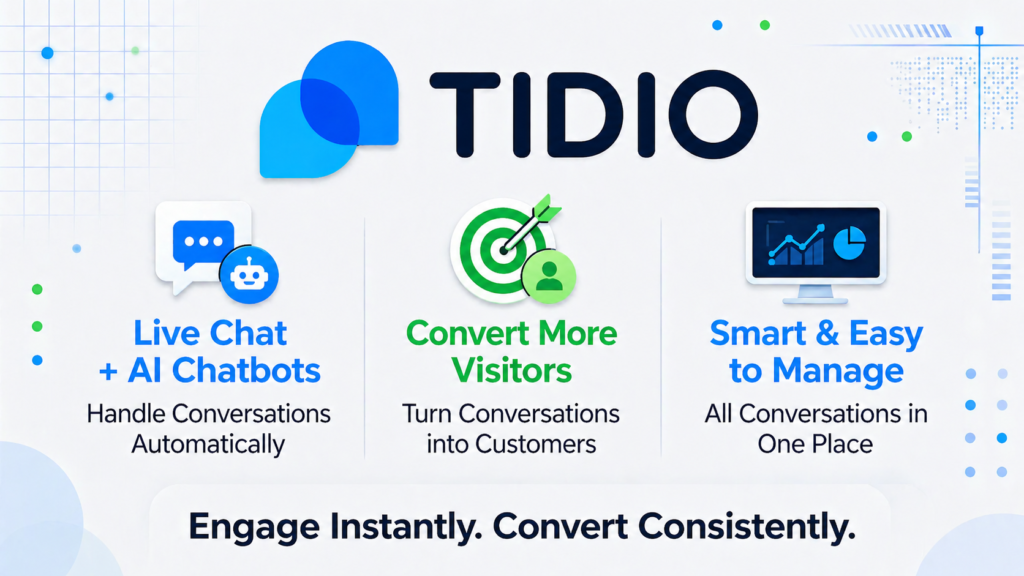
That’s where tools like Tidio enter the picture. Instead of just adding a chat box, it combines live chat, automation, and AI driven responses into a single system designed to engage users immediately.
Used correctly, it doesn’t just “answer questions.” It actively moves visitors toward decisions, whether that’s buying, booking, or subscribing.
How Tidio Turns Conversations into Conversions
At its core, Tidio is a customer communication platform that blends live chat with automation. But the practical reality is more nuanced.
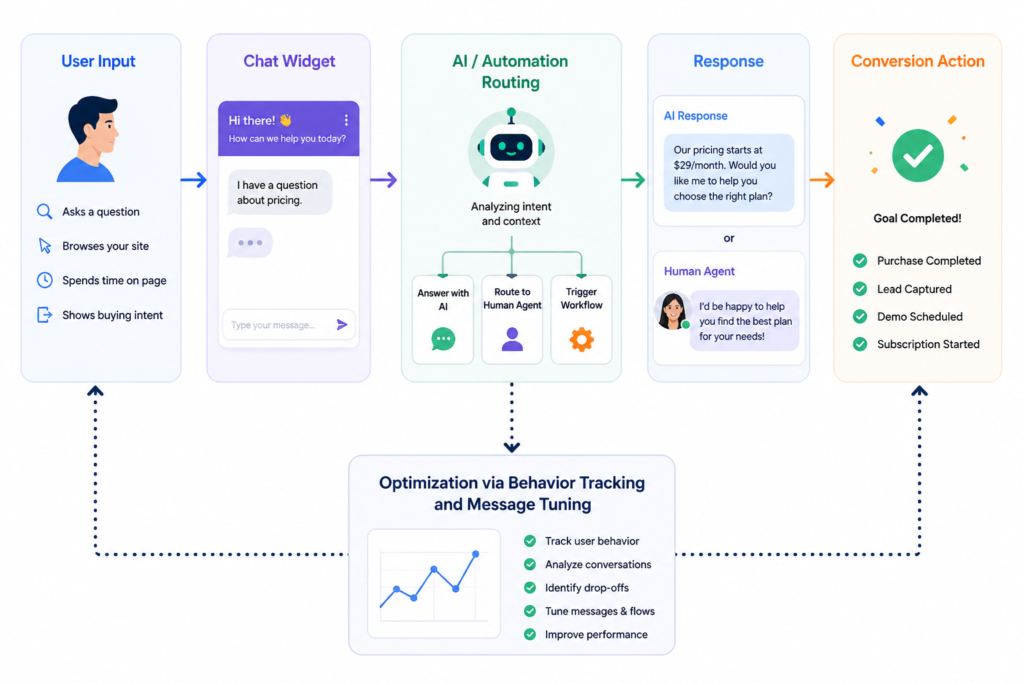
It monitors user behavior on your site, pages visited, time spent, exit intent, and uses that data to trigger conversations. These can be handled by AI, predefined workflows, or human agents.
It performs well in environments where:
- Visitors have predictable questions (pricing, delivery, availability)
- Conversion depends on reassurance or clarification
- Speed matters more than depth
However, it struggles when:
- Queries are complex or highly technical
- Businesses rely heavily on nuanced, human judgment
- Automation is poorly configured (which happens often)
A key gap between expectation and reality: many users assume AI chatbots will “understand everything.” In practice, the system depends heavily on how well you structure triggers and responses.
Key Features
The chatbot automation is the centerpiece. It allows you to create decision based flows triggered by user actions. For example, a visitor lingering on a pricing page can automatically receive a targeted message. This reduces bounce rates, but only if the timing feels natural. Over-aggressive triggers can feel intrusive and backfire.
Live chat takeover is another critical component. When the AI fails or detects intent signals, conversations can be handed to a human agent. This hybrid approach works well, but only if response times are fast. Delays here break the entire experience.
The multichannel inbox consolidates conversations from chat, email, and social platforms. In theory, this simplifies operations. In practice, it can become overwhelming if workflows aren’t clearly segmented.
Analytics are available, but they’re not deeply strategic by default. You’ll see metrics like response time and conversation count, but extracting meaningful insights requires manual interpretation.
How to Use It
Most users install Tidio and immediately enable chat. That’s a mistake.
The setup phase is where most performance gains are made:
- Define 3-5 key user intents (e.g., pricing questions, product fit, support)
- Build automation flows around those not generic greetings
- Customize triggers based on behavior, not just page load
During usage, the system begins routing conversations. AI handles basic interactions, escalating when needed.
Where things break:
- Generic responses that don’t match user intent
- Poorly timed pop ups
- Over reliance on automation without fallback
A better prompt example for chatbot configuration:
“Ask visitors what they’re trying to achieve, not what they’re looking for.”
Beginner mistake:
Using one universal chatbot flow for all visitors
Fix: Segment flows based on traffic source or page context
Real Life Use Cases
E-commerce conversion support
Visitors hesitate on checkout pages. Tidio triggers a message offering help. Result: reduced cart abandonment.
Insight: Works best when tied to specific friction points, not generic greetings.
Lead qualification for service businesses
Instead of forms, users answer chatbot questions. Leads are pre-qualified before contact.
Insight: Increases efficiency, but only if questions are concise.
Customer support automation
Common questions are handled instantly. Human agents focus on edge cases.
Insight: Reduces workload, but requires constant updating of responses.
SaaS onboarding guidance
New users get guided through setup via chat prompts.
Insight: Effective for simple products, less so for complex platforms.
Example Outputs
| Task | Without AI | With Tidio |
|---|---|---|
| Answer pricing questions | Email reply in hours | Instant chatbot response |
| Capture leads | Static form, low completion | Conversational capture flow |
| Reduce bounce rate | No intervention | Triggered chat engagement |
| Handle support | Overloaded inbox | Automated + filtered tickets |
Pricing
Tidio uses a tiered model based on features and usage volume. Entry level plans are accessible, but costs increase with automation and AI usage.
It becomes worth paying when:
- You have consistent traffic
- Conversations directly impact revenue
- You’ve already validated your messaging
A common mistake is upgrading too early. Many businesses pay for automation before refining their workflows.
The real cost is often how the tool is used, not the subscription itself.
Strengths and Limitations
One of its strongest advantages is speed. It allows businesses to respond instantly, which directly impacts conversions.
However, automation quality is entirely dependent on setup. Poor configuration leads to irrelevant or annoying interactions.
The hybrid AI human system is powerful, but fragile. If handoffs are delayed, user experience suffers.
Its simplicity is both a strength and a limitation. Easy to deploy, but not deeply customizable compared to enterprise solutions.
Who Should Use It
Best suited for:
- E-commerce stores
- SaaS platforms with onboarding needs
- Small to mid-sized businesses scaling support
Not ideal for:
- Highly technical consulting services
- Businesses requiring deep, human-driven interactions
- Teams without time to optimize workflows
Advanced Tips
Use behavior based triggers instead of time based ones. Timing alone is rarely accurate.
Continuously review chat transcripts. This is where the real optimization happens.
Segment chatbot flows by intent, not audience. Most users over segment unnecessarily.
Treat automation as a filter, not a replacement for human interaction.
Final Verdict
Tidio is effective when used as a structured communication system not just a chat widget.
It’s worth using if your business depends on fast interaction and repeatable questions. The biggest advantage is its ability to turn passive traffic into active conversations.
The main limitation is that performance depends heavily on setup quality. Without deliberate configuration, results remain average.
FAQ
Does Tidio replace human support teams?
No. It reduces workload but still requires human intervention for complex queries.
How long does it take to see results?
Initial impact can be immediate, but meaningful optimization takes weeks of iteration.
Is it suitable for low traffic websites?
Not always. Its value increases with visitor volume and interaction frequency.
Can it integrate with other tools?
Yes, but integration depth varies depending on the platform.
Call to Action
If your website traffic isn’t converting into conversations, the issue is likely timing, not content.
Start using Tidio in a real workflow and focus on refining how and when you engage users.