Editing audio and video is still unnecessarily slow for most teams.
Traditional tools force you to scrub timelines, cut clips manually, and deal with technical friction that has little to do with the actual message. Even experienced editors spend more time navigating software than refining content.
Text based editing promised a solution, but most tools that claim to simplify workflows still introduce new layers of complexity or produce inconsistent results.
That’s where Descript positions itself differently. Try Descript and the first noticeable shift is how quickly raw recordings become editable text. Instead of treating media as timelines, it treats it as documents. The practical gain is not just speed, it’s control over iteration.
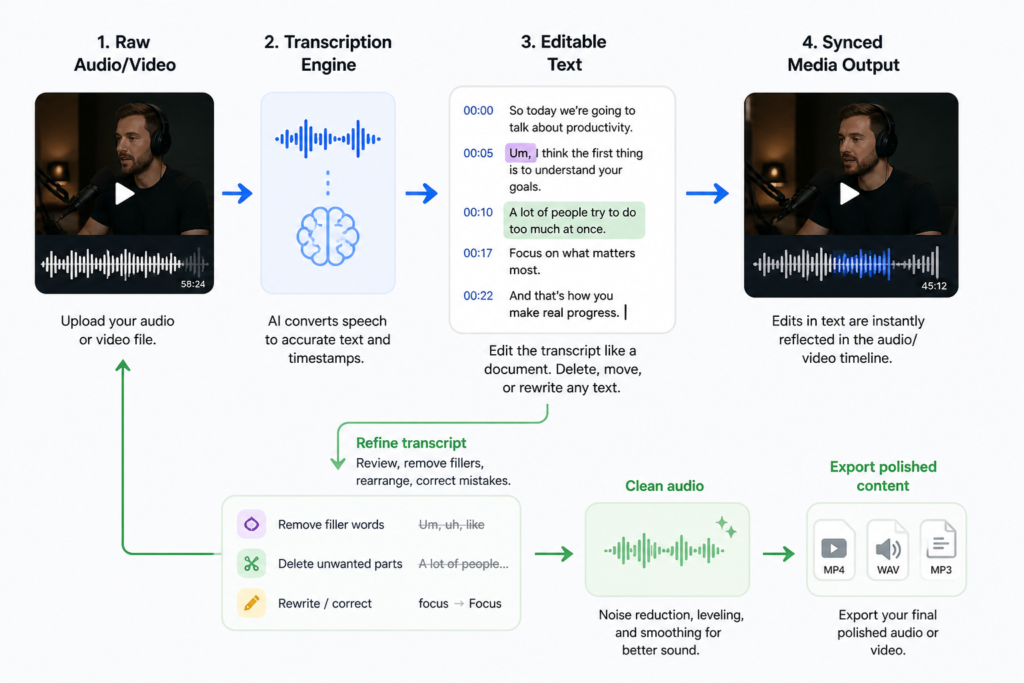
Core Capabilities of Descript
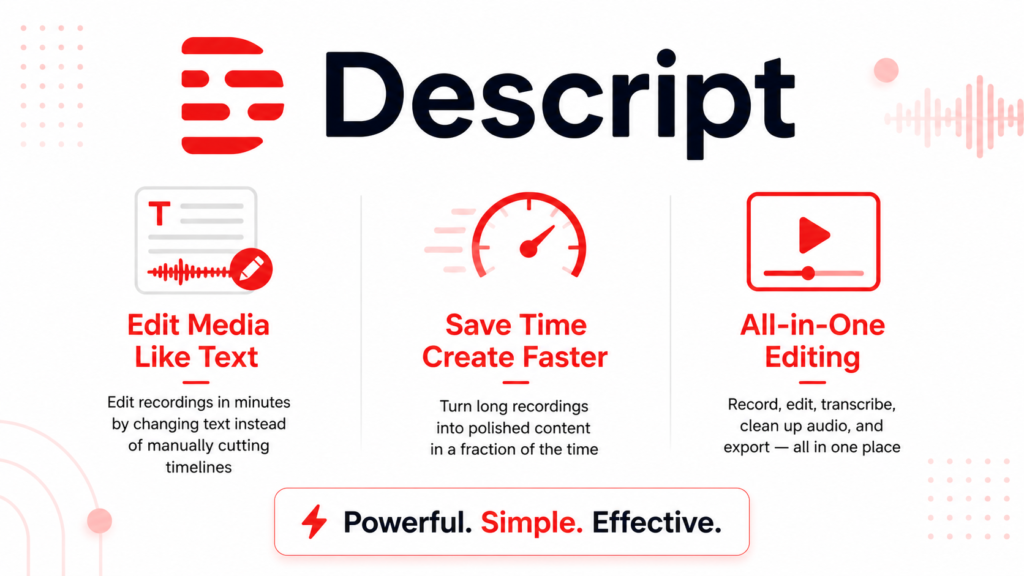
Descript is a hybrid editing environment that merges transcription, audio/video editing, and AI-assisted content generation into a single workflow.
At its core, it converts spoken content into text and allows users to edit media by editing that text. Deleting a sentence removes the corresponding audio or video segment. This sounds simple, but the execution is where most tools fail, and where Descript is relatively strong.
It performs well for:
- Podcast editing
- Talking-head videos
- Screen recordings with narration
- Repurposing long-form content into clips
Where expectations often diverge from reality is in precision. While text-based editing is fast, it is not always frame perfect. Users expecting cinematic level control will quickly hit limitations.
Another important observation: transcription quality is generally strong, but not flawless. Accents, overlapping speech, and low quality audio still introduce friction.
Key Features
The transcription engine is the backbone of everything. It’s fast and reasonably accurate, but more importantly, it enables downstream features like search, editing, and AI generation. In practice, this means you can locate a sentence in seconds instead of scanning a timeline. However, minor transcription errors can propagate into edits if not reviewed.
Overdub, Descript’s voice cloning feature, allows users to generate synthetic voice corrections. This is useful for fixing mistakes without re-recording. The limitation is that tone consistency can drift, especially in emotional or dynamic speech.
The filler word removal feature is often overused. It can clean up “ums” and pauses quickly, but aggressive use makes speech sound unnatural. The better approach is selective removal.
Multitrack editing exists but is not as flexible as traditional DAWs. It works for basic layering but becomes restrictive for complex productions.
Screen recording integration is efficient. It removes the need for separate tools, but export customization remains limited compared to specialized software.
How to Use It
A practical workflow starts before recording. Clean audio matters more in Descript than in traditional editors because transcription drives everything. Poor input degrades the entire process.
After importing or recording, the first step is always reviewing the transcript. Most users skip this and go straight to editing, which leads to structural mistakes.
Editing then becomes a matter of restructuring text. Removing redundancy is fast, but pacing still requires listening. Blind editing by text alone often results in awkward cuts.
Once the structure is solid, AI tools like filler removal or overdubbing can refine the output. This is where moderation matters.
A common beginner mistake is over-relying on automation. For example:
Mistake: Applying full automatic cleanup to an entire recording
Fix: Manually review key sections and apply AI selectively
An improved approach to prompting within Descript’s AI tools:
Instead of vague edits like:
“Make this sound better”
Use:
“Shorten this paragraph while keeping technical accuracy and removing repetition”
The difference in output quality is significant.
Real Life Use Cases
- Podcast production becomes dramatically faster. Instead of editing waveforms, producers refine transcripts. The result is quicker turnaround, though final polishing still requires listening.
- Marketing teams use it to repurpose webinars into short clips. The key advantage is identifying strong segments via text search. However, visual framing still requires manual adjustment.
- Course creators benefit from batch editing lectures. The ability to remove mistakes without re-recording saves time, but overuse of overdub can reduce authenticity.
- Internal communications teams use Descript for async video updates. The simplicity lowers the barrier to entry, but branding consistency may require external tools.
- Content agencies leverage it for scaling output. The constraint is that complex editing pipelines eventually outgrow Descript’s capabilities.
Example Outputs (Realistic Table)
| Task | Without AI | With Descript |
|---|---|---|
| Edit 30-min podcast | 2–3 hours manual cutting | 45-60 minutes with transcript editing |
| Fix spoken mistake | Re-record entire segment | Overdub single sentence (may sound slightly synthetic) |
| Create social clips | Manual scrubbing | Search transcript + quick cut |
| Remove filler words | Manual detection | Automated but requires review |
Pricing
Descript uses a subscription model with usage limits tied to transcription and AI features.
It becomes worth paying for when:
- You produce content regularly (weekly or more)
- You repurpose content across formats
- Time saved outweighs editing precision needs
A common mistake is paying for higher tiers without fully using AI features. Many users only use basic editing, which does not justify premium plans.
The real cost is often how the tool is used, not the subscription itself.
Strengths and Limitations
Descript excels at speed. The ability to edit media through text significantly reduces production time. This matters most for teams producing high volumes of content.
It struggles with precision. Fine grained edits, sound design, and advanced visual control are limited. This becomes a bottleneck in professional-grade production.
Its AI features are useful but require restraint. Overuse leads to unnatural outputs, especially in voice synthesis and aggressive cleanup.
The all in one approach is both a strength and a limitation. It reduces tool switching but cannot fully replace specialized software in advanced workflows.
Who Should Use It
Best suited for:
- Podcasters
- YouTubers (talking-head content)
- Marketing teams
- Educators and course creators
Not ideal for:
- Film editors
- Advanced audio engineers
- Projects requiring precise timeline control
Advanced Tips
- Use Descript as a first-pass editor, not the final one. Export to another tool if precision matters.
- Build a clean recording system. Good microphones and quiet environments improve everything downstream.
- Create reusable templates for common workflows. This reduces setup time significantly.
- Use transcription search strategically. Instead of editing linearly, jump directly to key moments.
- Limit AI automation to specific tasks. Targeted use produces better results than full automation.
Final Verdict
Descript is one of the most practical tools for speeding up content production, especially when working with spoken media.
It is worth using if your priority is efficiency and iteration speed. It is less suitable if you need precision and advanced control.
The key limitation is that text-based editing is not a complete replacement for timeline editing, it’s a powerful layer on top of it.
FAQ
Does Descript replace traditional video editors?
Not entirely. It works best as a fast editing layer, not a full replacement for advanced tools.
How accurate is the transcription?
Generally strong, but errors still occur with accents, noise, or overlapping speech.
Is overdub reliable for professional use?
Useful for small corrections, but noticeable in longer or emotional segments.
Can beginners use it easily?
Yes, but understanding its limitations is essential to avoid poor results.
Does it work for long form content?
Yes, but performance and organization become important for larger projects.
Call to Action
If you produce spoken content regularly, the fastest way to understand its value is to test it on a real project. Start using Descript and evaluate how much time it actually saves in your workflow.