Freelancing in 2026 is not what it was three years ago. The rules have changed. Clients expect faster delivery, higher quality, and more value, often without increasing their budgets. The competition is fiercer than ever. And the freelancers who are winning are not always the most talented ones.
They are the ones using AI.
Not as a shortcut. Not to replace their skills. But as a force multiplier that handles the unglamorous overhead, the first drafts, the research, the admin, and the scheduling, so they can focus on the 20% of work that actually creates value and builds relationships.
If you are a freelancer trying to figure out which AI tools are actually worth your money in 2026, this is the guide you need. No fluff. Just the tools that matter, what they do, who they are for, and how much they cost.
1. Claude, The Best AI Brain for Freelancers
Best for: Writers, consultants, researchers, marketers, and anyone who works with documents and long-form content.
Claude is the AI assistant that feels least like a tool and most like a collaborator. Built by Anthropic, it consistently outperforms competitors on tasks that require careful reasoning, nuanced writing, and handling complex, lengthy documents.
What makes Claude essential for freelancers in 2026 is the Projects feature. You create a separate Project for each client, upload their brand guidelines, past work, and style preferences, and Claude remembers all of it automatically across every conversation. No more re-explaining who your client is every time you start a new chat.
Why freelancers love it:
- Writes, edits, and refines content with a quality that rivals human experts
- Analyzes entire documents, contracts, and reports in seconds
- Handles 1 million token context, meaning you can feed it an entire book or codebase
- Memory feature remembers your preferences and working style across sessions since March 2026
- Opus 4.7, the flagship model, is significantly better than competitors at nuanced tasks
Pricing:
- Free: limited daily usage, access to Claude Sonnet
- Pro: $20/month, 5x usage, full Opus access, Projects, and file uploads
- Max: $100 to $200/month for heavy users
Who should use it: Every freelancer. Claude is the single most universally useful AI tool available in 2026 regardless of your niche.
2. Perplexity AI, The Research Engine That Cites Everything
Best for: Writers, journalists, consultants, marketers, and anyone whose work requires current, accurate, verified information.
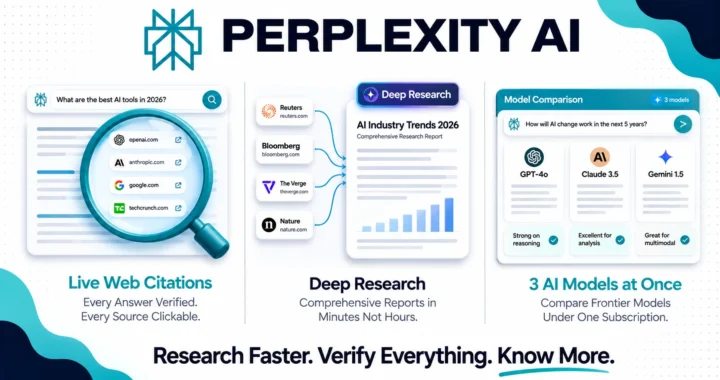
Perplexity is what Google Search should be. You ask a question, it searches the live web in real time, reads the most relevant pages, and gives you a clear synthesized answer with every source cited and clickable. No more opening 12 tabs and reading through paragraphs looking for the one statistic you need.
The Deep Research feature is a game changer for freelancers. You give it a research brief and it runs an extended multi-step investigation across dozens of sources, then delivers a comprehensive report in minutes. What used to take a human researcher hours now takes under five minutes.
Why freelancers love it:
- Every answer comes with citations, so you can verify and reference sources immediately
- Deep Research produces full reports on complex topics in minutes
- Comet, its free AI browser launched in March 2026, adds agentic search and page summarization to your everyday browsing
- Multi-model access on Pro lets you switch between GPT-4, Claude, and others in one interface
- Ideal for fact-checking, competitor analysis, and market research
Pricing:
- Free: basic AI search with limited Pro searches per day
- Pro: $20/month, unlimited searches, Deep Research, full model selection
Who should use it: Writers, content strategists, consultants, and anyone who charges for research-backed deliverables.
3. Grammarly, Your Always-On Editor
Best for: Every freelancer who communicates in writing, which means every freelancer.
Grammarly is no longer just a grammar checker. In 2026, it is a full AI writing assistant that rewrites sentences, adjusts your tone for different audiences, checks for clarity, and even helps you draft emails and messages from scratch. It works everywhere: your browser, Google Docs, Microsoft Word, email, Slack, and more.
For freelancers, the value is in the consistency. Every client email, every proposal, every deliverable goes through Grammarly automatically. You never send something unprofessional by accident. And for non-native English speakers, it is an essential tool that levels the playing field completely.
Why freelancers love it:
- Works invisibly in the background across all your writing apps
- Tone detection tells you if an email sounds too aggressive or too passive
- Rewrites unclear sentences instantly with one click
- Plagiarism checker built in on paid plans
- Works in over 30 languages
Pricing:
- Free: basic grammar and spelling corrections
- Pro: $12/month (annual), full AI rewriting, tone adjustment, and clarity improvements
- Business: $15/user/month for teams
Who should use it: All freelancers. This is a non-negotiable tool at $12/month.
4. Notion AI, Your Workspace That Thinks With You
Best for: Freelancers who manage multiple clients, projects, and documents and want everything in one organized, intelligent workspace.
Notion is the all-in-one workspace where thousands of freelancers run their entire business: client databases, project trackers, content calendars, proposal templates, invoice records, and knowledge bases. Notion AI adds intelligence to all of it.
Ask Notion queries your entire workspace instantly. You type “what did I promise the Smith project last week” and it finds the answer in your notes, meeting logs, and task lists in seconds. The AI agent can draft documents, summarize meeting notes, update databases, and handle repetitive writing tasks directly inside your workspace.
Why freelancers love it:
- Everything in one place: projects, clients, documents, finances, and notes
- Ask Notion searches your entire workspace including connected Google Drive and Slack
- AI drafts, rewrites, and summarizes directly inside your documents
- Custom templates for proposals, contracts, and onboarding saves hours per client
- Customizable for any freelance niche and workflow
Pricing:
- Free: unlimited pages and blocks, limited AI trial
- Plus: $10/user/month (annual), unlimited guests and file storage
- Business: $20/user/month, full AI access including AI Agents and Ask Notion
Who should use it: Freelancers managing 3 or more active clients who want a centralized, intelligent workspace.
5. Jasper, The AI Built for Marketing Copy
Best for: Copywriters, content marketers, social media managers, and anyone writing persuasive content for clients.
While Claude is the best all-around AI writer, Jasper is purpose-built specifically for marketing copy. It comes with hundreds of templates for ad copy, email sequences, product descriptions, landing pages, social media posts, and blog articles, all built around proven marketing frameworks designed to convert readers into buyers.
For freelance marketers and copywriters, Jasper is the tool that helps you produce client deliverables faster without sacrificing the quality that keeps clients coming back.
Why freelancers love it:
- Pre-built templates for every marketing format
- Brand Voice feature learns and replicates your client’s tone across all content
- SEO mode integrates with Surfer SEO for optimized blog articles
- Campaign mode creates multi-channel content from a single brief
- Ideal for agencies and freelancers managing multiple brand voices
Pricing:
- Creator: $39/month, one user, one brand voice
- Pro: $59/month, up to 5 users, 3 brand voices
- Business: custom pricing for teams
Who should use it: Freelance copywriters and marketing consultants delivering high volumes of client content.
6. Descript, The AI Video and Podcast Editor
Best for: Video editors, podcast producers, content creators, and anyone working with audio or video content.
Descript works differently from traditional video editors. You edit video and audio the way you edit a text document. Delete a word from the transcript and it disappears from the video. Remove filler words like “um” and “uh” with one click. Overdub your voice to fix mistakes without re-recording. Generate captions, create clips for social media, and produce polished content in a fraction of the time.
For freelancers in the video and audio space, Descript cuts production time in half and opens up services that used to require expensive equipment and years of editing experience.
Why freelancers love it:
- Edit video by editing text, no timeline scrubbing required
- Remove filler words automatically across entire recordings
- AI voice cloning for fixing audio mistakes without re-recording
- Auto-generated captions and subtitles in minutes
- Create short clips for social media from longer recordings automatically
Pricing:
- Free: basic features, watermarked exports
- Hobbyist: $12/month, unlimited transcription, no watermark
- Creator: $24/month, full AI features including overdub and filler word removal
Who should use it: Video editors, podcast producers, YouTubers, and anyone offering video or audio content services.
7. Zapier, The AI Automation Engine
Best for: Freelancers who want to eliminate repetitive manual tasks and connect their tools together without writing code.
Zapier connects over 7,000 apps and automates the workflows between them. A new client fills out your contact form, Zapier automatically creates a project in Notion, sends a welcome email, adds them to your CRM, and creates an invoice template. All without you touching anything.
In 2026, Zapier’s AI features let you describe a workflow in plain English and it builds the automation for you. No technical knowledge required.
Why freelancers love it:
- Connects virtually every tool freelancers use including Gmail, Notion, Slack, Trello, and Stripe
- AI Zap builder creates automations from plain language descriptions
- Saves hours per week on admin tasks like follow-ups, invoicing, and client onboarding
- Free plan covers most solo freelancer needs
Pricing:
- Free: 100 tasks/month, basic automations
- Professional: $19.99/month, unlimited tasks and multi-step automations
- Team: $69/month for agencies and growing freelance businesses
Who should use it: Any freelancer spending time on repetitive admin tasks. This tool pays for itself within the first week.
8. Canva, AI-Powered Design for Non-Designers
Best for: Freelancers who need to produce visual content for clients without hiring a designer.
Canva’s AI tools in 2026 make professional design accessible to anyone. Magic Studio generates social media graphics, presentations, and marketing materials from simple text descriptions. The brand kit system lets you switch between client brand guidelines instantly. And the AI image generator creates custom visuals that fit exactly what you need.
For freelancers offering social media management, content creation, or marketing services, Canva is the tool that lets you deliver beautiful visual work without outsourcing design.
Why freelancers love it:
- Magic Studio generates professional graphics from text descriptions
- Thousands of templates for every format: posts, stories, presentations, and documents
- Brand Kit stores client colors, fonts, and logos for instant switching
- Background remover, image editor, and AI image generator built in
- Free plan is genuinely powerful for most solo freelancers
Pricing:
- Free: thousands of templates, limited AI features
- Pro: $15/month, full Magic Studio AI tools, brand kit, and premium assets
- Teams: $10/user/month
Who should use it: Content creators, social media managers, marketers, and any freelancer who creates visual deliverables for clients.
The Recommended Starter Stack
You do not need all eight tools on day one. Here is the most practical starting point based on your budget:
Minimum starter stack (under $40/month):
- Claude Pro at $20/month for writing and thinking
- Perplexity Pro at $20/month for research
- Grammarly Free for editing
Full professional stack (under $100/month):
- Claude Pro at $20/month
- Perplexity Pro at $20/month
- Grammarly Pro at $12/month
- Canva Pro at $15/month
- Zapier Free for automation
Add Notion, Jasper, or Descript based on your specific niche and services.
The Honest Truth About AI and Freelancing in 2026
AI tools will not replace skilled freelancers. But freelancers who use AI will replace those who do not. The gap between a freelancer with the right AI stack and one without it is not small. It is the difference between delivering one article per day and delivering five. It is the difference between spending Sunday writing proposals and having them done in 20 minutes on Friday afternoon.
The tools in this list are not magic. They require judgment, oversight, and your professional expertise to produce results worth paying for. But in the hands of a skilled freelancer, they are the most powerful income multipliers available in 2026.
Pick the two or three that fit your work. Start this week. The results will compound faster than you expect.